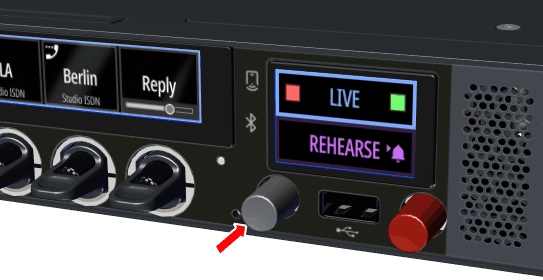
Main Volume / Muting
-
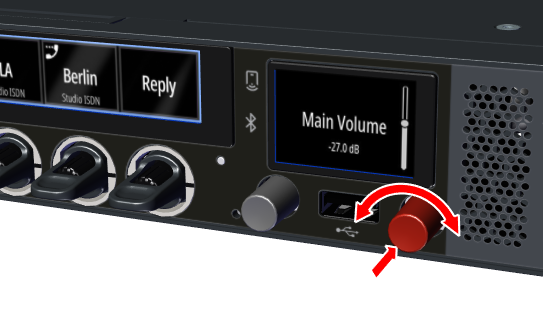
Turning the right red rotary encoder adjusts the main volume of the SmartPanel.
This is visualized by a vertical bar on the right side in the info display.
In addition, the menu is displayed showing the currently selected speaker/headset mode in the upper icon. -
If the headset mode is activated, the volume of the connected headset is set.
-
If the speaker mode is activated, the volume of the internal speaker is set.
-
The volumes for the speaker and for the headset can be set independently of each other.
-
Pressing the right red rotary encoder causes the speaker to be switched off. This is indicated by a blinking LED in this rotary encoder.

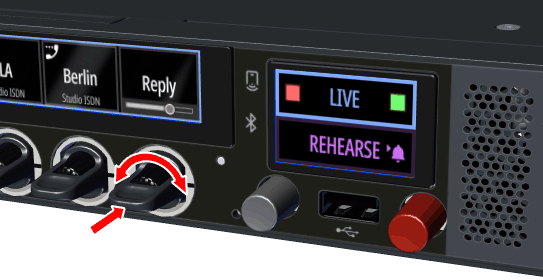
Port Volume / Muting
-
The individual port volume is adjusted via the integrated rotary encoders in the respective lever key. The volume is temporarily visualized by a horizontal bar in the respective key display.
-
If the SmartPanel is operated on an Artist-1024, the volume can be visualized temporarily or permanently, depending on the setting in the Director. For more information, see the Director manual.
-
Pressing a rotary encoder mutes the respective port. Muting is also possible by turning down the volume completely. This is indicated by a mute symbol in the respective key display.
-
The volume setting is independent of the mute state and can be made while the key is muted.
Sidetone Volume
The left gray rotary encoder is used to adjust the volume of the sidetone. The sidetone can be completely muted by setting the sidetone volume to below -57 dB.
The volume is temporarily visualized by a vertical bar on the left side in the info display. In addition, it is displayed for which headset (A, B, A/B) the volume is set. In the default setting, the sidetone volume for headset A and headset B is controlled together.
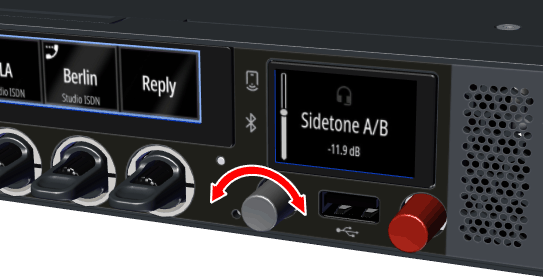
If the linked sidetone setting is switched off (->Settings Menu > Device Settings ), the sidetone volumes of headsets A & B can be set individually. A long press on the left gray rotary encoder switches between Sidetone A and Sidetone B control and is shown in the display accordingly.
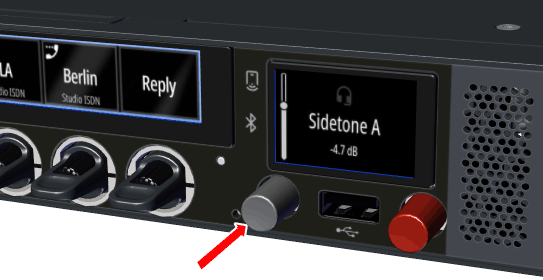
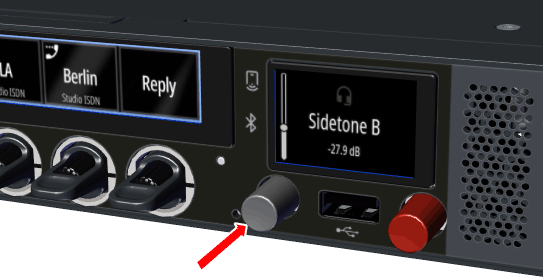
The Sidetone function is always active on 1200 SmartPanels and cannot be additionally configured in the Director.
Microphone Muting
A short press on the left gray rotary encoder switches the microphone off (mute). This is indicated by a blinking LED inside this rotary encoder.