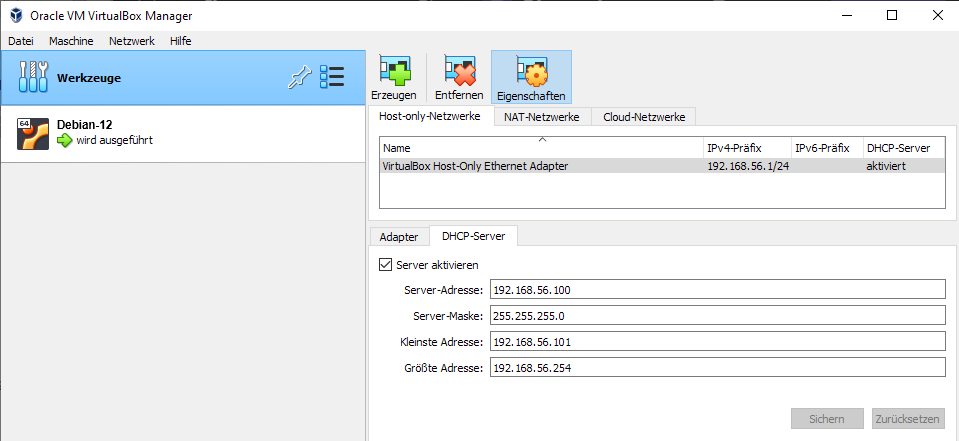
Deploying Riedel Software in a Virtual Machine environment provides a solution for a standalone deployment on a computer without the need of a dedicated server and is therefore suitable for a range of commissioning or diagnosis scenarios. The following are steps for setting up a VirtualBox as an example. It is also possible to use other virtual machines.
Prerequisites
-
Oracle VirtualBox v7.0.0
-
The RAM and CPU requirements of the software to be used must be met.
(e.g. the STAGE Server Hardware Requirements)
Oracle VirtualBox Setup Instructions
-
Download the ISO of the desired server operation system, e.g. Debian “bookwork” release 12.x (the latest stable release).
-
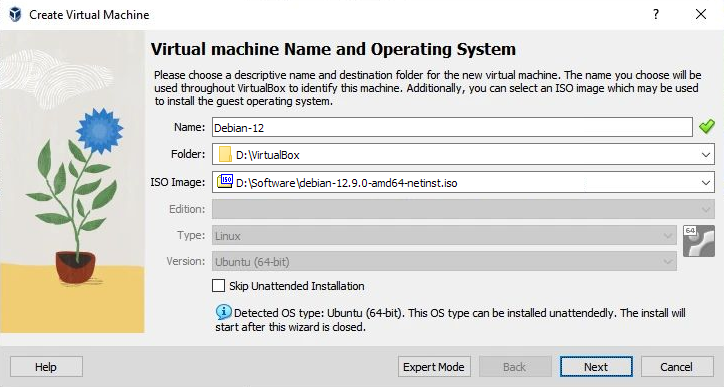
Create a new virtual machine in Oracle VirtualBox, select the downloaded ISO and click Next.
-
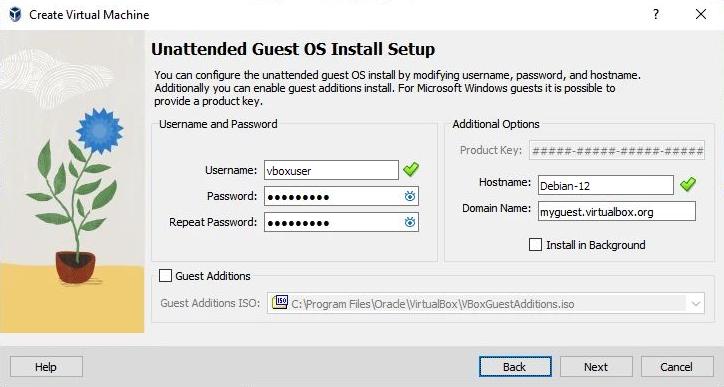
Provide a username and password and click Next.
-
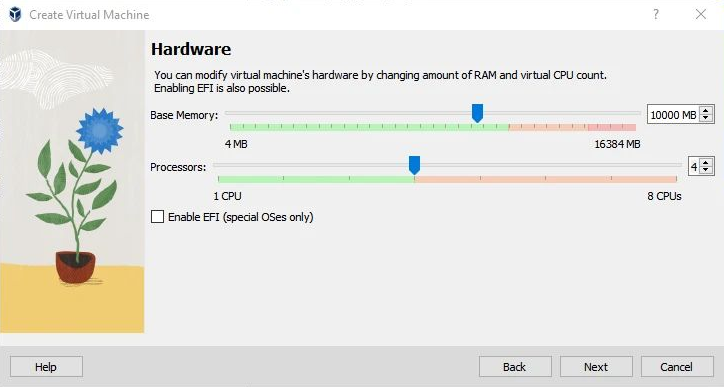
Select the RAM and CPU requirements of the software to be used and select Next.
-
Provide the hard disk size requirements of the software to be used.
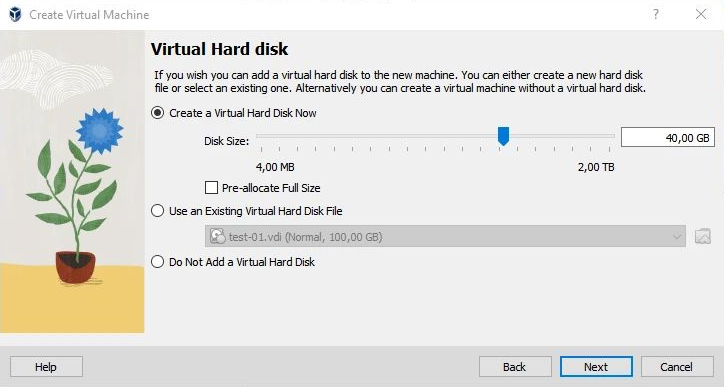
Selecting a larger size will not allocate the space on your disk immediately, but only if it will be actually used, e.g. with future updates.
-
Finish the wizard and wait for the machine to start.
-
Complete the Installation of the operating system in the installer. See chapter Preparations.
Setup Networking
-
Open the settings of the newly created virtual machine.
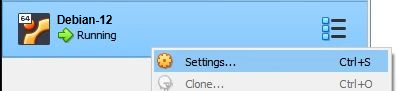
-
In the "Network" section, make sure the "Adapter 1" is set to Host-only Adapter.
In the “Advanced” section, make sure the checkbox Cabel connected is ticked.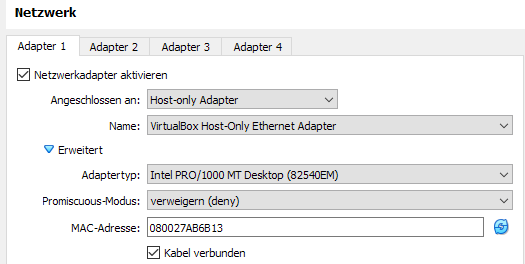
-
Identify IP address of the virtual Linux machine by pinging addresses in the range of the virtual DHCP server.