The SmartPanels are shipped with an XLR insert for 4-pin headphone connections.
The pre-installed XLR insert can be replaced by the user.
The following table lists the part numbers (versions) of the XLR inserts that are compatible with the SmartPanel. The part number/version can be found on the label on the XLR insert. In addition to the compatible XLR insert, the XLR accessory includes an Allen wrench and a spare grub screw.
|
|
XLR Insert |
Grub Screw |
|
|---|---|---|---|
|
Included XLR |
XLR4M |
|
M3x4 mm |
|
XLR option (sales item): 9300956 |
XLR7M |
|
M3x4 mm |
Replacing the Headset Plug
The front XLR insert in the RSP-1216HL and RSP-1232HL, as well as the two rear inserts in the DSP-1216HL, can be replaced by the user. The required steps are shown below using an RSP-1232HL as an example, but also apply to a RSP-1216HL and DSP-1216HL.
-
Switch off the SmartPanel.
-
Insert a suitable XLR connector into the XLR insert.
mounting_1.png?cb=4d0a549472e9c1af72c342b105b53a4e)
-
Using a 1.5 mm Allen wrench, loosen the grub screw on the bottom of the SmartPanel below the XLR insert.
mounting_2.png?cb=daf8b1534ac33c719375e6298b453a33)
-
Pull the XLR insert out of the SmartPanel using the XLR connector.
mounting_3.png?cb=d6d6561a2d3507f717171015292230bd)
-
Insert the desired XLR insert.
Use a suitable XLR connector to plug in the XLR insert.
mounting_4.png?cb=2e023958d07a426c686c207cdb20c363)
-
Tighten the grub screw with a torque of 0.15 Nm.
-
Power the SmartPanel.
The new XLR insert is automatically detected by the SmartPanel.
mounting_5.png?cb=9ab7f4e3d79d0ab52e83fdeefb688934)
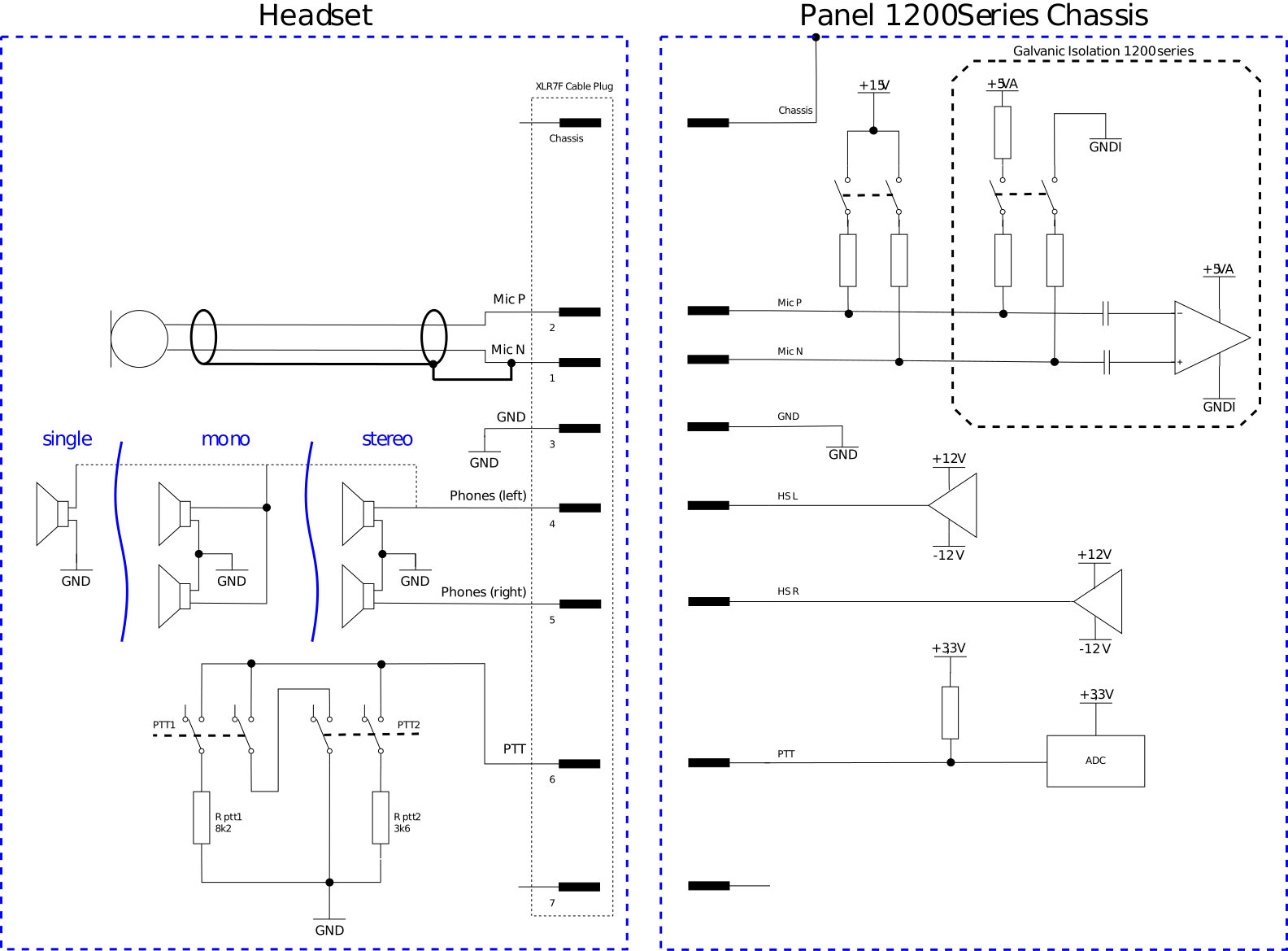
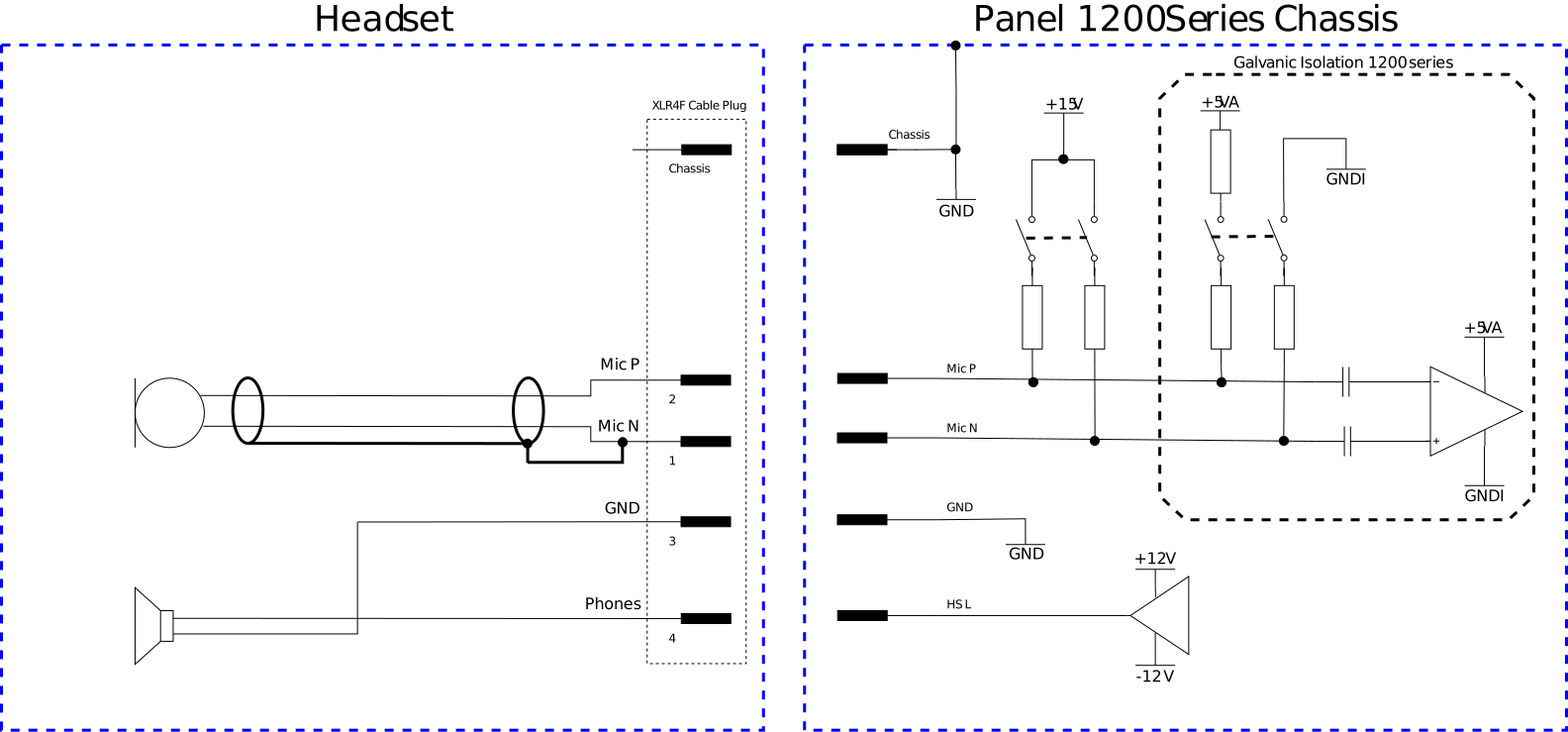
XLR Schematic
XLR4M
XLR7M