Overview
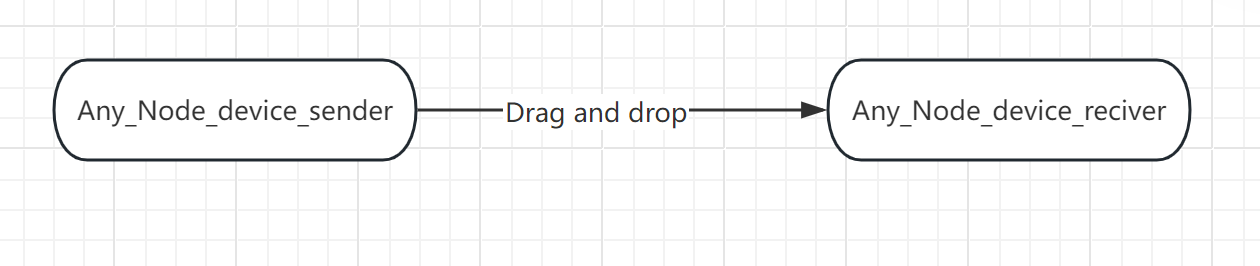
Riedel NMOS Explore enables users to build custom routing workflows.
Panel Description
|
Panel_section |
Notes |
|---|---|
|
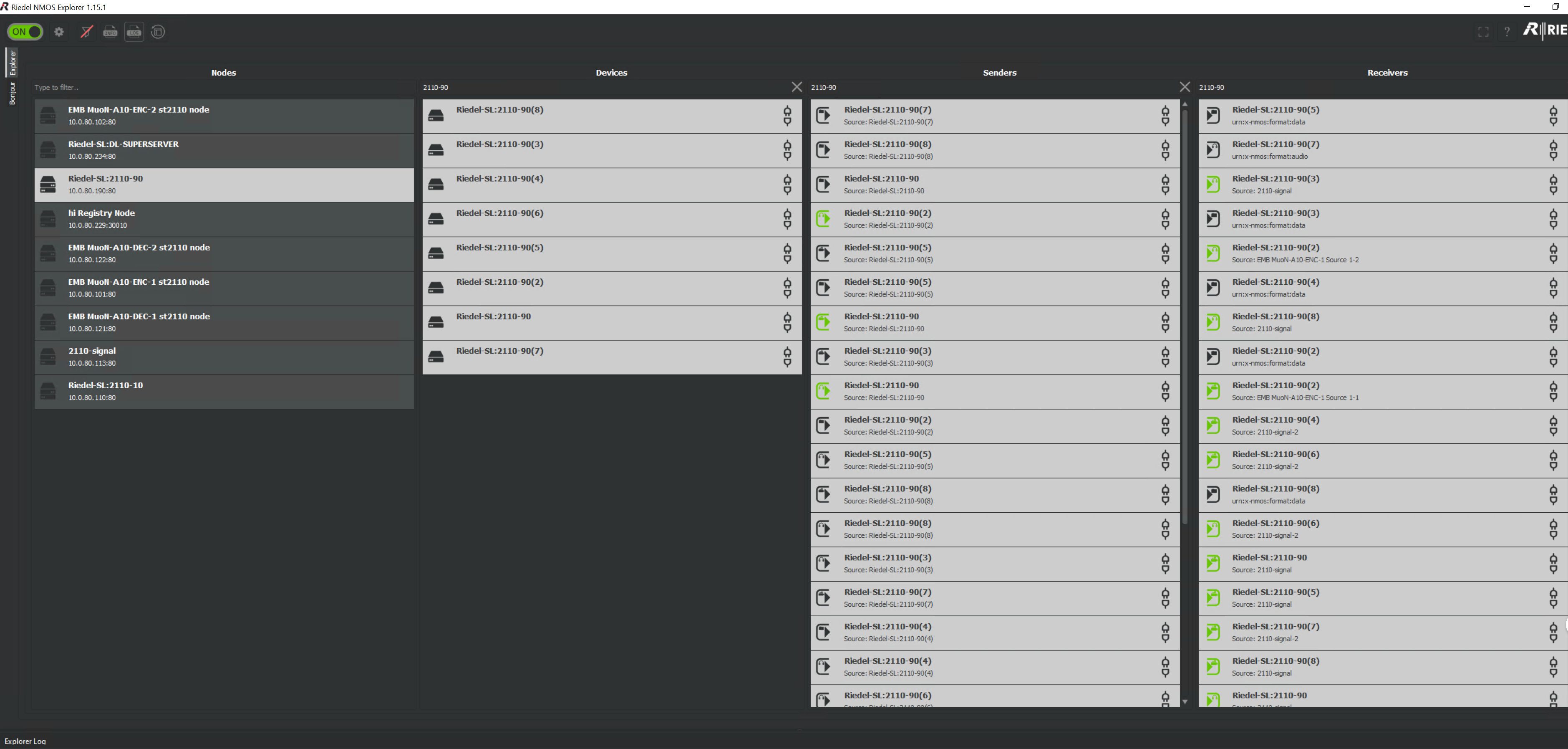
Nodes |
Lists all servers configured for ST2110 |
|
Devices |
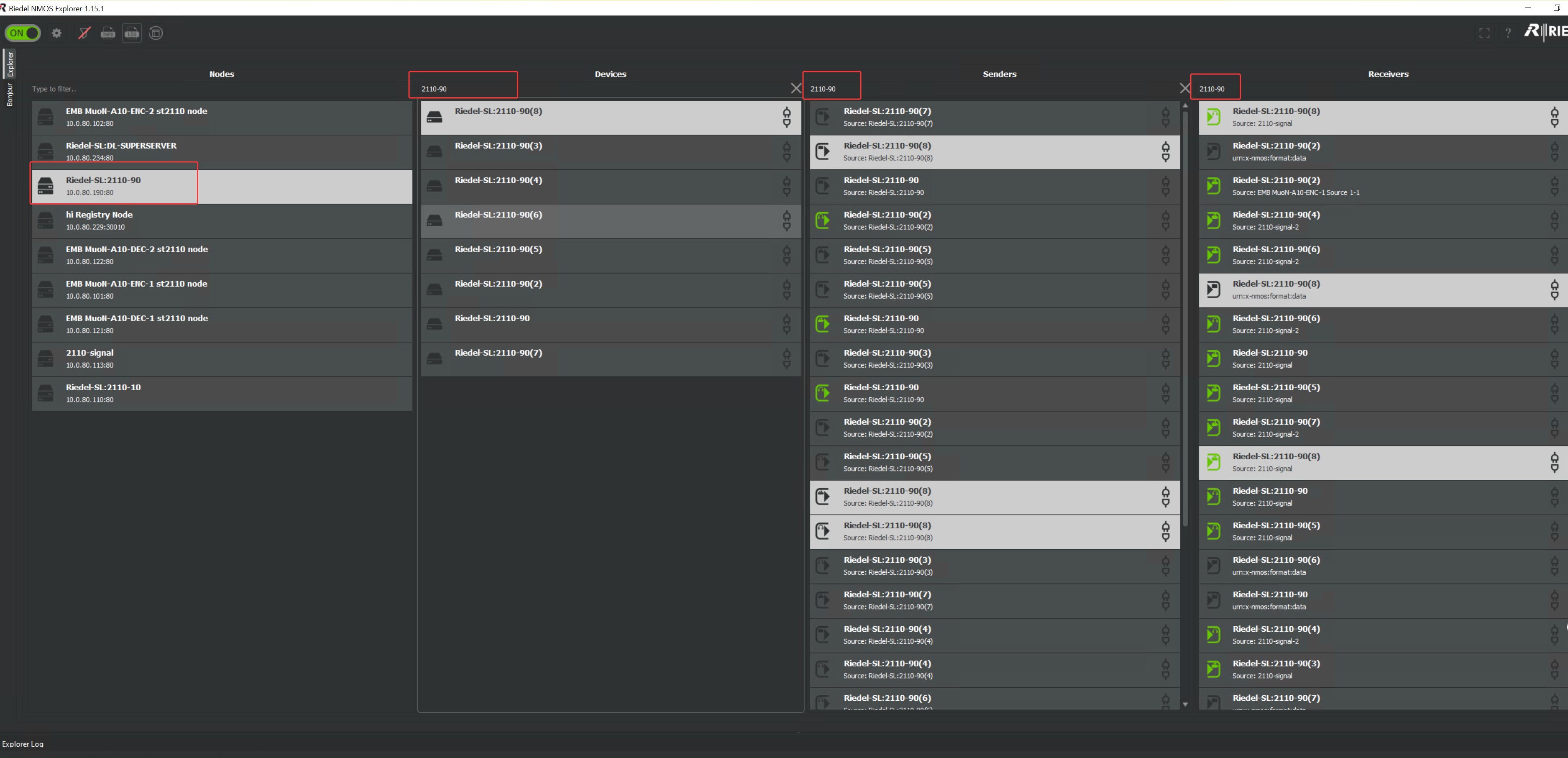
Displays devices belonging to the selected Node. When using the Blackmagic Design DeckLink IP 100G card, there are 8 Devices. Each Device contains 1 input and 1 output. |
|
Senders |
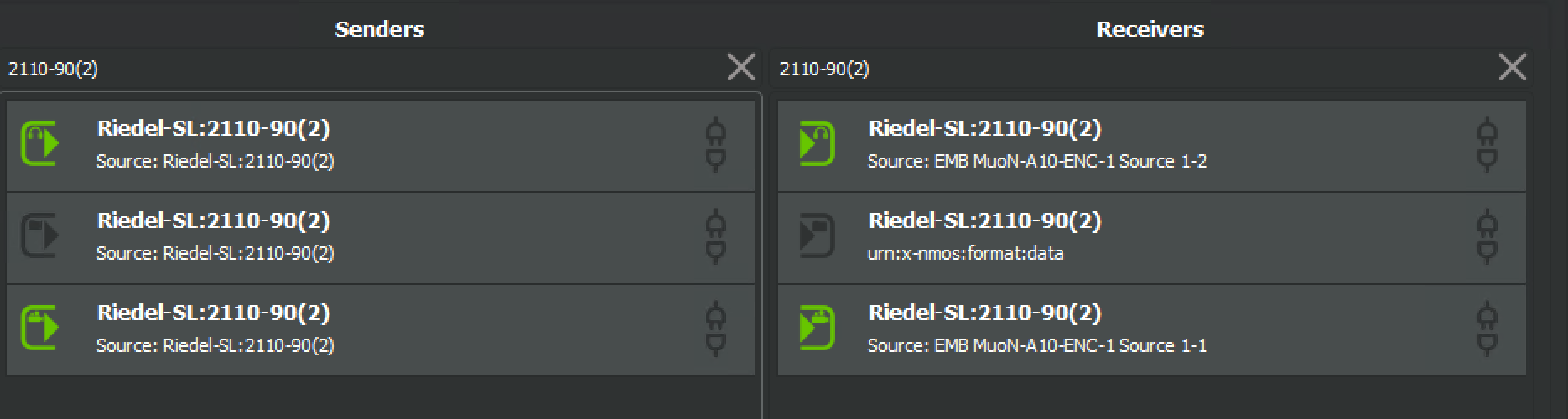
As shown in the screenshot, three Senders are listed and highlighted when one Device is selected. Right-click a Sender to view its SDP data: 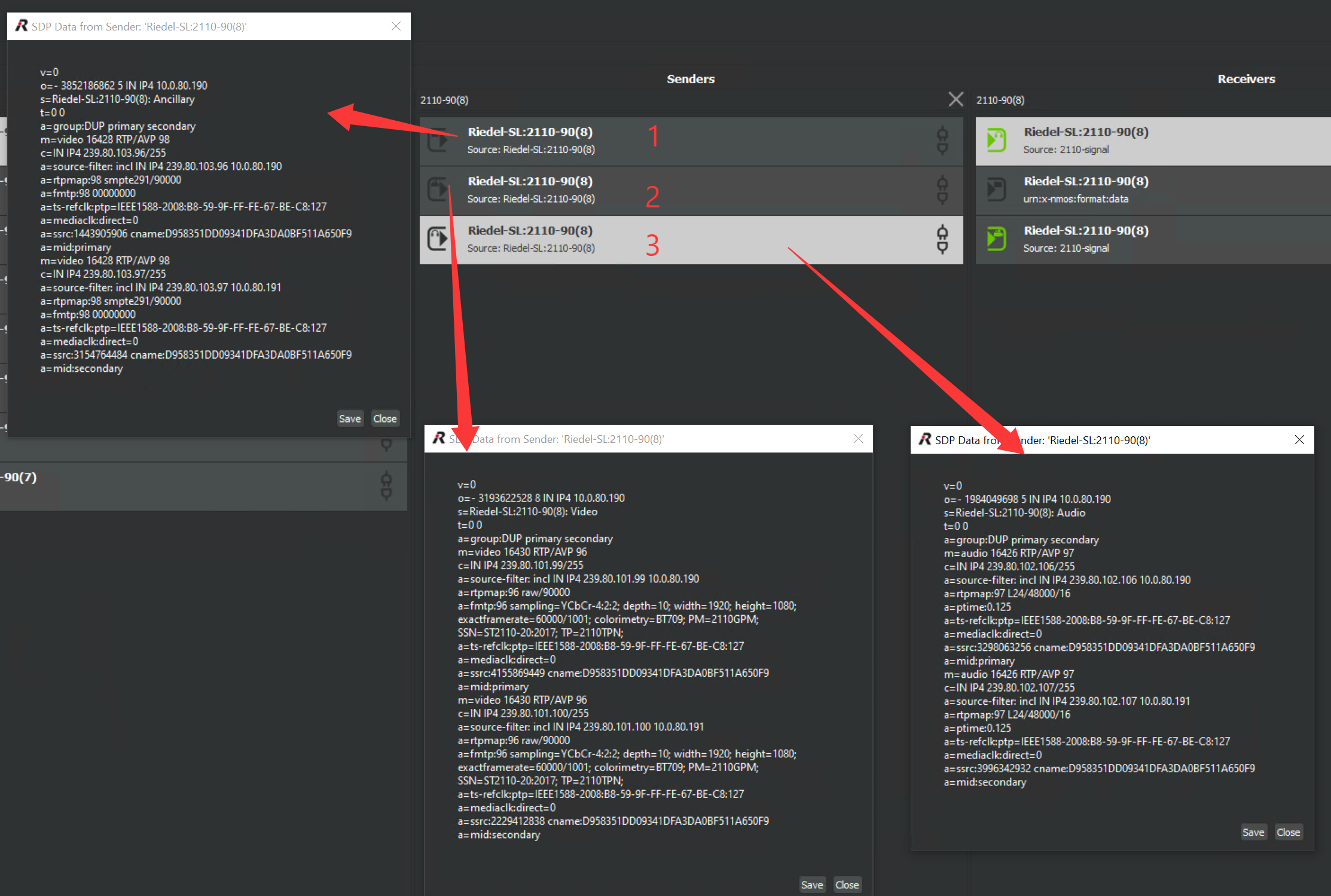
|
|
Recievers |
Three Receivers are displayed in the list, corresponding to the three matching Senders above. Routing examples are described below. |
How to use
Before using the NMOS tool, understand the matching rules between NMOS resources and Backend configurations.
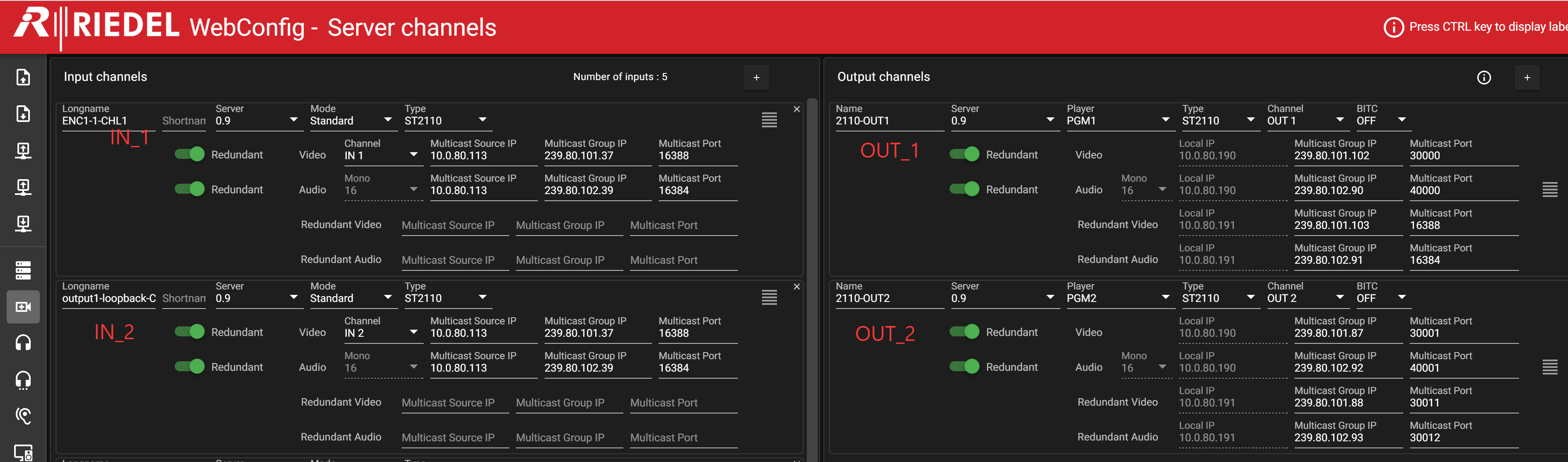
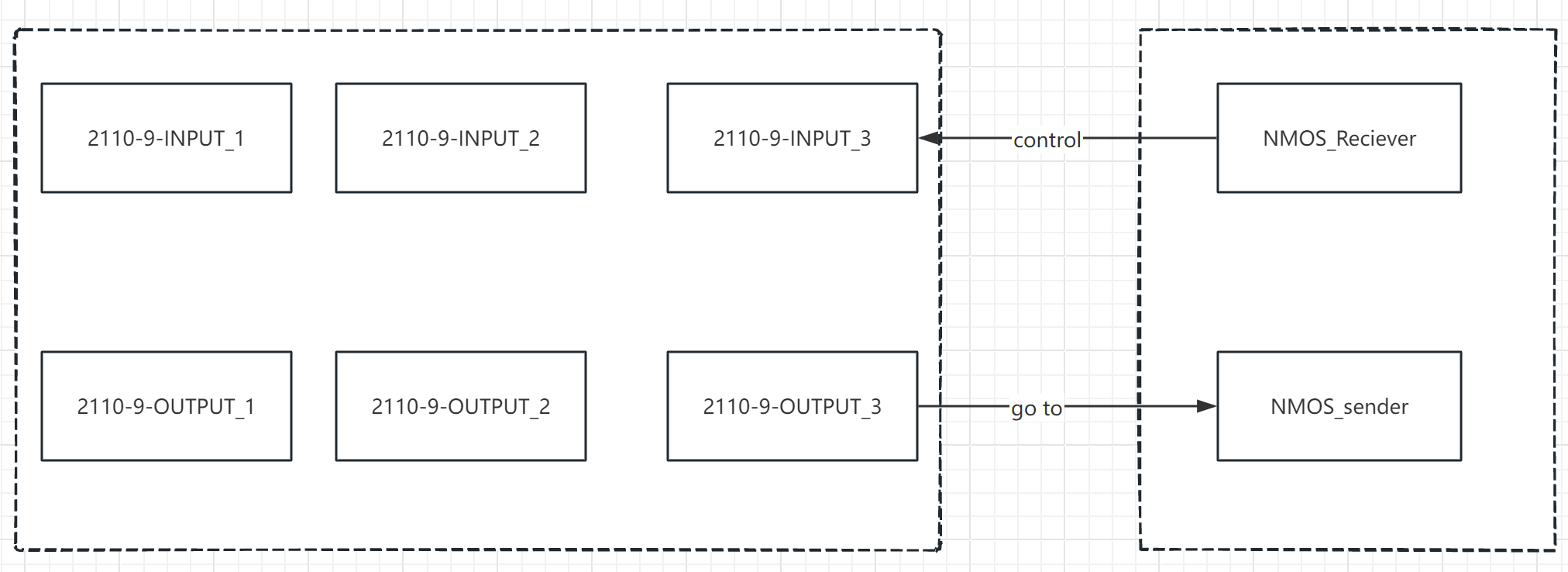
Example case: Loop PGM channel to input
Example Workflow: Loop PGM Output back to an Input Channel
Route Backend Output 2 (2110-2 in Webconfig) into IN_2.
-
In Riedel NMOS Explore, locate
Riedel-SL:2110-90(2)under the Receivers panel. This Receiver maps to the IN_2 input channel. -
In Riedel NMOS Explore, locate
Riedel-SL:2110-90(2)under the Senders panel. This Sender maps to OUT_2 output channel. -
Drag the target Sender entry onto the Receiver entry; the system will complete the matching routing.
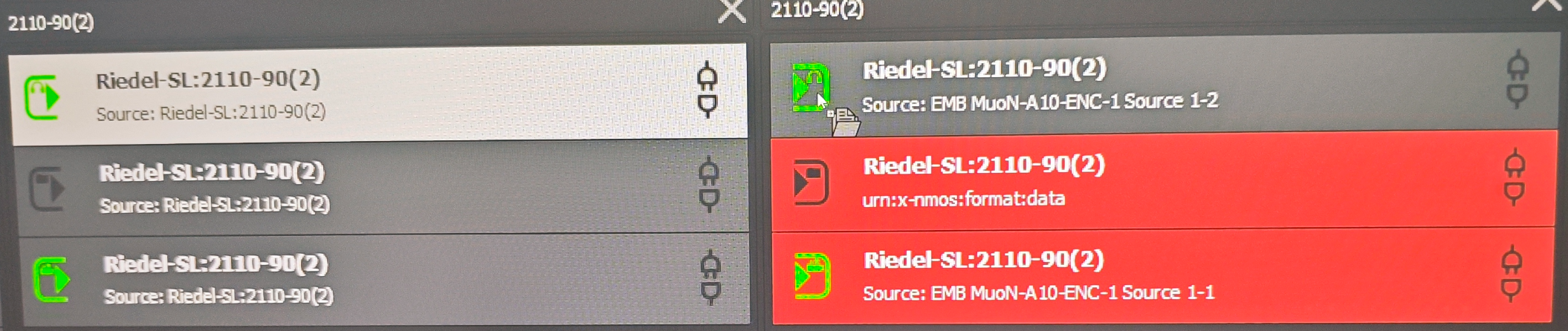
All other workflows follow the same principle.
Users can flexibly perform drag-and-drop routing operations in the NMOS tool.
Filter Nodes and Devices to quickly locate the required Senders and Receivers.