
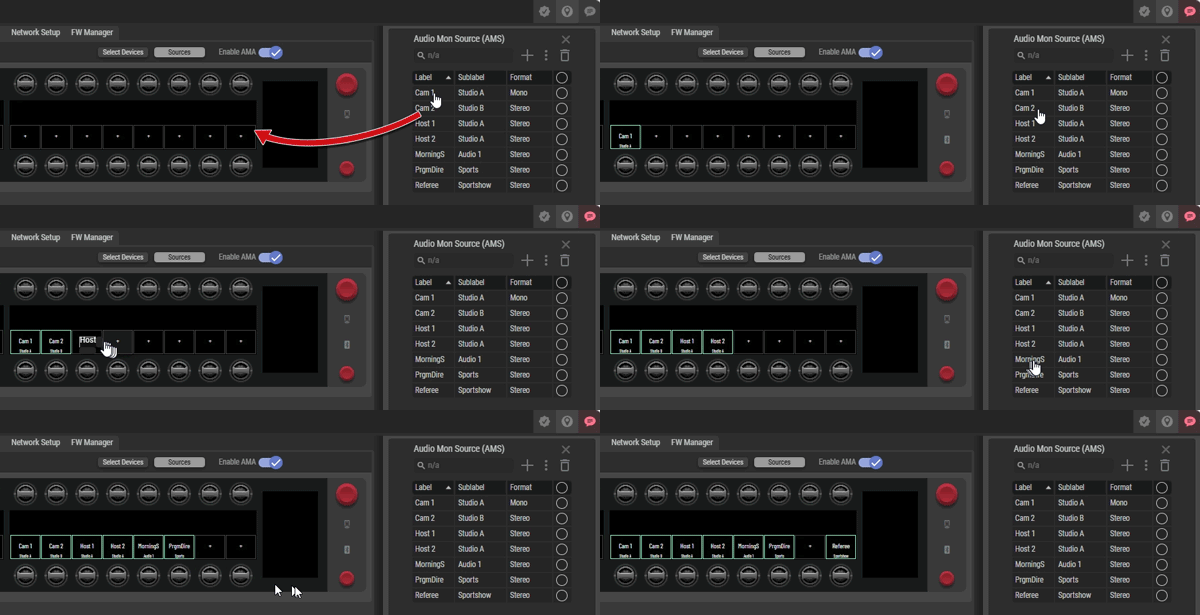
Assigning audio sources to keys is done by simply dragging any AMS from the list and dropping it on the display above the desired key. A maximum number of 16 out of a total of 256 audio sources can be dragged onto the SmartPanel display. Changes to the assignment are immediately transferred to the SmartPanel and can be used there directly.
The assignments can be customized not only via the AMA tab in the Web Interafce, but also via the Secondary Functions Drawer of an audio source or an empty key of the SmartPanel. All entries are available for selection that are present in the list of audio sources (maximum 256) (→Operation | Change Audio Sources).