
A running STAGE deployment provides three certificates:
-
Management Certificate
-
HTTPS Certificate
-
User Directory Certificate
Management Certificate
The Management Certificate is created during the Cluster Setup and is used to encrypt the traffic between Riedel Software Manager and the Cluster.

Whenever RSM wants to connect to a STAGE Cluster, the user needs to provide the Management Certificate.
Users need to Download the Management Certificate during Cluster creation or when currently connected to a cluster.
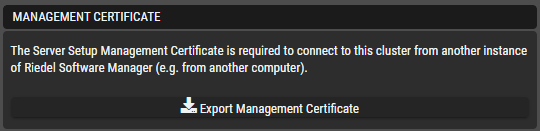
To connect to a Cluster, the URL/IP needs to be known, and the previously downloaded Management Certificate needs to be uploaded to RSM.
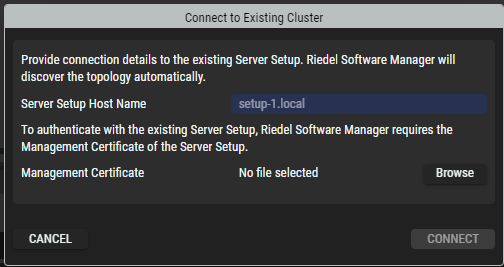
The Management Certificate is a RSM specific file that contains both Certificate and Key and has a .management-certificate extension, to not be mistaken with other types.
Which installations will need to do this?
-
Every installation
When?
-
Reconnecting to a running or broken cluster for cluster maintenance:
-
Troubleshooting
-
Updates
-
Monitoring
-
Backup/Restore
-
HTTPS Certificate
The HTTPS Certificate is created during cluster creation and is used after the STAGE Suite is deployed. It is used to encrypt the data between STAGE Webserver and the PC that is running the browser and the VSP Connections. More usecases might occur in the future.
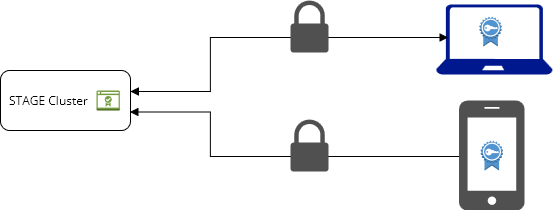
Using the self signed certificate
STAGE uses a self signed certificate in the initial deployment which guarantees encryption, but potentially allows Man-in-the-middle attacks, as the Certificate cannot be validated by the Browser or the Phone. This leads to known security warnings.
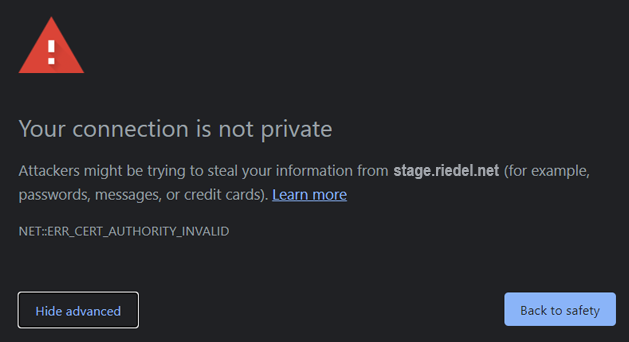
To get rid of Security Warnings, the HTTPS self signed certificate can be downloaded from RSM and imported into the Browser / VSP.
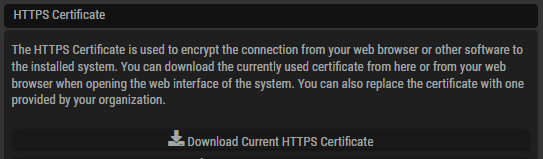
Importing into Browsers / Phones varies depending on Browser and OS.
The File that is downloaded via RSM is a .crt file, including the Public Certificate from the Webserver.
Which installations will need to do this?
-
Installations that don’t have an official certificate and do not want to see security warnings in browsers.
-
VSP users that do not have an official certificate.
When?
-
Each new Browser that is used.
-
Each new VSP that is used.
Do I need to do something after an update?
-
No, if the cluster is untouched, you do not need to redo all the exports.
Providing an official certificate
Larger customers might have acquired a proper certificate chain from official providers. It is then possible to replace the HTTP Certificate in STAGE with a certificate issued for this installation. Typically Certificates are issued on hostnames, either explicitly or with a wildcard. IP Addresses are also possible but not recommended.
-
stage.riedel.net
-
*.riedel.net (not recommended)
-
192.168.1.1 (not recommended)
Customers can then Replace the HTTPS Certificate in a running deployment via the Riedel Software Manger to get rid of security warnings without needing to import the certificate into all browsers

As the Certificate is trustable, Browsers and VSP can validate the signature.
The file that needs to be uploaded, is a .pem Certificate Chain, including Private key, Server cert, Intermediary ca’s and Root ca in that order.
Which installations will need to do this?
-
Installations that have an official certificate should do this
-
It is a one time action and removes the effort of importing certificates into browsers / VSPs
When?
-
After Cluster Creation
Do I need to do something after an update?
-
No, if the cluster is untouched, you do not need to redo all the exports.
User Directory Certificate
The User Directory Certificate is used to encrypt traffic between an external Active Directory and STAGE.

STAGE allows only encrypted connections to external Active Directories.
If a customer uses an Active Directory that is using a self-signed-certificate and not an official one, STAGE needs to be configured to trust this certificate by importing it into the deployment. After import, Connections to the Active Directory can be encrypted based on this trust.
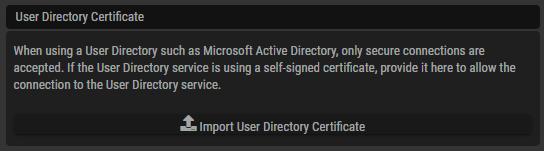
Customers that use an official certificate in their Active Directory, do not need to provide this to STAGE, as STAGE can validate the Certificate out of the box.
Which installations will need to do this?
-
Installations that have want to use an external Active Directory.
-
The Active Directory does not use a trusted certificate.
When?
-
After Suite Deployment, before connecting an Active Directory.
-
After each Update, that includes an update of the Keycloak Service.
Do I need to do something after an update?
-
Yes, if the Keycloak Service is updated, the Certificate needs to be imported again.