
SimplyLive setup
Set the recording file format.
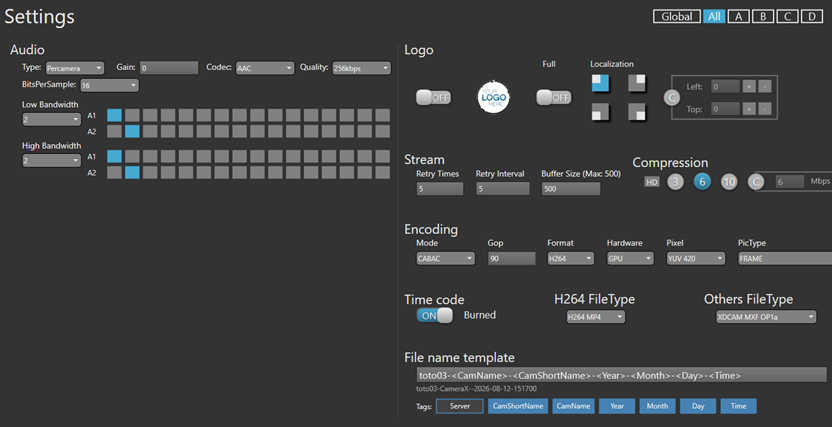
Open SimplyLive BMR Settings panel. The selector at the top right sets the scope of the values shown: Global, All, or one specific camera.
-
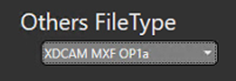
Set Others FileType to
XDCAM MXF OP1a. This is the file consumed by Vantage and it is the central parameter of the whole chain.
-
Leave H264 FileType on
H264 MP4if a proxy is required. It plays no part in the Avid chain. -
Set Time code to OFF.
-
Fill in File name template according to how you want it to appear as a Windows filename.
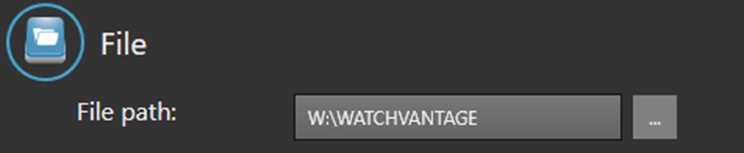
Set the write path.
SimplyLive BMR application must write directly into the folder monitored by Vantage. Writing to a temporary directory and moving the file afterwards prevents early detection and disables the whole open workflow.
-
Set File path to the mapped drive pointing at the watch folder, for example
W:\WATCHVANTAGE. -
Confirm that this drive resolves to the same location as the UNC path Vantage will monitor, for example
\\nexise4\Test-Riedel\WATCHVANTAGE\.
Check the audio structure.
Avid requires PCM at 48 kHz on mono tracks. Multichannel audio carried inside a single track causes Media Creation to fail systematically. Record the exact channel count, the channel layout and the codec actually carried by the MXF OP1a file — not the one shown for the H264 stream.
Check the naming template.
Empty tags produce redundant separators in the filename, which complicates any downstream automation. Either populate the tag or remove it from the template.
Check the recording capacity.
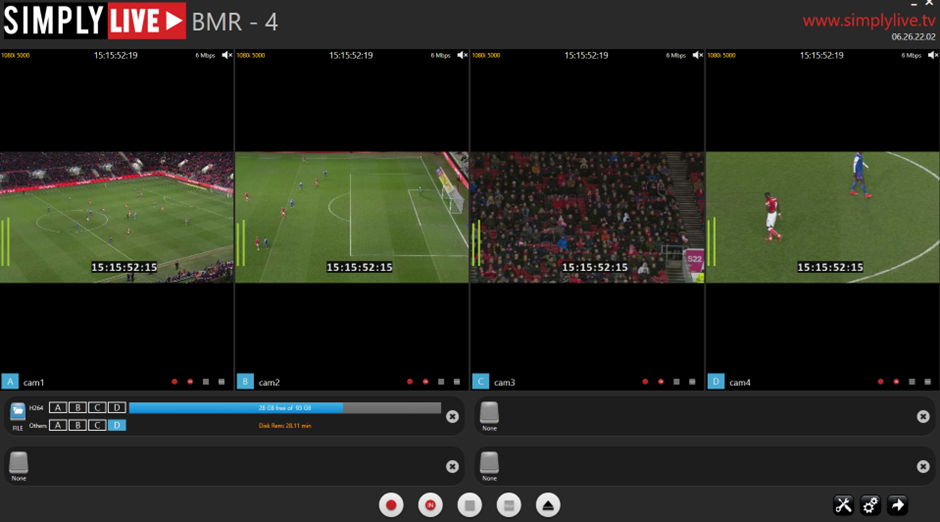
The BMR module displays the free space and the remaining recording time for the volume.
Audio is the most common cause of failure
The Multichannel Audio Not Supported error accounted for the majority of the failed sessions during commissioning. Configure SimplyLive BMR to write a structure Avid can consume directly. Correcting it in Vantage is possible but leaves the source non-compliant.
Recording autonomy
Check the remaining recording time against the duration of the event. During commissioning the volume reported 28 GB free out of 93 GB, i.e. roughly 28 minutes of autonomy — far short of a full match. Review the volume capacity or implement an automatic purge policy before going live.