Creating
-
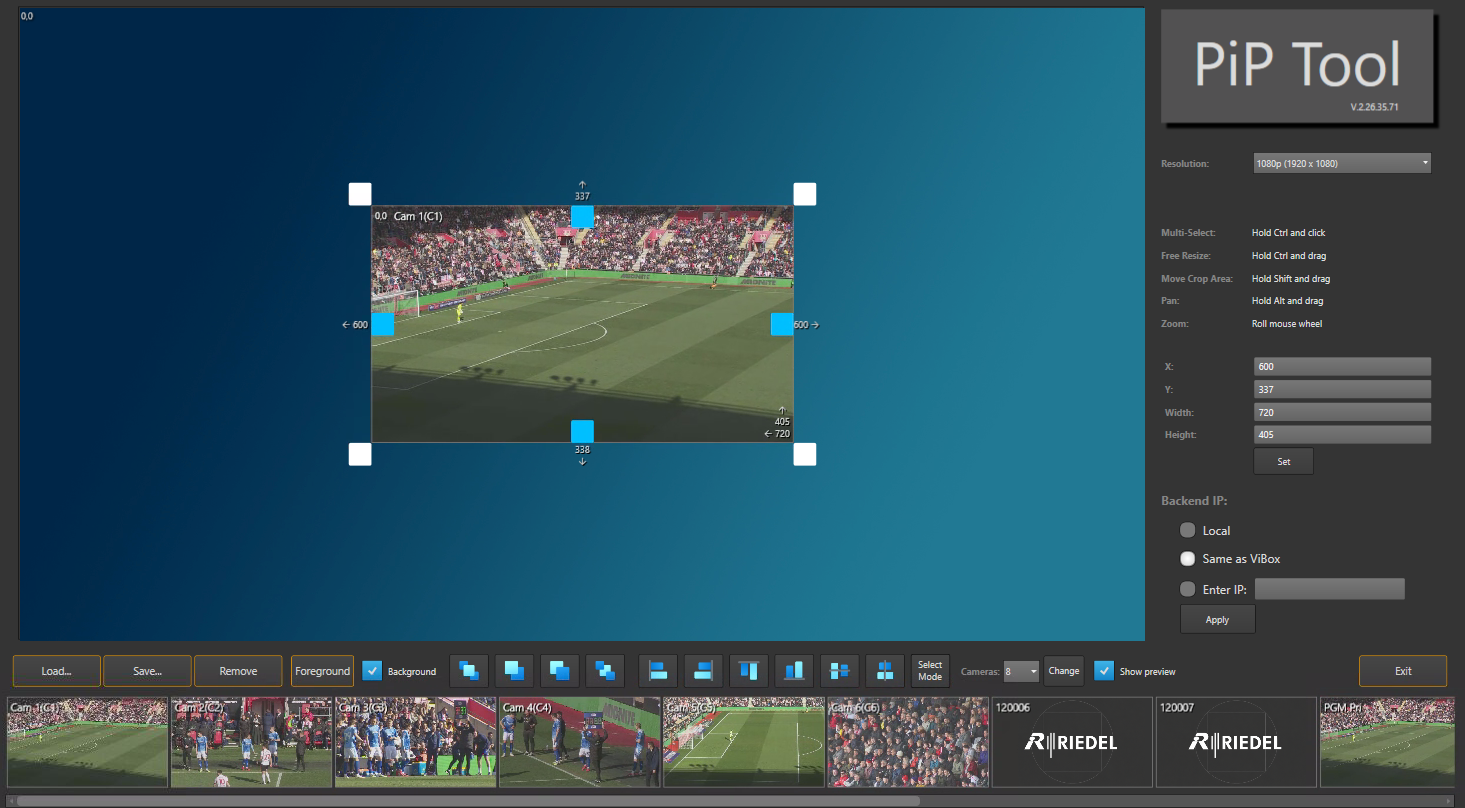
Drag an input or internal channel from the Inputs / Internal Channels Row into the Creation Window. Each source you drop in becomes its own PiP window.
-
Repeat for each window you need.
-
Position each window by dragging it, entering X/Y coordinates in the Modification Column, or using a quick-position preset.
The PiP is a static graphic overlay. On the output it can only cut on or off. It has no animation, DVE moves or transitions.
Resizing
The PiP is a static graphic overlay. On the output it can only cut on or off. It has no animation, DVE moves or transitions.
Resize a window by dragging its corner handles, or enter an exact Width/Height in the Modification Column.
-
Scale: resizes the whole source picture to fit the window
-
Crop: trims the edges of the source inside the window, so you show only part of the picture
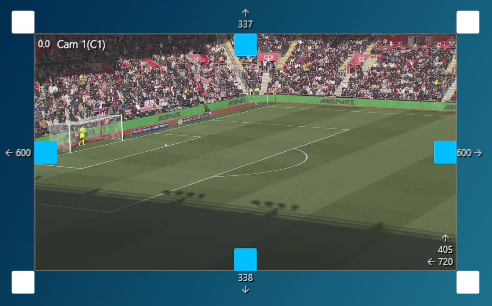
PiP Window Details
White Blocks - Resizing frame
Blue Blocks - Crop control
Top Left Corner - Which input / internal channel is selected
Bottom Right Corner - Size of the PiP
Numbers on Each Side - Distance from edge in pixels (px)