
Lever-Key Functions
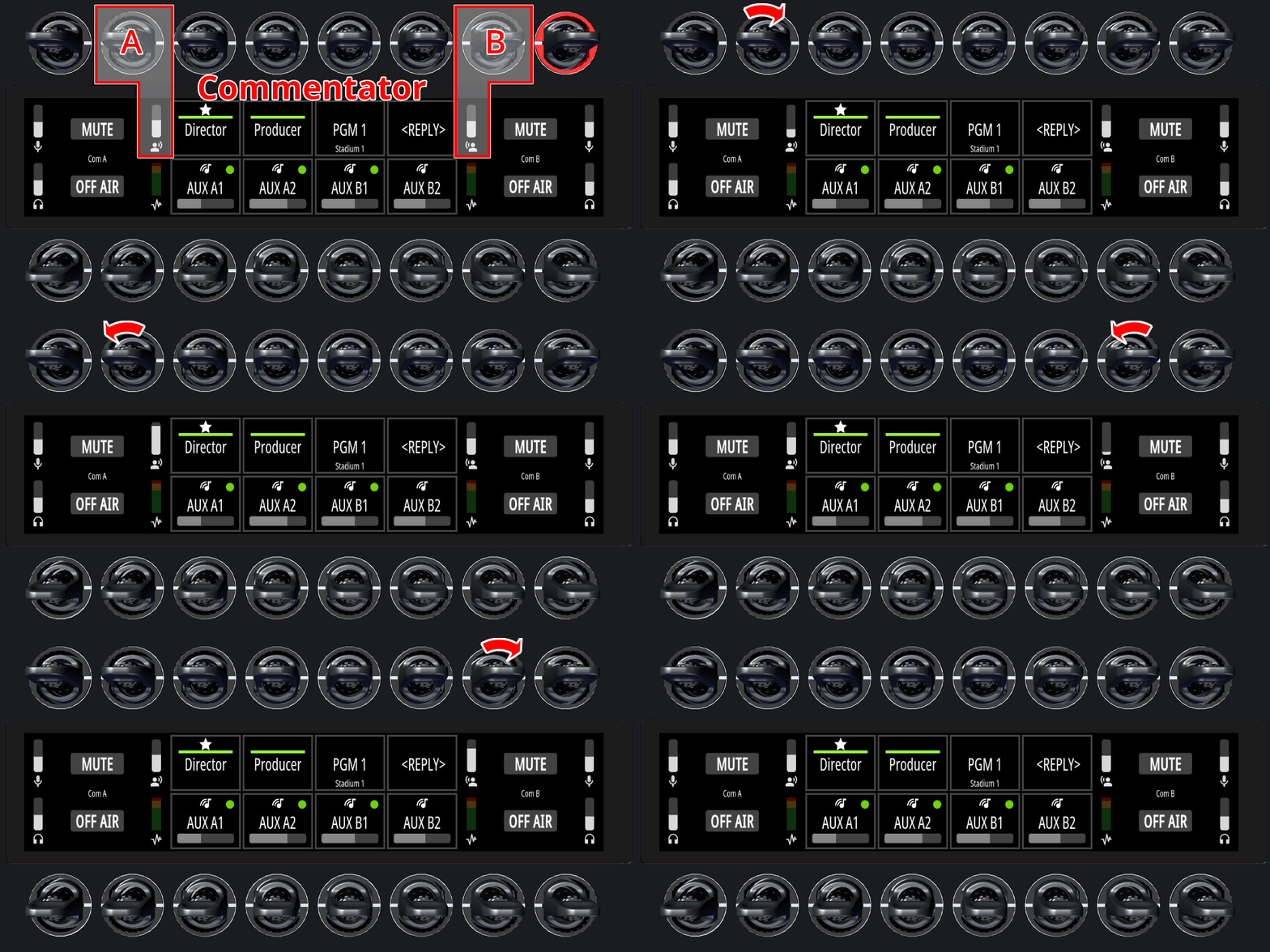
In Dual Commentator Mode, Commentator A operates on the left side and Commentator B on the right side of the Desktop SmartPanel.
The following examples illustrate the functions in their default rows.
If the configuration is swapped in the configuration, the functions shown in the upper row will appear in the lower row, and vice versa (→Commentary).
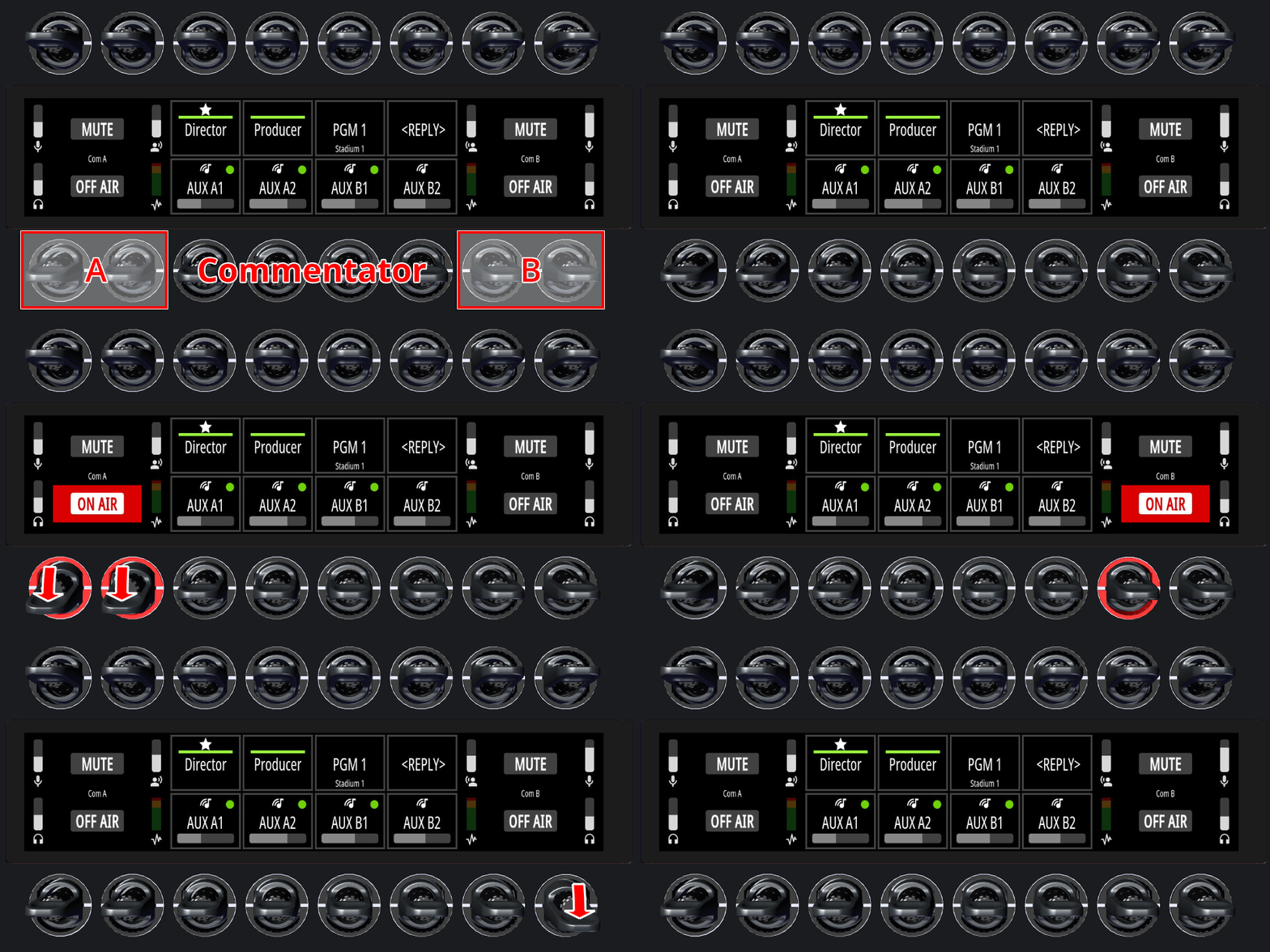
On Air
-
Press and release one of the two
OFF AIRkeys for Commentator A/B downwards. -
This function remains active until the key is pressed again (latching).
The ON AIR indicators on the display and the LED rings turn red (can also be set to green in the SmartPanels Web Interface on the Commentary tab).
On Air can be set as always active in the SmartPanels Web Interface on the Commentary tab. In this case, it cannot be turned on or off using a key.
Mute
-
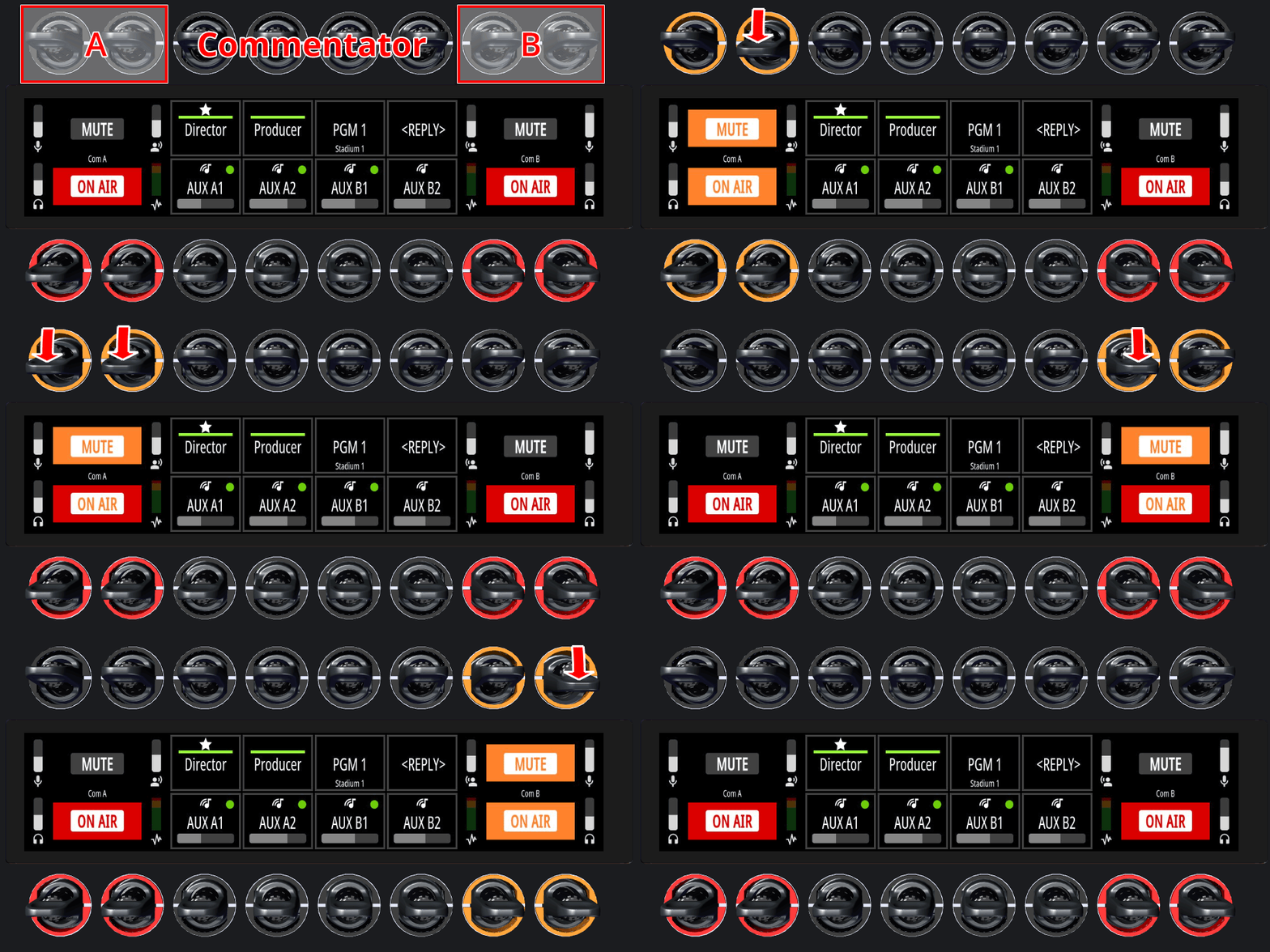
Press and hold one of the two
MUTEkeys for Commentator A/B downwards. -
This function remains active as long as the key is pressed (momentary).
The MUTE indicators on the display and the LED rings turn orange (can also be set to red in the SmartPanels Web Interface on the Commentary tab).
The ON AIR indicators on the display and the LED rings turn alternately red and orange (can also be set to green and red in the SmartPanels Web Interface on the Commentary tab).
Headphone Volumes
-
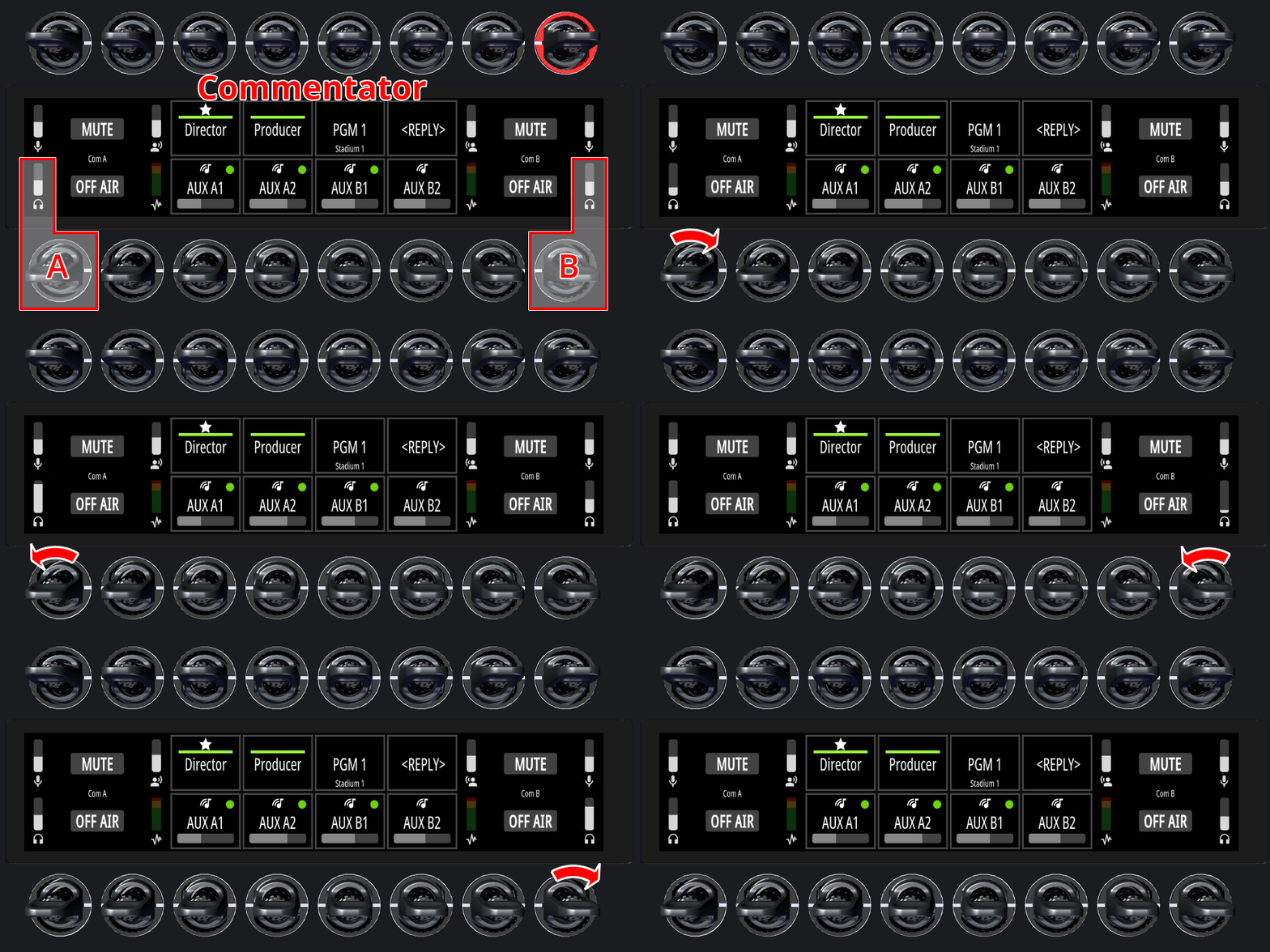
Turn the left/right rotary in the lower row of the corresponding Commentor A/B to adjust the headphone volume.
The headphone volume levels are visualized by vertical bars above the headphone icons.
The headphone volume cannot be muted using a key.
Sidetone Volumes
-
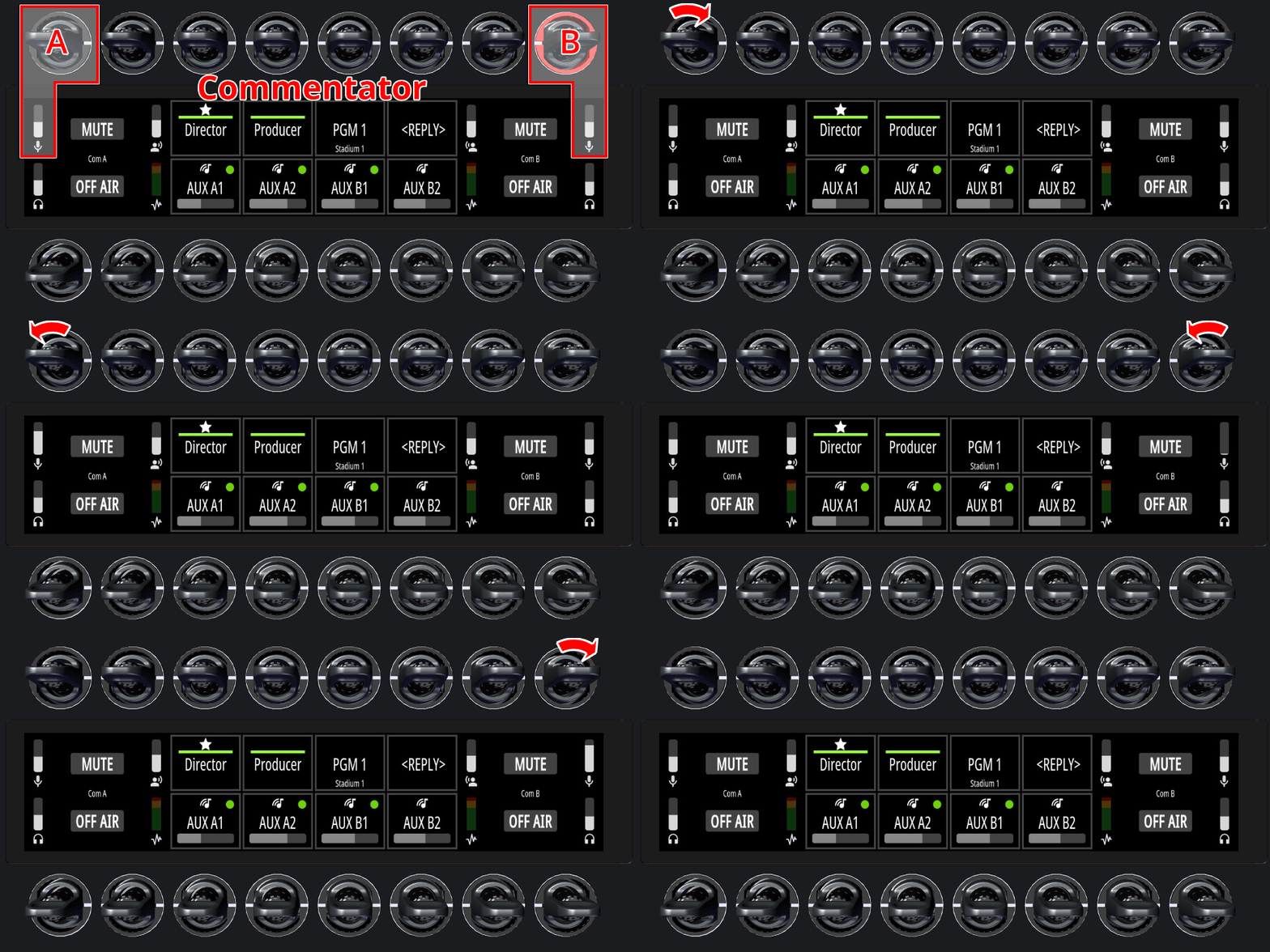
Turn the left/right rotary in the upper row of the corresponding Commentor A/B to adjust the sidetone volume.
-
Press and release the left/right lever key of the corresponding Commentor A/B upwards to mute the sidetone.
The sidetone volume levels are visualized by vertical bars above the microphone icons.
Co-Commentator Volumes
-
Turn the right/left rotary in the upper row of the corresponding Commentor A/B to adjust the co-commentor volume.
-
Press and release the right/left lever key of the corresponding Commentor A/B upwards to mute the co-commentator.
The co-commentator volume levels are visualized by vertical bars above the commentator icons.
On Air ↔︎ Mute
The default positions of the ‘On Air’ and ‘Mute’ functions can be swapped in the Commentary configuration so that ‘On Air’ appears in the lower row and ‘Mute’ in the upper row.
In this case, the volume controls for headphones, sidetone, and the co-commentator are also available at the new location (→Commentary).