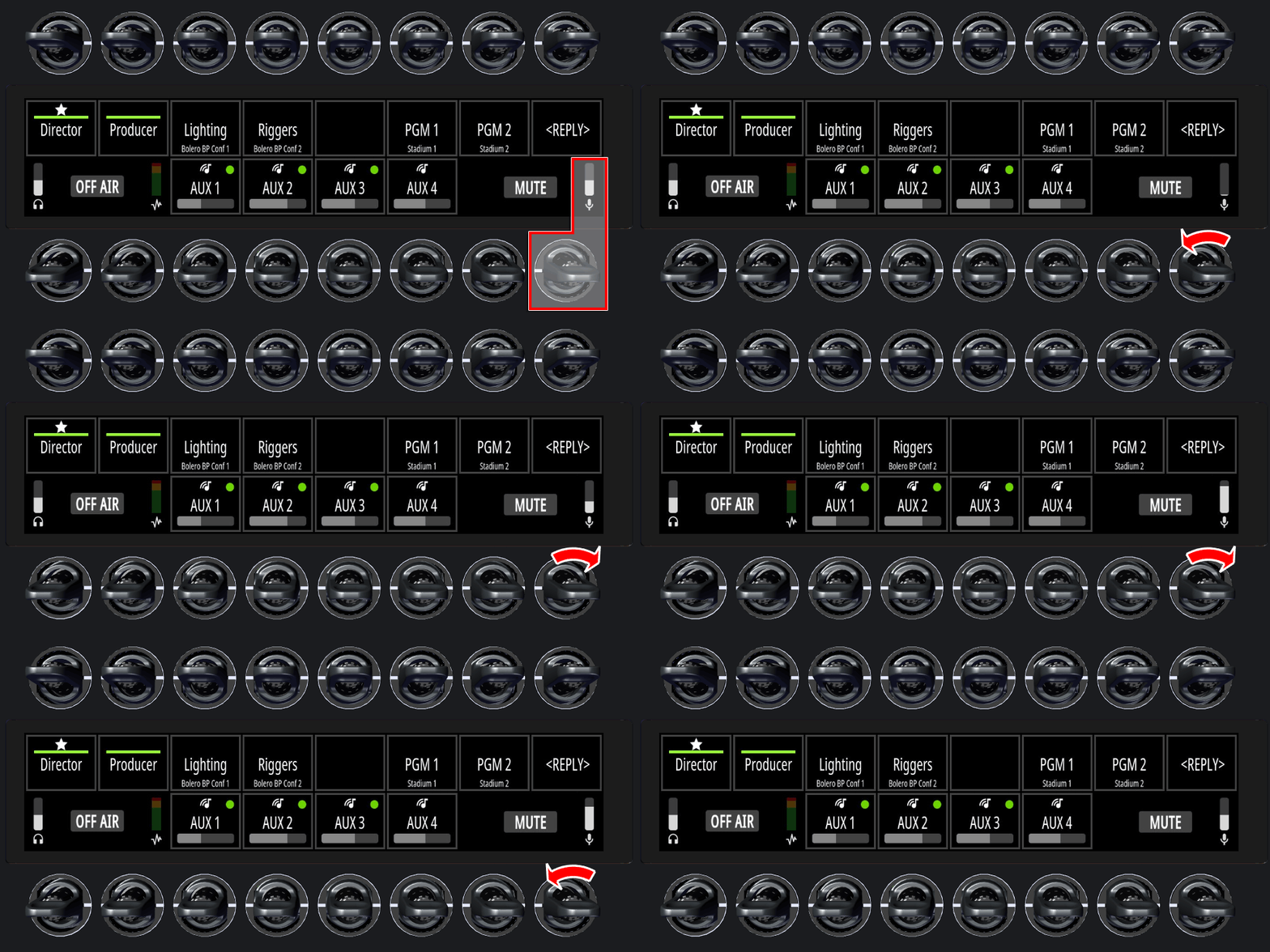
Lever-Key Functions
In Single Commentator Mode, operation is handled via the lever keys in the lower row.
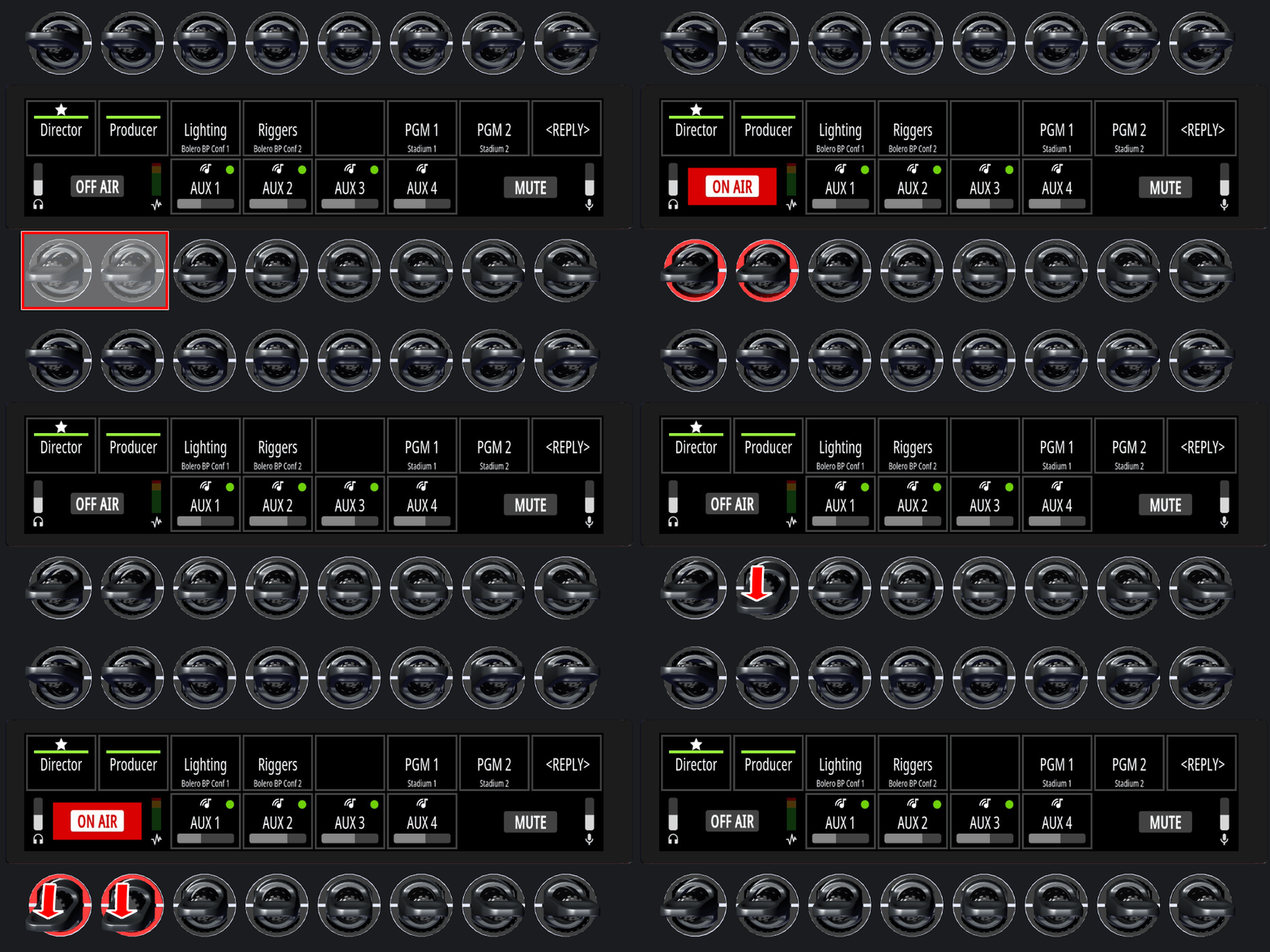
On Air
-
Press and release one of the two
OFF AIRkeys on the left side downwards. -
This function remains active until the key is pressed again (latching).
The ON AIR indicator on the display and the LED rings turn red (can also be set to green in the SmartPanels Web Interface on the Commentary tab).
On Air can be set as always active in the SmartPanels Web Interface on the Commentary tab. In this case, it cannot be turned on or off using a key.
Mute
-
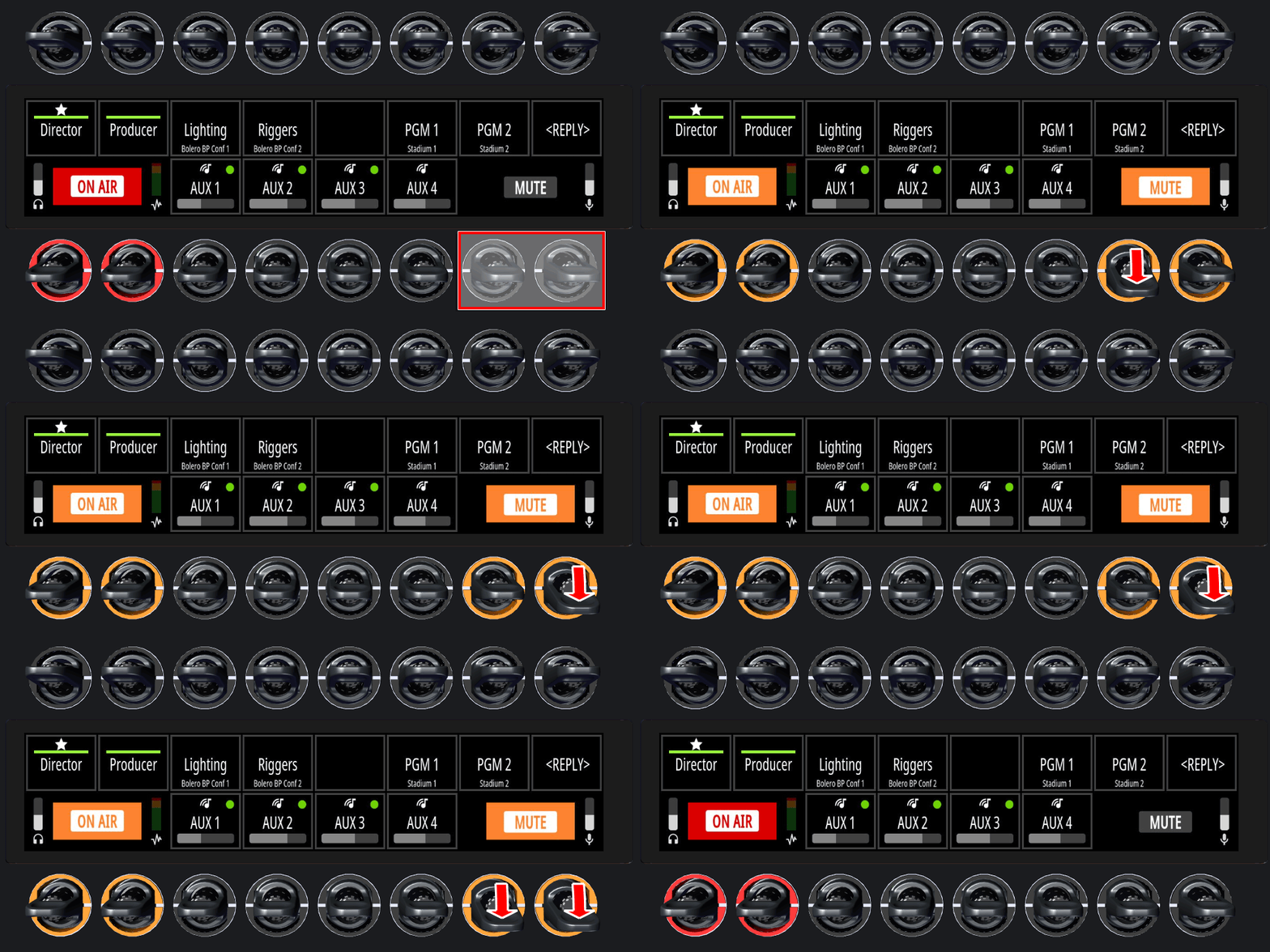
Press and hold one of the two
MUTEkeys on the right side downwards. -
This function remains active as long as the key is pressed (momentary).
The MUTE indicator on the display and the LED rings turn orange (can also be set to red in the SmartPanels Web Interface on the Commentary tab).
The ON AIR indicator on the display and the LED rings turn alternately red and orange (can also be set to green and red in the SmartPanels Web Interface on the Commentary tab).
Headphone Volume
-
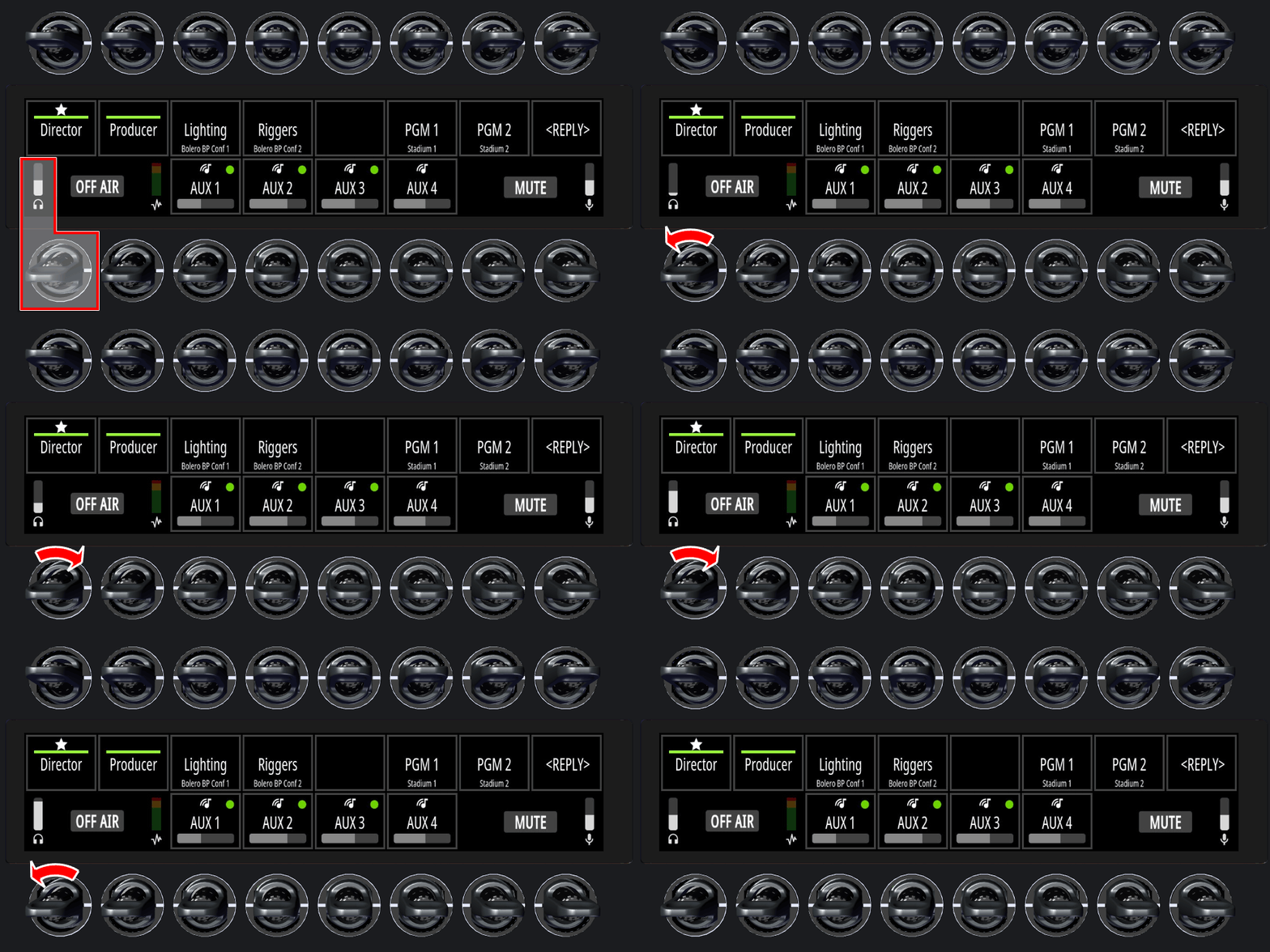
Turn the left rotary knob to adjust the headphone volume.
The headphone volume level is visualized by a vertical bar above the headphone icon.
The headphone volume cannot be muted using a key.
Sidetone Volume
-
Turn the right rotary knob to adjust the sidetone volume.
-
Press and release the right lever key upwards to mute the sidetone.
Muting remains active until the key is pressed again upwards (latching).
The sidetone volume level is visualized by a vertical bar above the microphone icon.