
This tab allows you to define which audio tracks should be assigned to every output channel
defined in the Servers channels section.

Display limiters:
Follow these instructions to define the number of audio tracks of the grid for specific groups
-
Video outputs channels:
number of audio tracks (lines) to display for every output. This
value will also be used to define the number of audio tracks (columns) to display for
players and input channels -
Aux tracks channels:
number of audio tracks (columns) for the Aux track linked to every
PGM player channel -
Audio mixer channels:
number of audio tracks from (columns) and to (lines) the external
audio mixer -
GFX1, GFX2, GFX3, RTD:
number of audio tracks (columns) for each graphics layer -
Note that display limiters change the size of the grid, but do not add or remove
crosspoints. If some crosspoints are hidden, a specific icon will appear next to the name of
the corresponding group(s)
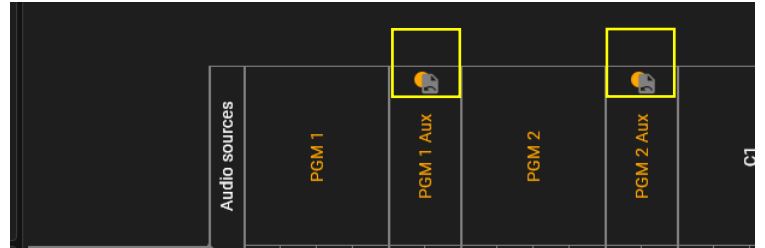
-
Audio sources to display:
select which PGM (and AUX) players should appear as audio
sources (columns) in the grid (for instance, no need to display players linked to PGM3 to 8
if you are only using PGM1 and PGM2)
Note that, similar to display limiters, showing or hiding sources for PGM players changes the size of
the grid, but do not add or remove crosspoints -
Click inside a cell of the grid to define or remove a crosspoint. Only 1 audio source track
can be linked to a destination track (i.e. only 1 crosspoint per row). -
If a crosspoint is defined for a group or track, the label of this group or track is written in
orange