
Audio Connection
-
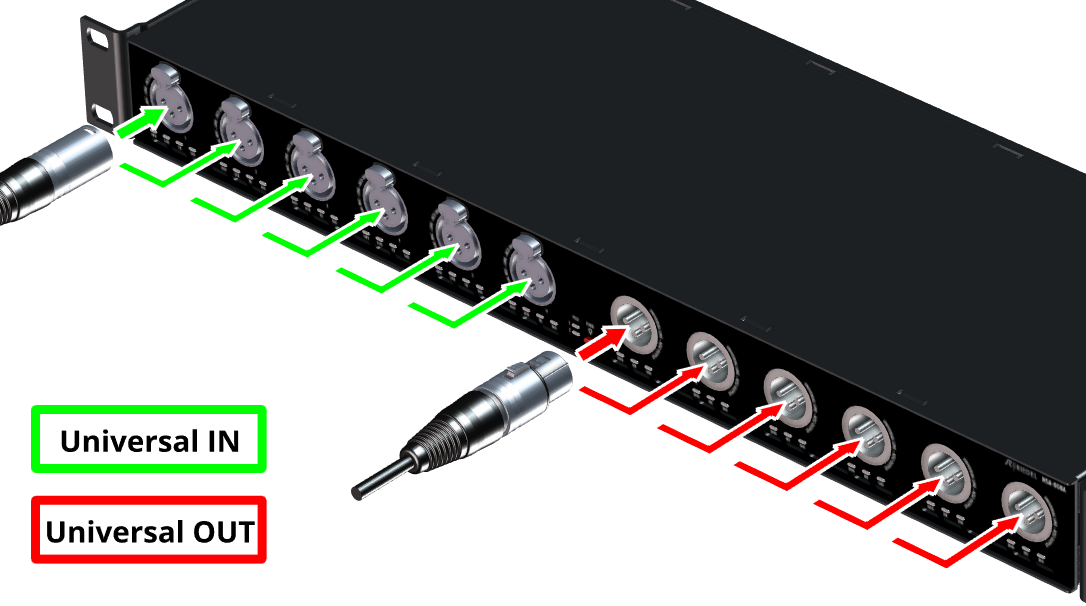
Connect your analog and/or digital inputs/outputs to the Universal In/Out interfaces.
AES67 Network Connection
-
Connect the primary media network port (ETH 1 or 3 Primary) to your AES67 network.
-
For redundant operation, also connect the secondary media network port
(ETH 2 or 4 Secondary) to your AES67 network.
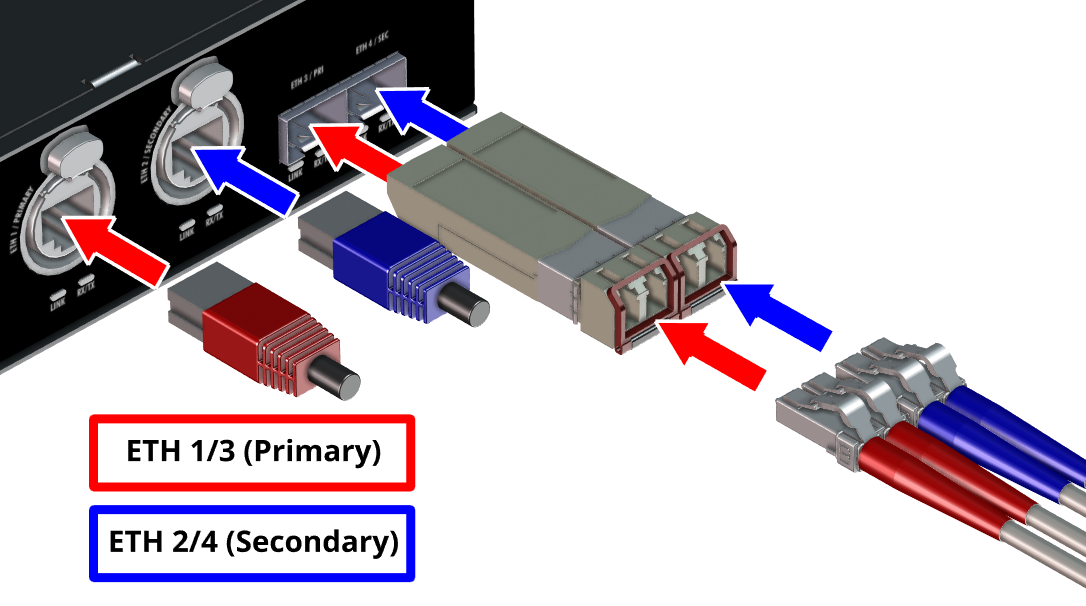
Either the RJ45 connector or the SFP connector on the primary and secondary media network connection can be used.
Management Network Connection
-
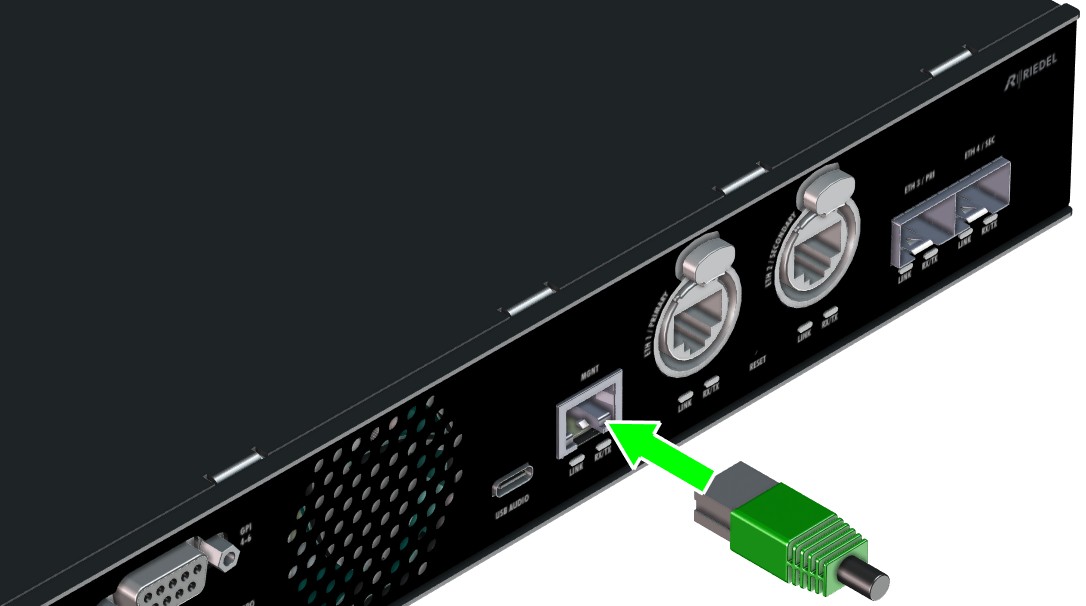
The management network can be operated in isolation from the AES67 network (out-of-band control) by connecting it to the MGNT port and activating the MGNT port for the WebUI in the Network Settings .
Chassis Grounding
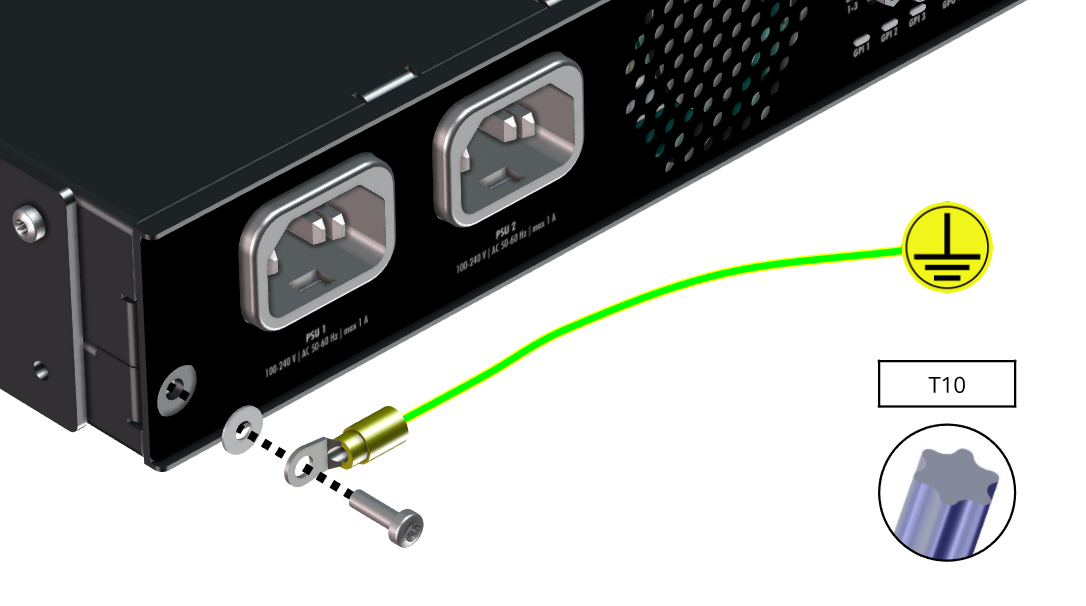
A screw on an audio device used for connection to a grounding bar serves as a dedicated chassis ground point. It allows you to attach a wire from the device’s metal chassis to a common grounding rail shared with other equipment. This helps equalize ground potential between devices and reduces hum and ground-loop noise.
-
The screw M3 x 10mm must not be replaced with screws of a different length.
Using a longer screw could reduce electrical safety. -
Use a suitable green-yellow connection cable with a cross-section greater than 0.75 mm² (AWG 18) and an appropriate ring lug.
Power Supply
The NSA-008A is powered exclusively via mains (IEC).
The device's power supply has a redundant design and switches over without interruption as soon as one of the power sources is no longer available.
The mains status can be checked via the web interface.
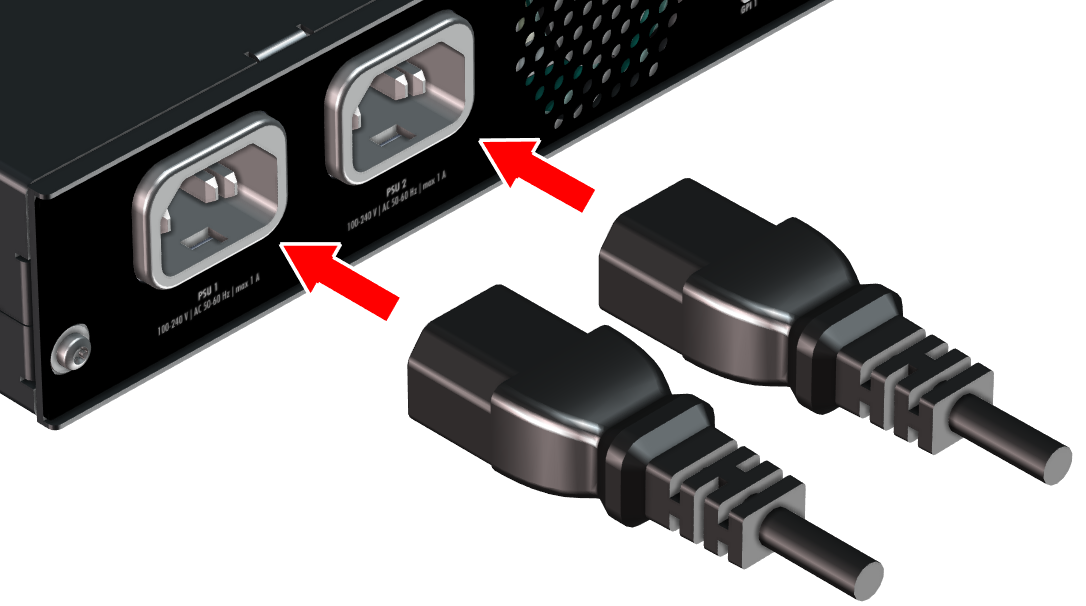
-
For redundancy, both mains connectors are connected to two separate fuse circuits.
-
To shut down the unit completely, remove both power cords.