
If you are looking for a replay on your replay cameras and something important happens, you can instantly synchronise all replay cameras to Program or Preview.
To do this, use:
-
Sync to PGM
-
Sync to PRV
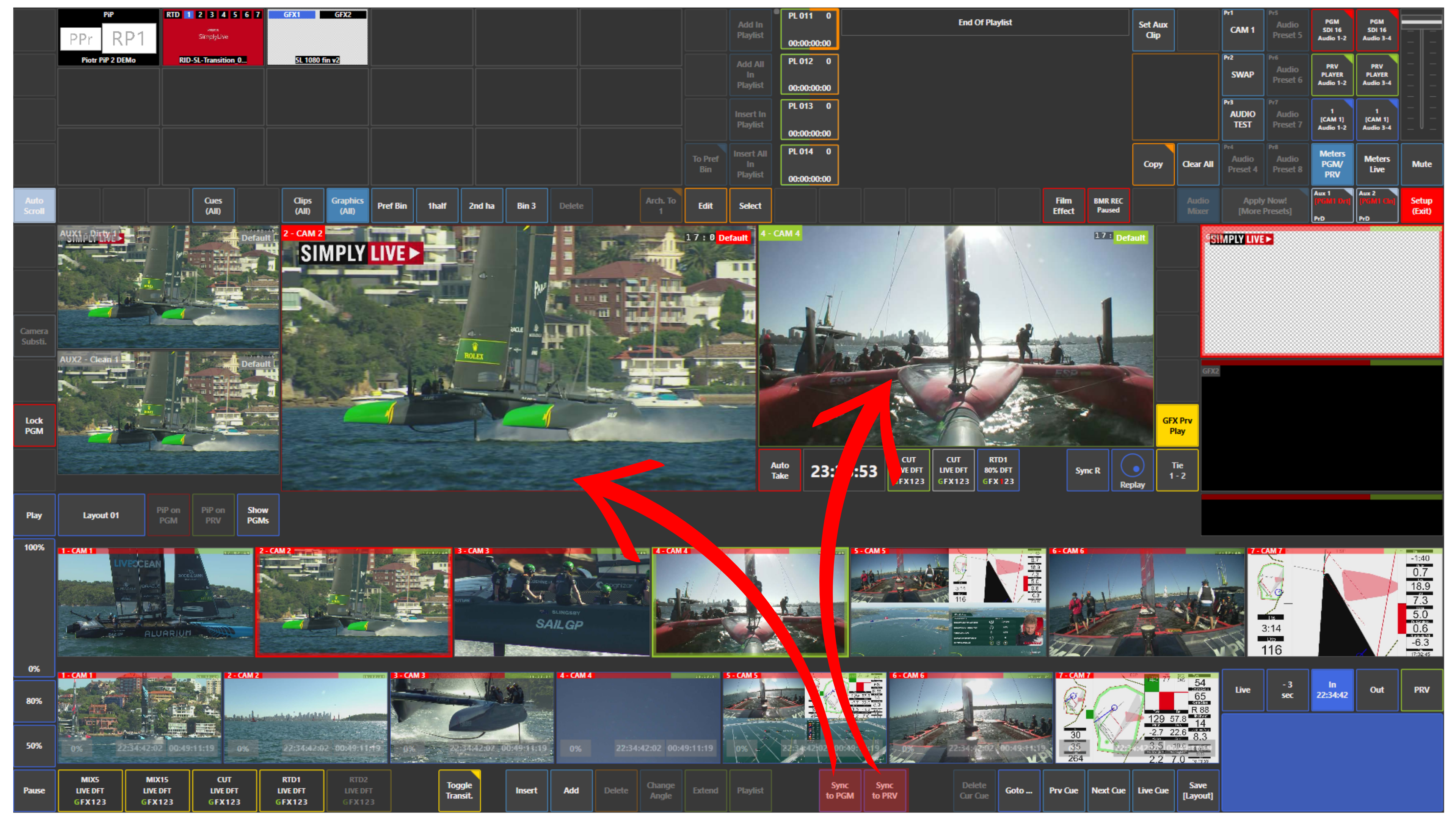
This brings your replay cameras to the same position as the selected output, so you can immediately continue working from that moment.
Info
Use Sync to PGM when you want your replay cameras to follow what is already on air.
Use Sync to PRV when you want to prepare replays based on what is loaded on Preview before it goes to air.
Use Case – Live Production Scenario
You are switching input cameras during production.
At the same time, while a wide shot is on air, you are looking for a replay on the replay cameras.
Suddenly, an important action happens and you want to move your replay cameras instantly to that moment.
Use Sync to PGM or Sync to PRV to bring all replay cameras to the current point of Program or Preview, then continue preparing the replay from there.
Pro Tip - Highlights with Original Commentary
Create clips from Program (PGM) or Clean (CLN) with the original commentary included. This preserves the emotion and context of the live moment, helping you tell a stronger story in your highlights.
Use the clean feed to include an important broadcast moment in your replay sequence without the on-screen graphics, while keeping the commentary. For example, a commentator’s reaction to a decisive moment can be just as memorable as the pictures. Keeping both captures the emotion in the sound as well as the action on screen.