
Shuttle Xpress allows you to control:
-
Program (PGM1)
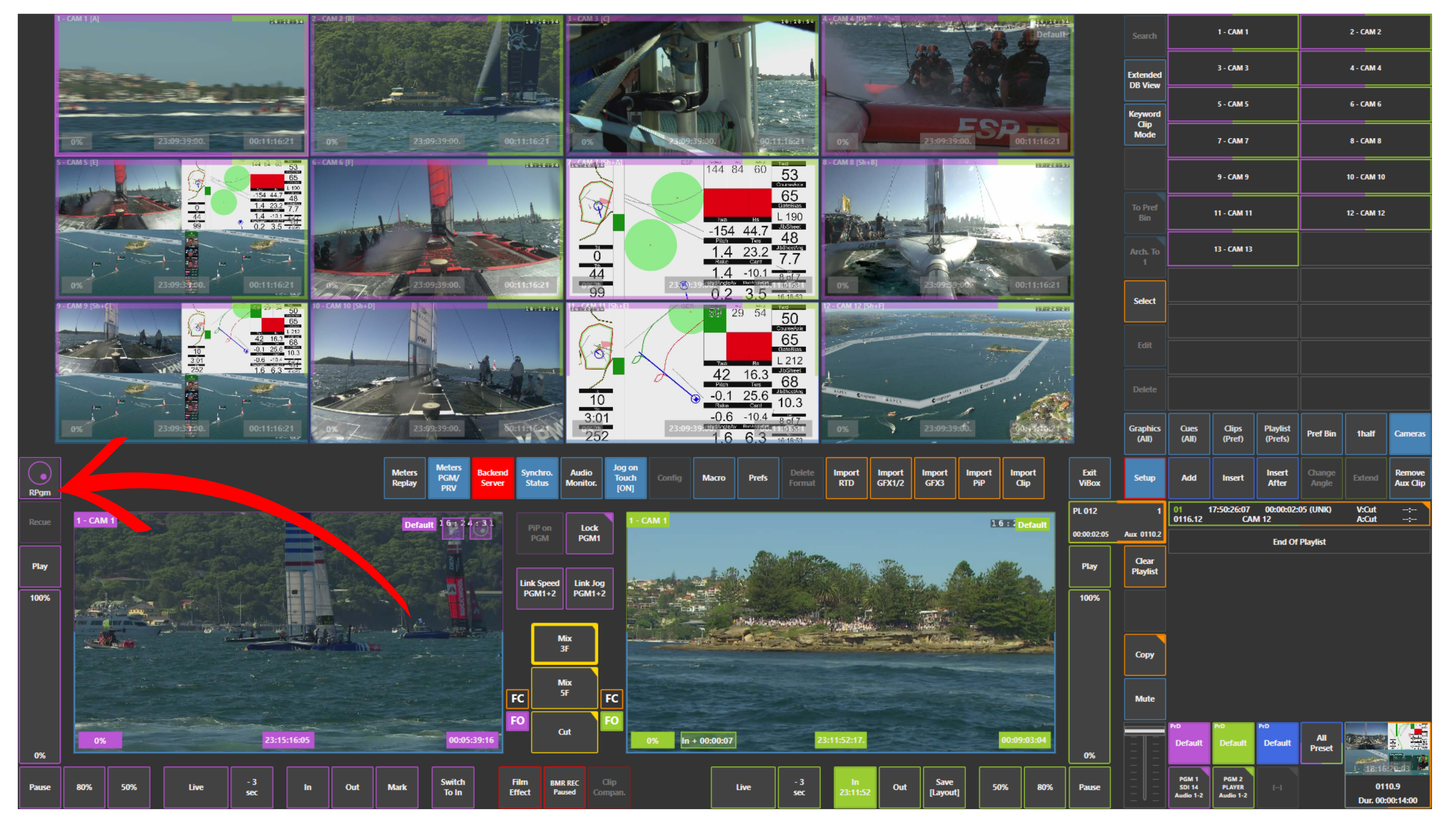
-
Preview / Program 2 (PGM2)
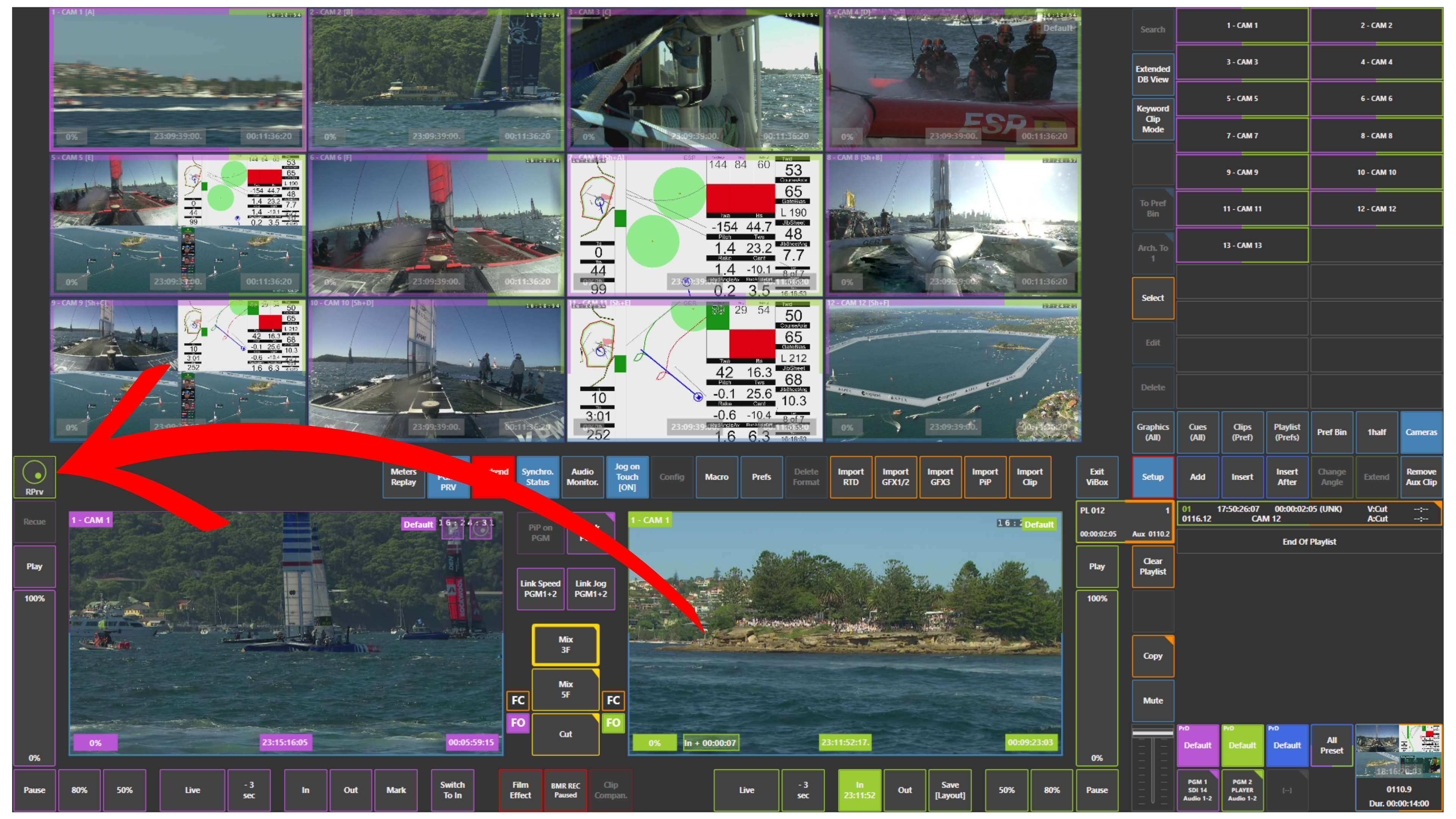
-
Inputs (cameras / replay channels via REPLAYS)
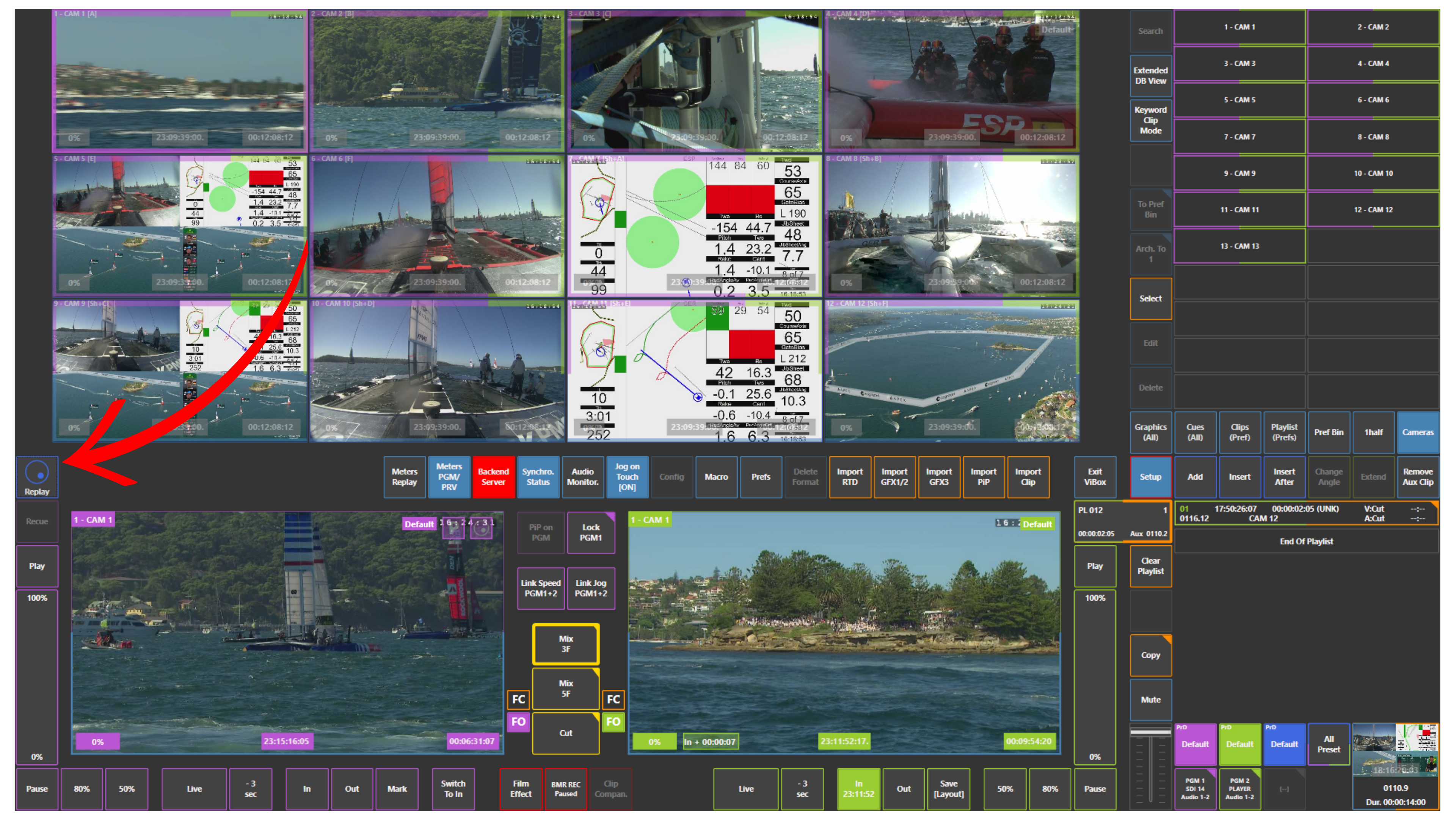
It provides fast and intuitive control for:
-
Mark IN / OUT
-
Save clips
-
Navigate (jog / shuttle) through the record train
-
Browse all inputs simultaneously using REPLAYS
Why it matters in live production
Shuttle Xpress gives you parallel control.
You can:
-
Play out on PGM1 using the replay controller
-
Prepare content on Preview / Program 2 (PGM2) via touchscreen
-
While simultaneously browsing all inputs using REPLAYS on Shuttle Xpress
This creates a true multi-layer workflow:
-
Output stays safe
-
Editing continues
-
Browsing is constant
How to use it
-
Use Shuttle Xpress to:
-
Jog / shuttle through the record train
-
Activate REPLAYS to scroll all inputs simultaneously
-
Mark IN / OUT
-
Save clips
-
-
Use touchscreen to:
-
Control Preview / Program 2 (PGM2)
-
Edit clips or playlists
-
-
Use replay controller to:
-
Control Program (PGM1)
-
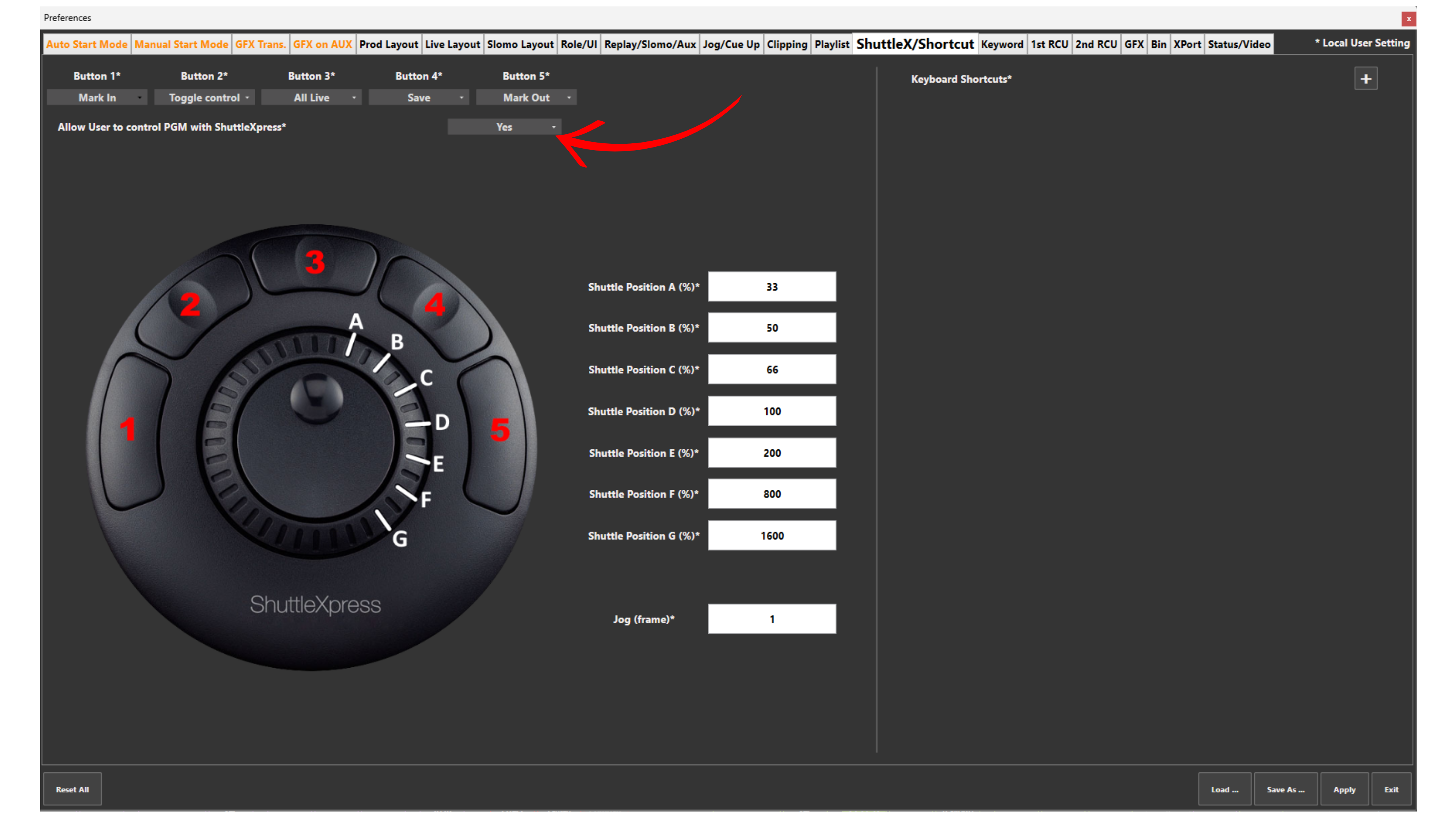
Warning
To control Program (PGM1) using Shuttle Xpress:
You must enable:
Setup → Prefs → Allow User to Control PGM with ShuttleXpress = YES
Without this option enabled:
-
Shuttle Xpress will not affect Program output
-
Control will be limited to Preview or inputs only
Use Case – Live Production Scenario
You are live on air.
-
PGM1 is playing out a replay using the replay controller
-
Preview / Program 2 (PGM2) is controlled via touchscreen
-
You pick up Shuttle Xpress
Now:
-
You activate REPLAYS
-
You scroll all inputs simultaneously
-
You quickly find the next angle
-
You mark IN / OUT
-
You prepare the next action
All of this happens while:
-
Output is still running on PGM1
-
Preview is ready on PGM2
You are:
-
Browsing
-
Preparing
-
Editing
At the same time
This is where Shuttle Xpress becomes extremely powerful:
👉 Fast spooling
👉 Instant reaction
👉 No interruption to live output
Pro Tip
Use Shuttle Xpress as your dedicated REPLAYS navigation tool.
Let:
-
Replay controller = Output (PGM1)
-
Touchscreen = Editing (PGM2)
-
Shuttle Xpress = Browsing (inputs / REPLAYS)
This separation gives you maximum speed and control under pressure.