
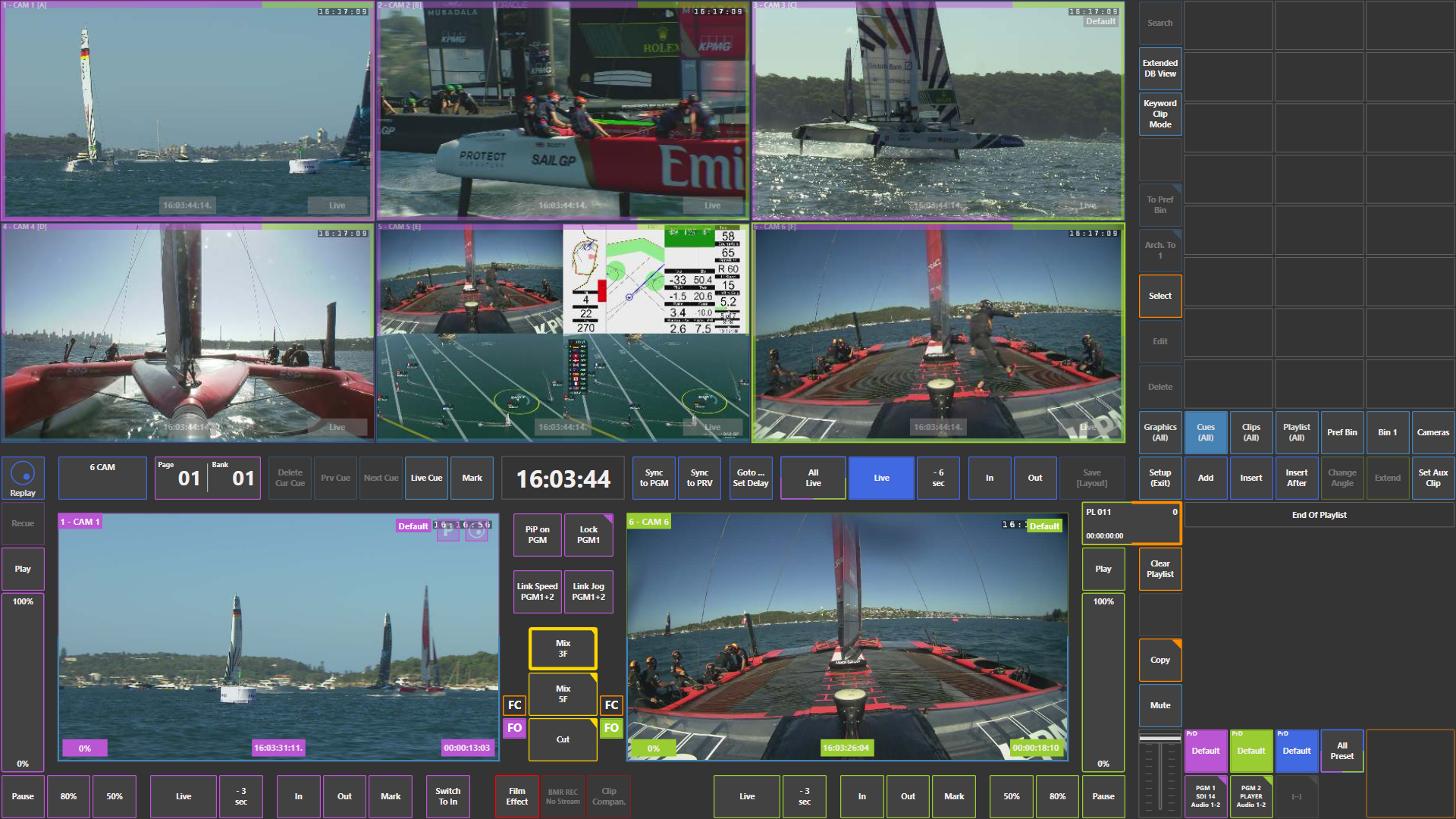
The SimplyLive Slomo module not only allows operators to work with a standard replay controller, but also provides a fully integrated touchscreen interface that can be used together with the controller.
This touchscreen interface makes replay operation more intuitive and significantly simplifies many tasks during live production.
Even operators who are used to working only with a traditional remote controller usually start using the touchscreen interface naturally after a very short time.
The most efficient workflow is often a combination of the remote controller and the touchscreen, allowing operators to perform replay operations more smoothly and quickly.
Info
Almost every element visible on the touchscreen interface is interactive.
For example:
-
touching a camera window can load that camera onto Program or Preview
-
touching IN can set the IN point of a clip
-
touching OUT can set the OUT point
-
touching SAVE can create and store a clip
Because of this, operators are encouraged to use the touchscreen interface as much as possible according to their personal workflow preferences.
Combining the controller and touchscreen interface often results in a much smoother and more natural replay operation.
Pro Tip
The touchscreen interface can be especially useful when working in Program / Preview mode, for example when preparing multiple replays in sequence.
Instead of selecting camera angles using the A–F keys on the controller, operators can quickly select angles directly on the touchscreen.
A typical workflow may look like this:
-
Use the REPLAYS function on the controller to scroll back through the record train and locate the desired moment.
-
Touch the preferred camera angle on the touchscreen to load it onto Program.
-
While the replay is running, touch another camera angle on the screen to load it onto Preview.
-
When ready, switch to the next angle and repeat the process.
Because all camera angles are visible on the screen at the same time, operators can instantly choose the best next replay angle simply by touching it.
This makes it possible to perform multiple replay angles in a row in a very natural and fluid way.
For many operators, this becomes one of the easiest and fastest ways to manage replay sequences.