
Menu
Home
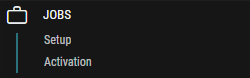
The Jobs consists of the following views:
-
Setup In Setup, you create a list of Jobs that are to be made available for STAGE users to use. Each Job defines the necessary requirements for a production or an event.
-
Activation Job Activation is the process by which a user can specify that a Production should begin.
A Job defines the collection of resources required for a production or a live event.
Resources consist of Devices, Applications (i.e. Processing functions), as well as people (called members).
The configuration of these resources as well as the connections between inputs (consumers) and outputs (producers) provided by these resources also live inside a Job and are specific to a production.
Jobs resources can be organized into a hierarchy, where Members own the resources.
As of STAGE 2.0, the use of members and the assignment of devices or applications to these members is exclusively for organizational purposes. In future versions, this information could also be used to restrict access to Job resources.
A Job is completely independent from the System it lives in, and is adopted into the System each time it is used. This means that a Job of a specific configuration can be reused in various parts of the System without having to do anything to the configuration itself. The connection between the Job and the System is achieved by adopting the Resources in the Job to Resources in the System that have the same Device types.