StageLink™

Buttons (NSA-010C)

Front view

Test Buttons

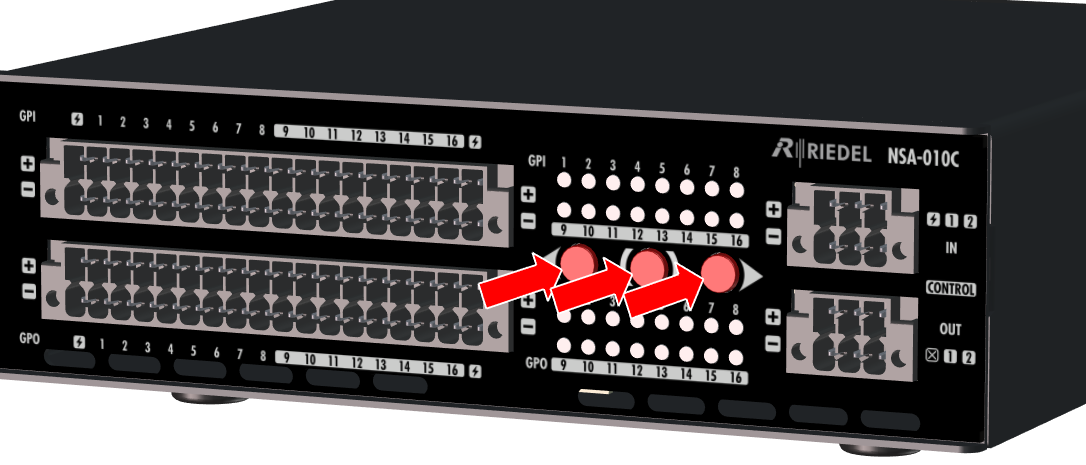
The buttons on the front are for testing purpose of the GPI and GPO ports.

  • Use the left/right button to select a GPI or GPO port.

  • Press the middle button to activate (switch) the selected port: If the original state of the port is att_37_for_1664385071.png , it is set to att_38_for_1664385071.png and vice versa.

  • The test state remains active as long as the middle button is pressed.

  • After 10 seconds of inactivity (no button pressed), test mode is switched off and the device returns to normal mode.

att_39_for_1664385071.png
Test buttons

Rear view

Find button

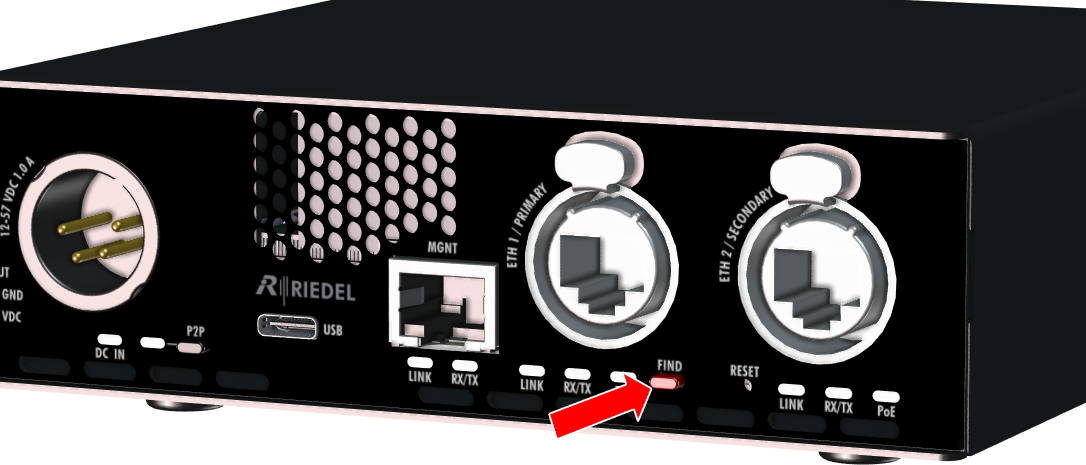
The left button between the primary and secondary Ethernet ports is used to locate the device.

  • When the button is pressed, all GPIO status LEDs on the front start to flash white.

  • In the device's web interface, the locating icon att_40_for_1664385071.png lights up / flashes yellow.

  • Localization is active until the button is pressed a second time or the localization icon is clicked in the web interface.

att_41_for_1664385071.png
Find button


Reset button

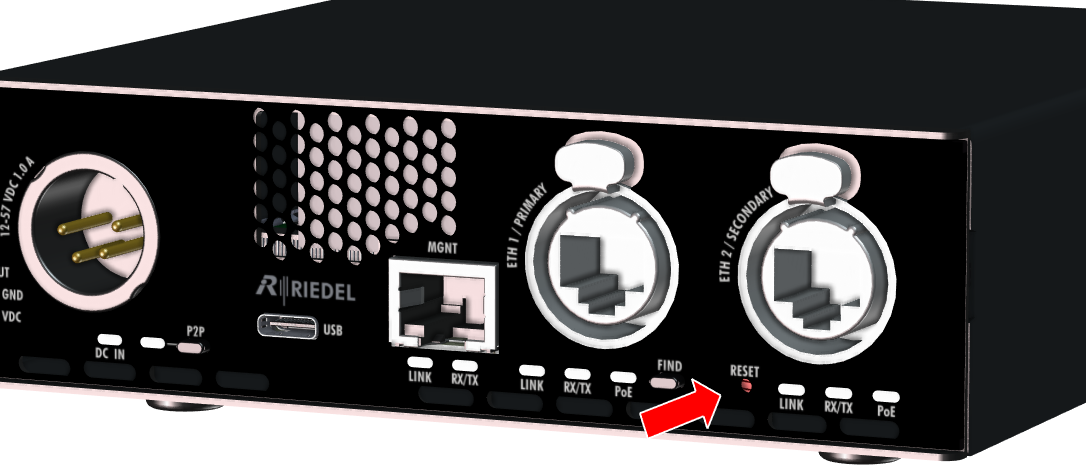
The right button (pinhole) between the primary and secondary Ethernet ports is used to restore the factory settings (e.g. with a paper clip).

Pressing the reset button for 2 seconds resets the device to the factory settings. The device acknowledges the reset by flashing the "Link" LEDs (3× on/off cycles).

att_42_for_1664385071.png
Reset button