
Analog / Digital Connection
-
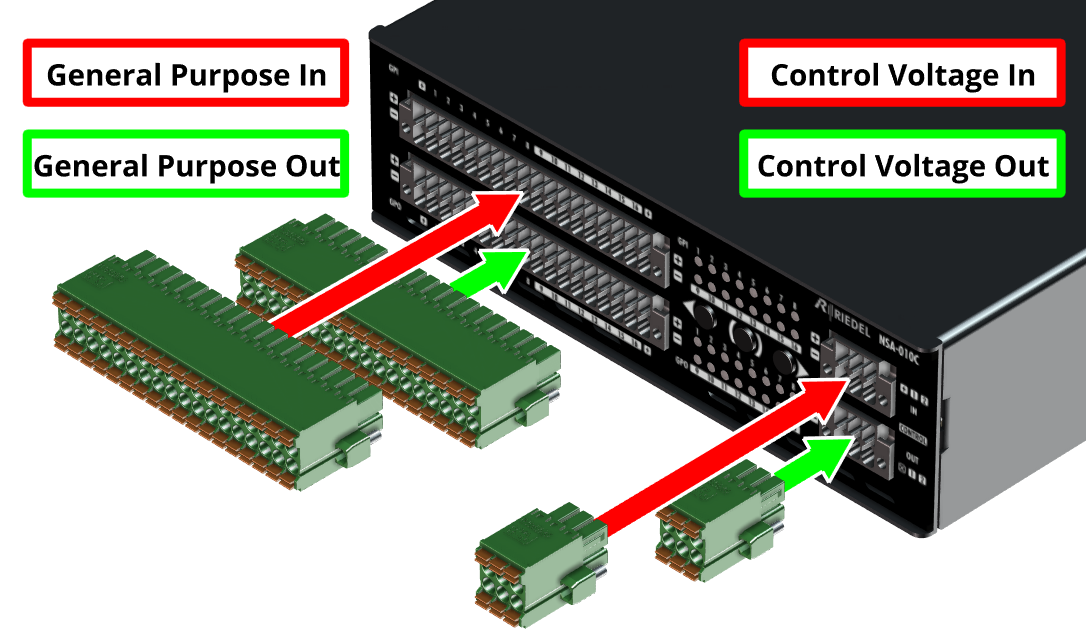
To use the general purpose inputs/outputs, connect your application using the Phoenix "DFMC 1.5/ 18-STF-3.5" connector (included in the device packaging).
-
To use the control voltage inputs/outputs, connect your application with Phoenix “DFMC 1.5/ 3-STF-3.5” connector (included in the device packaging).
AES67 Network Connection
-
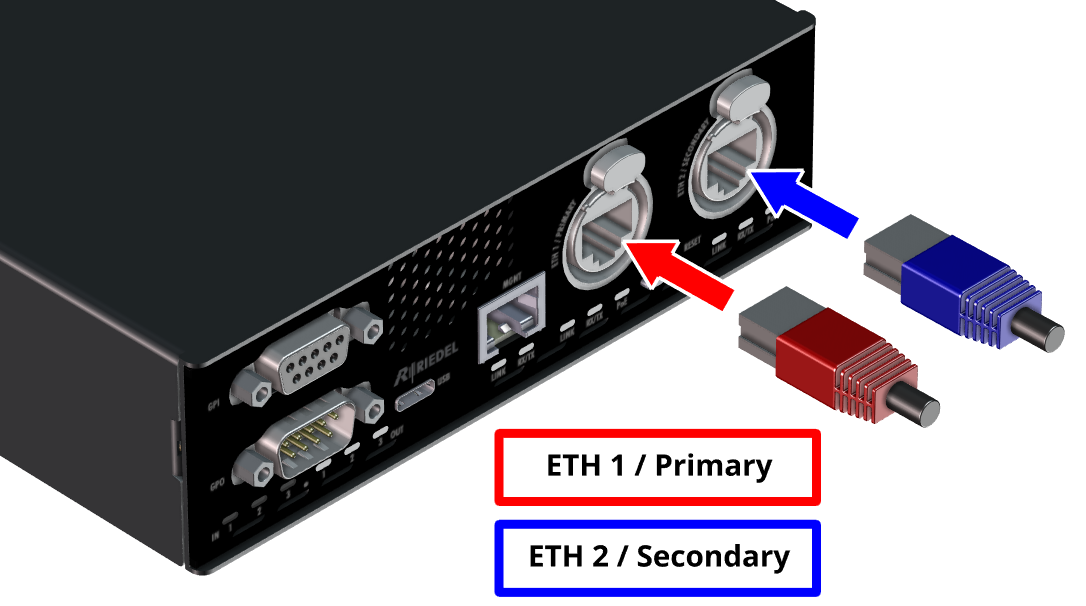
Connect the primary media network port (ETH 1 / Primary) to your AES67 network via a PoE switch or PoE injector.
-
For redundant operation, also connect the secondary media network port (ETH 2 / Secondary) to your AES67 network via a PoE switch or PoE injector.
Management Network Connection
-
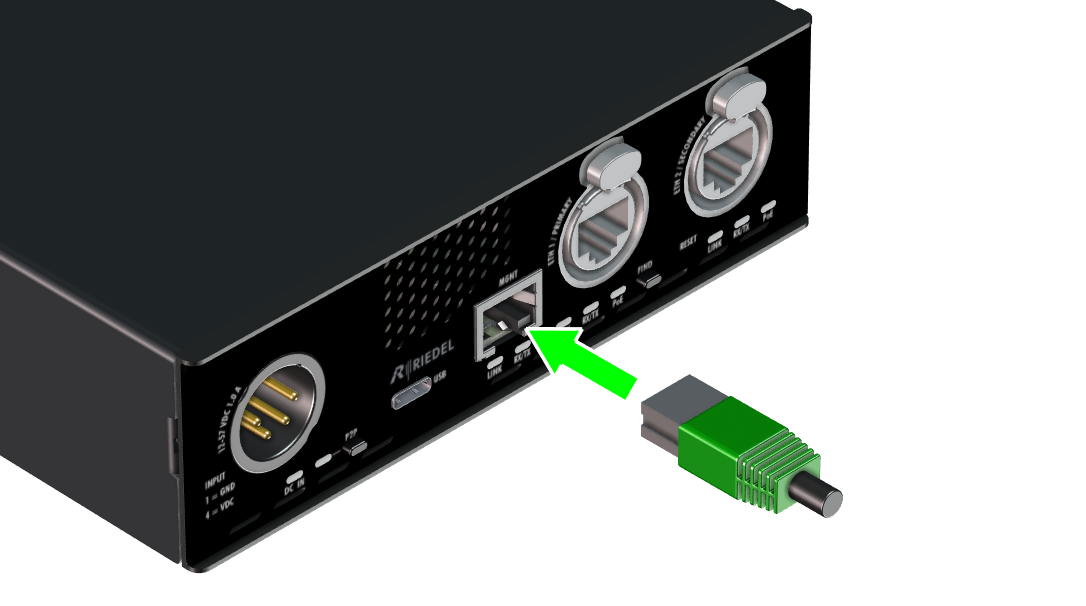
The management network can be operated in isolation from the AES67 network by connecting it to the MGNT port and activating the MGNT port for the WebUI in the Device Settings.
Power Supply
The NSA-010C is powered by PoE (IEEE 802.3bt) via the primary and secondary media network ports and using the wide range DC Input.
-
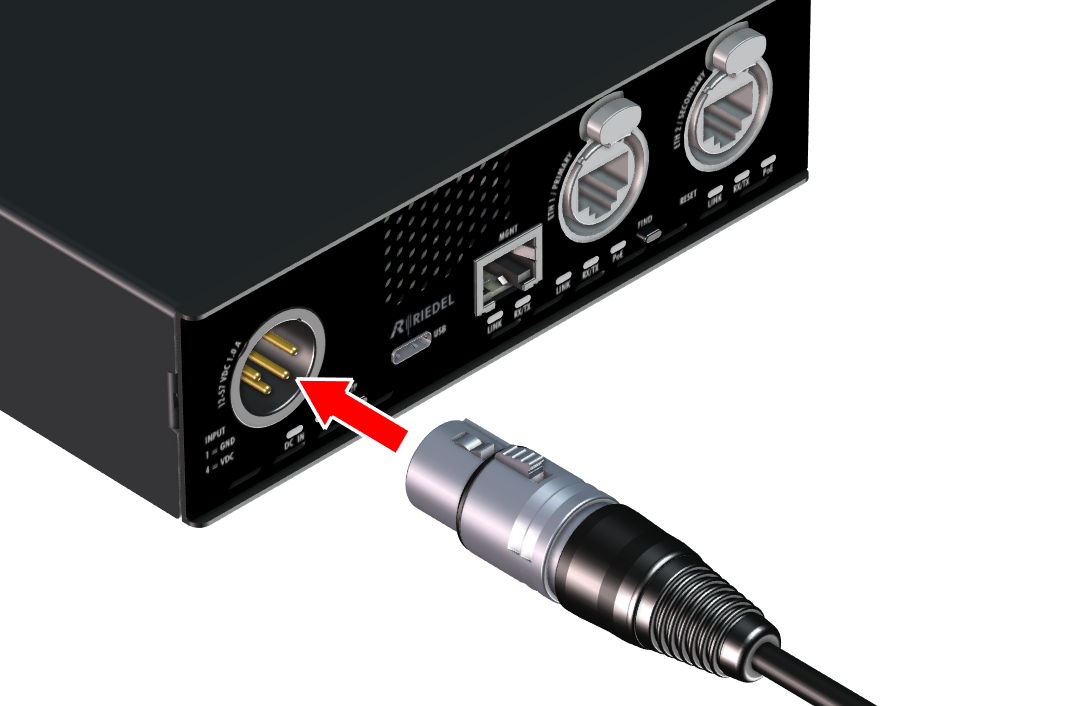
Connect a 12 ... 57 VDC power supply unit to the DC IN connector.
The device's power supply has a redundant design and switches over without interruption as soon as one of the power sources is no longer available. There is not prioritization between the PoE Sources, but the DC Input has priority. The NSA-010C PoE device supports MPS (Maintain Power Signature) to prevent the redundant PoE port (in idle mode) from being switched off by the PoE switch.
The PoE status can be checked via the web interface.
-
For redundancy, both network ports are connected to two separate PoE switches.
-
To shut down the unit completely, remove both Ethernet cables and the DC input.
Warning
An external Power Supply with an output voltage of 12 ... 57 VDC may be used to power NSA-010C.
It is mandatory to use a power supply unit that provides a limited output power of up to 50 W and is specified up to at least 50°C ambient temperature.
The power supply unit must be certified to EN62386-1 or IEC62368-1.