
You can archive clips directly from the application.
A typical example is the Slomo module.
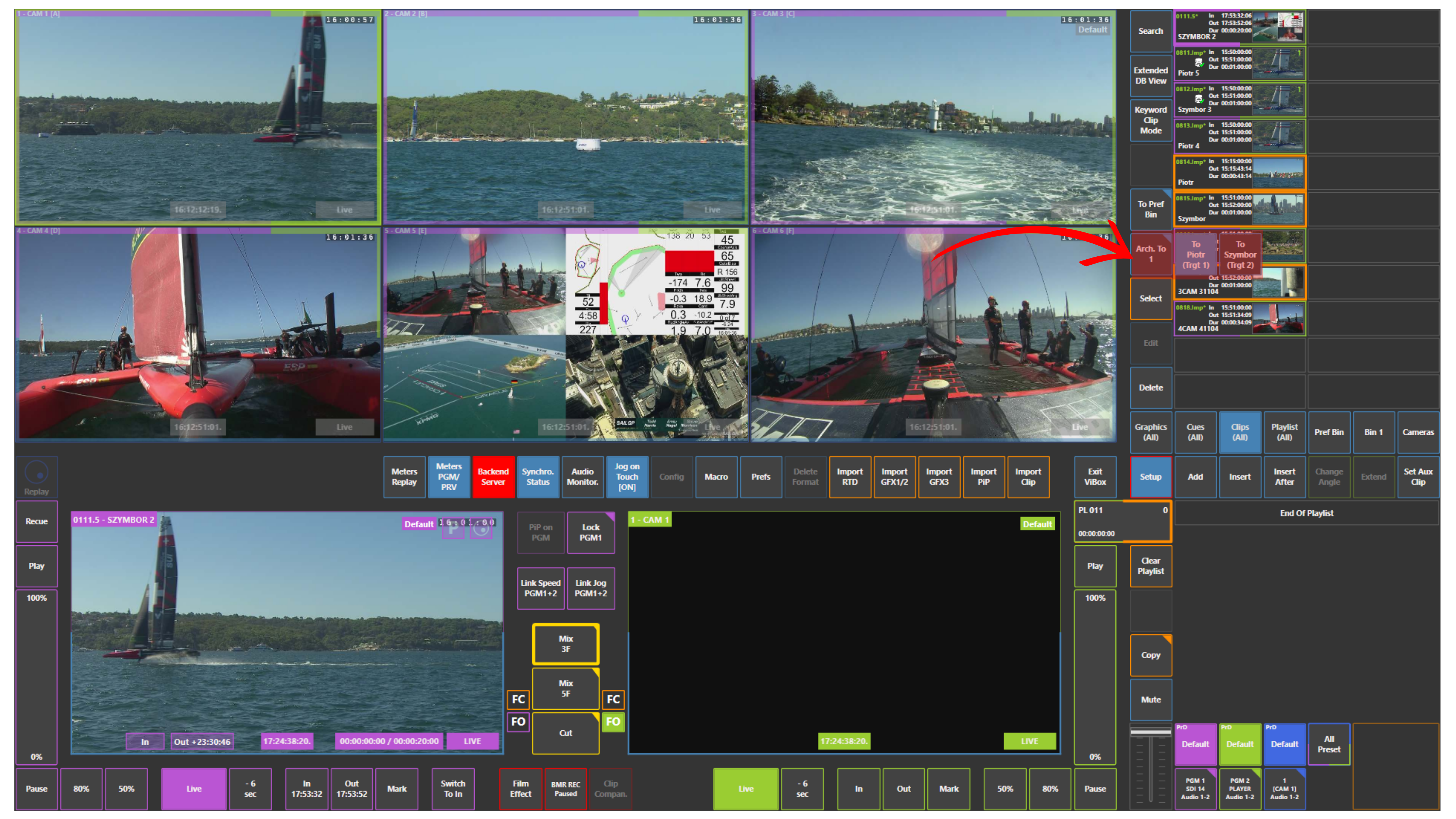
If you want to archive clips from the Slomo user interface:
-
press Select
-
choose the required clip or clips
-
press Arch. To
-
choose the target or targets
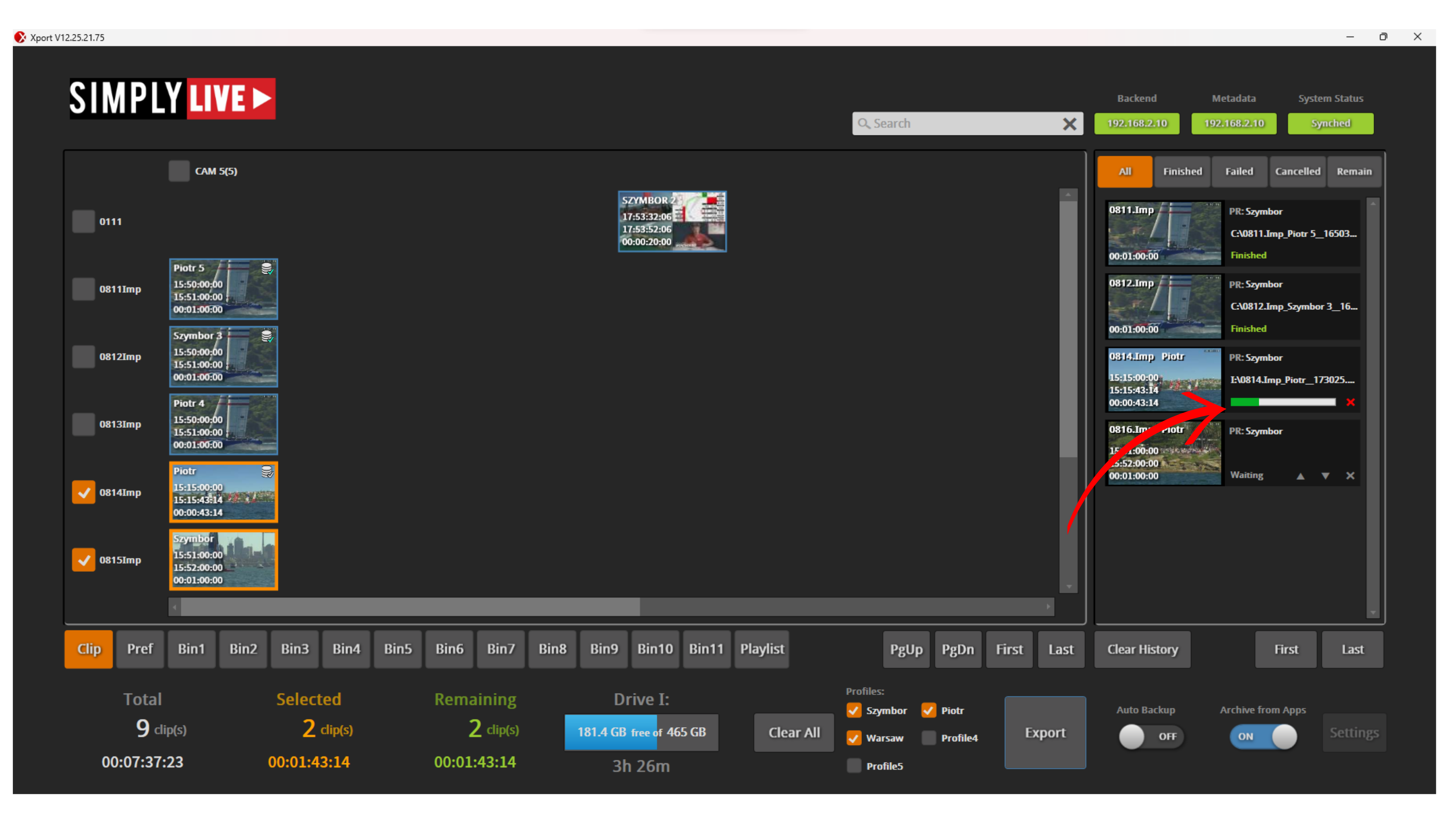
Once selected, the clips are sent to the chosen archive destination.
Archive targets
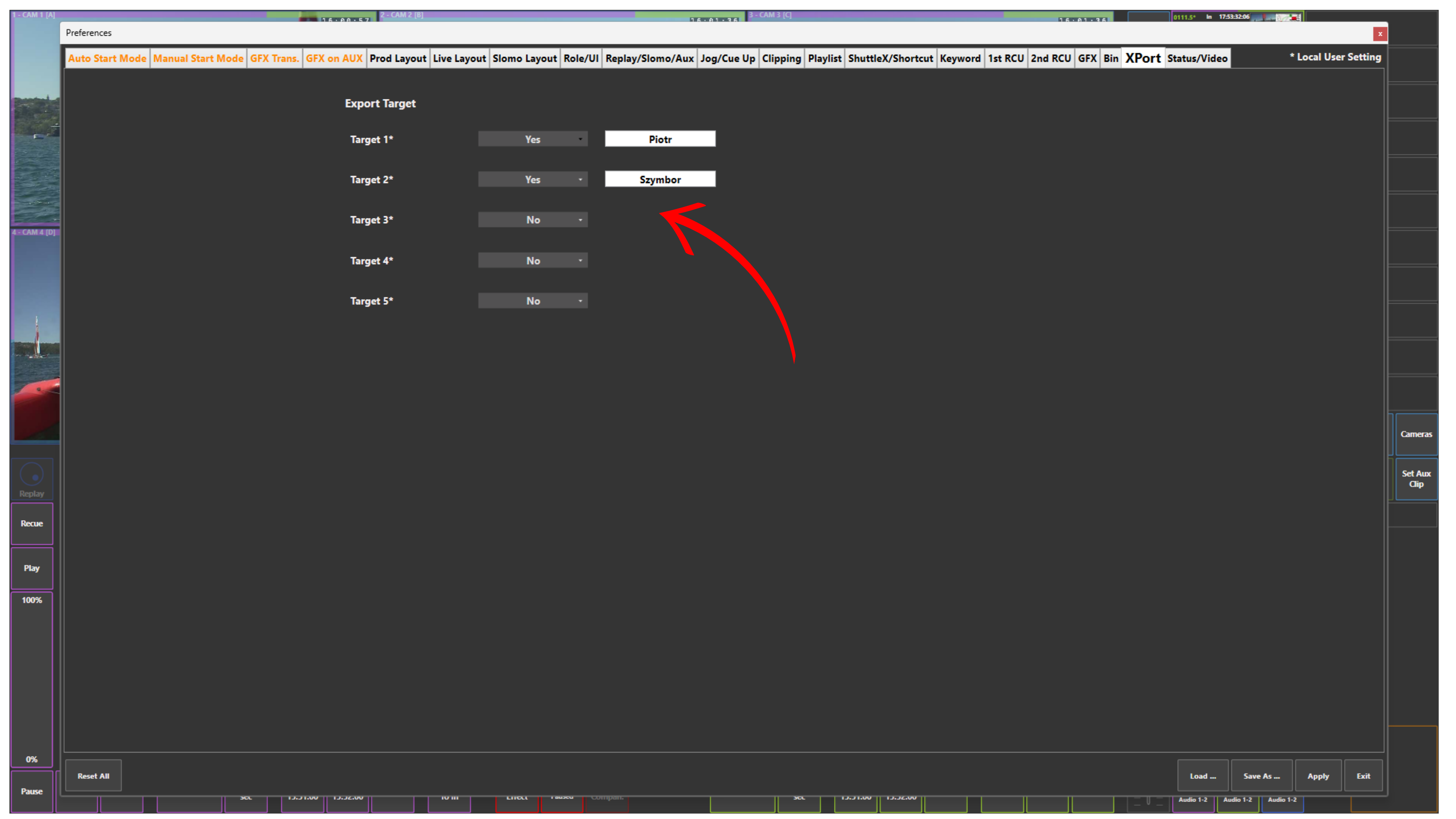
Archive targets can be configured in Setup → Prefs → Xport.
In the Xport tab, you can create archive targets and give them the required names.
Pro Tip
You can select multiple targets when archiving clips from the application.
Warning
Archive from Apps must be enabled in XPort. Otherwise, archiving from the application will not be available.