
Common Settings allow you to define the basic engineering parameters for XPort.
These settings control how XPort is identified and how it connects to the system.
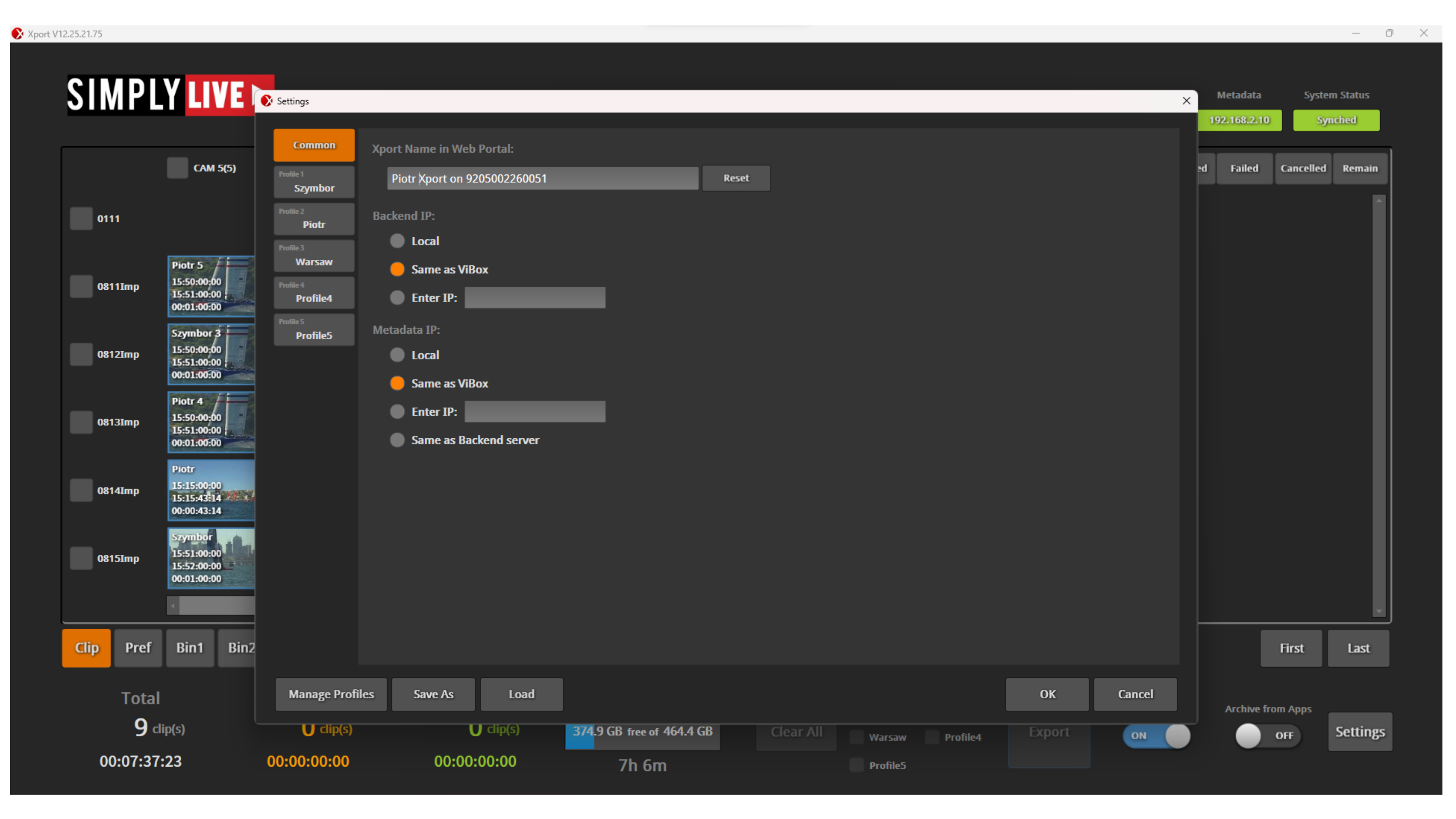
XPort name
You can define the XPort Name.
This is the name used to identify your XPort instance in the system.
It helps distinguish between multiple systems or setups when working in a networked environment.
Backend IP
The Backend IP defines which server XPort is connected to for export operations.
You can choose:
-
Local
-
Same as ViBox
-
Enter IP
This allows you to decide where the export processing is handled.
Metadata IP
The Metadata IP defines where metadata is taken from.
You can choose:
-
Local
-
Same as ViBox
-
Enter IP
-
Same as Backend server
The Metadata IP defines which metadata server XPort connects to. This is how XPort reads clip metadata during export.