
The Export button allows you to export selected parts of a stream directly from BMR without changing the main recording workflow.
This is useful when you need quick access to short sections of material and want to send them immediately to a local destination or to the server.
To open the export window, press the Export button on the right side of the interface.
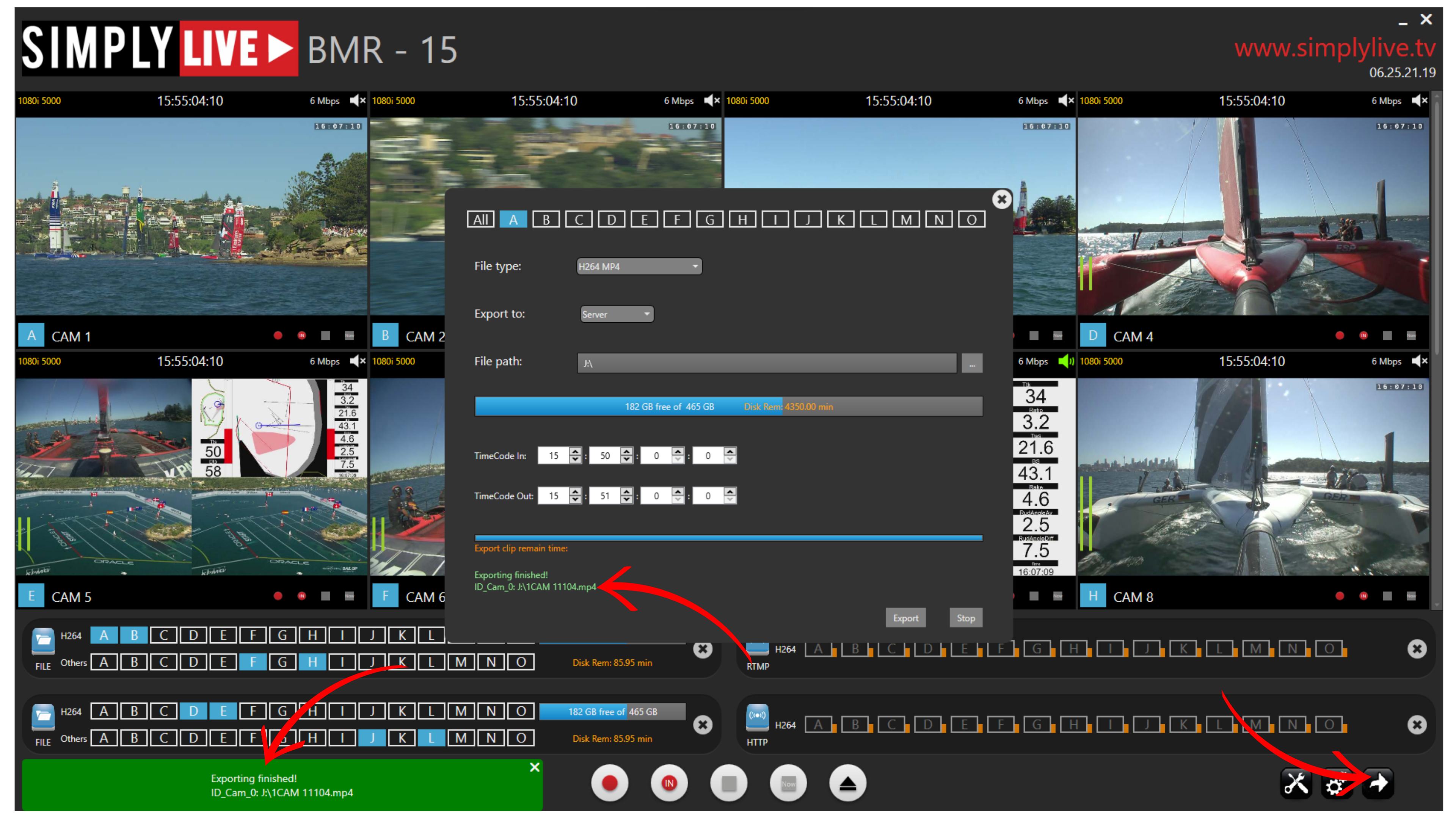
In the export window, you can define:
-
the file type
-
the export destination as Server or Local
-
the file path
-
the TimeCode In
-
the TimeCode Out
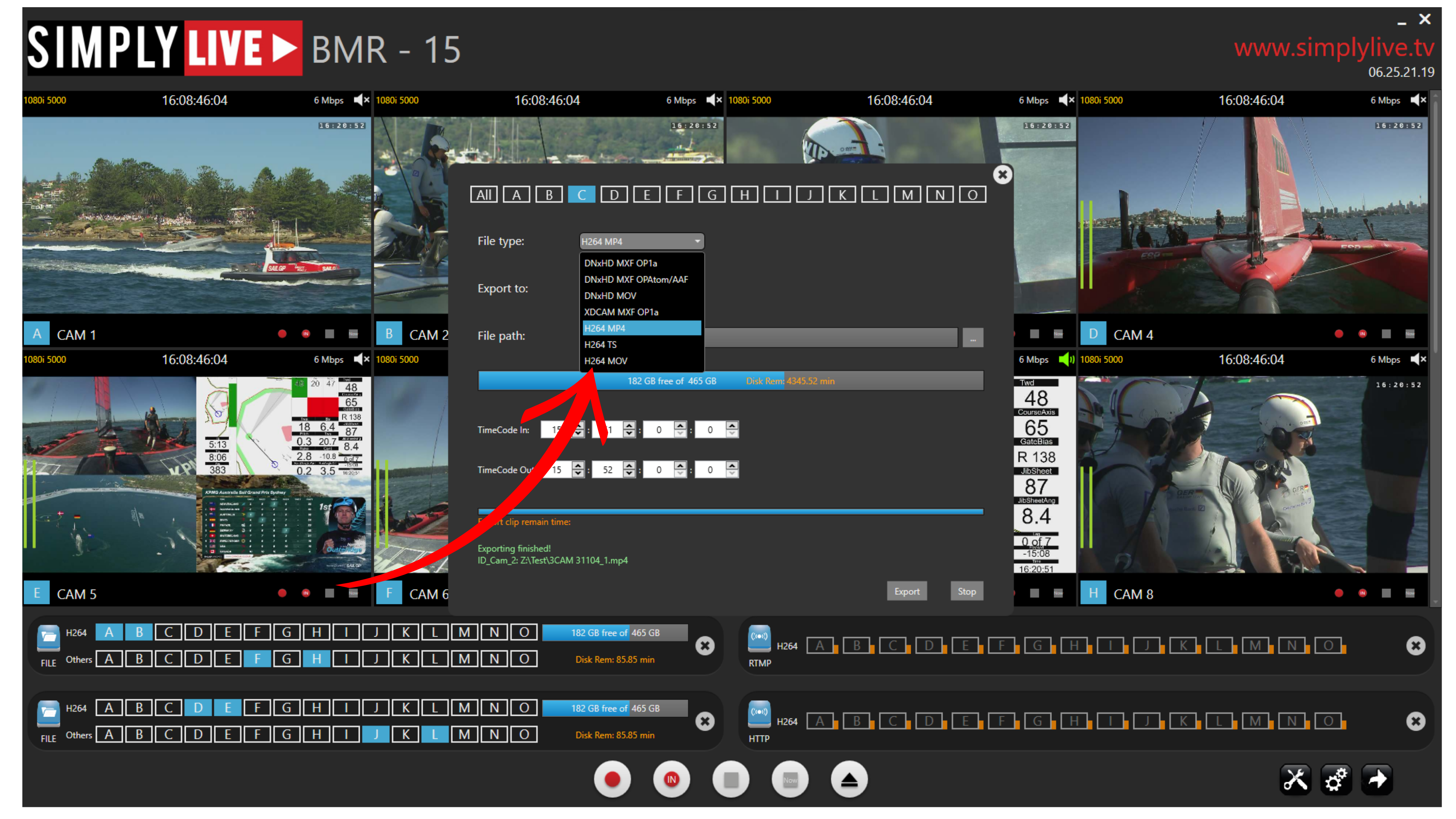
Once these values are set, press Export to create the file.
This makes it possible to export short stream sections quickly in the required codec and send them exactly where they are needed.
A common use is to export directly to the server, so the file can then be picked up from the Slomo or Live module and played out straight away.
Info
The Export function is designed for fast extraction of selected stream sections, with direct control over codec, destination, path, and timecode range.
Pro Tip
Use the Export button to send short parts of a recording quickly to post-production or back to the server for immediate playout. You can export directly to the server Auto_Ingest folder. The files will then appear in the Live module, Production, and Slomo module.
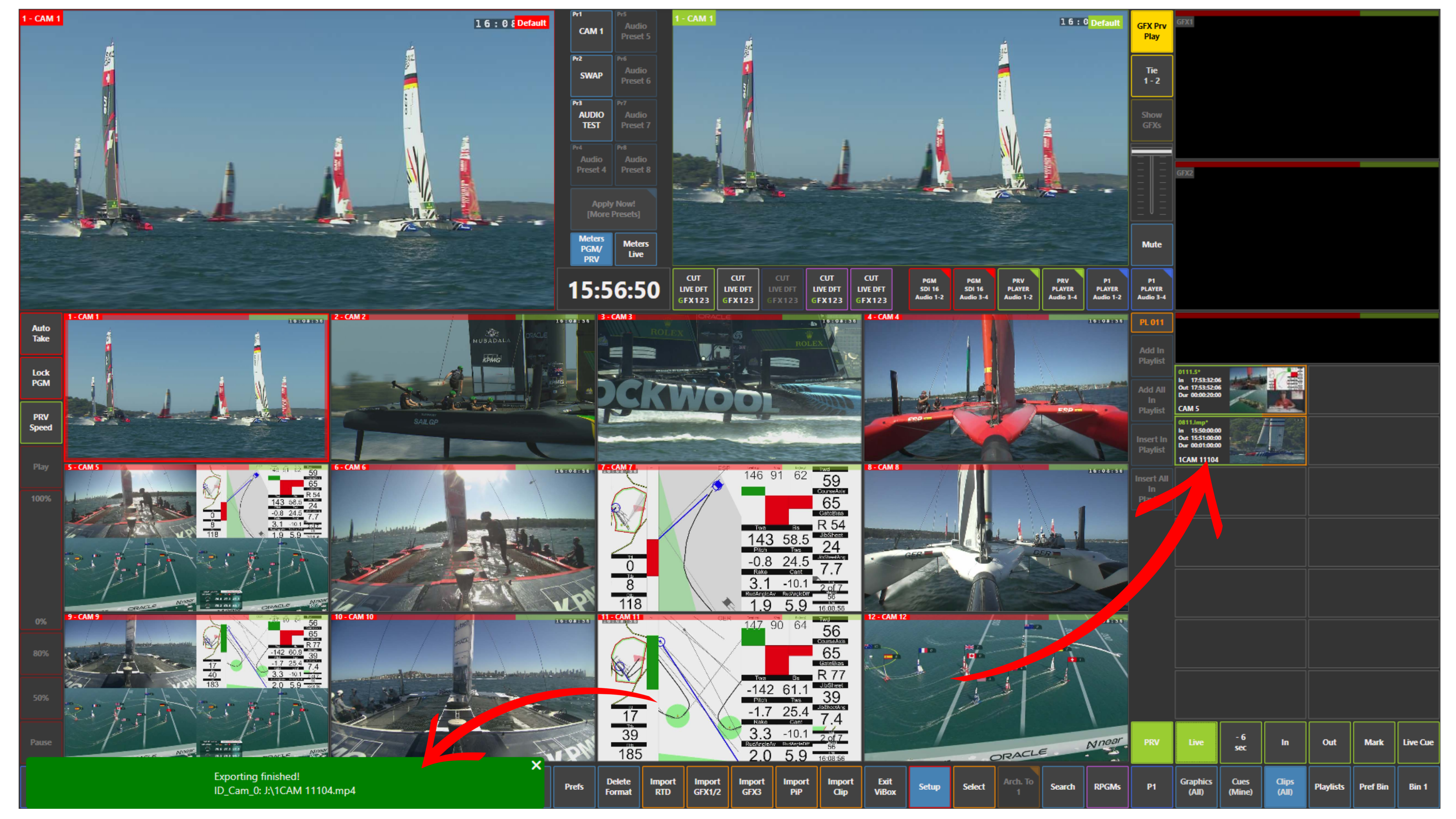
Use Case – Fast Export Scenario
You may already be recording full Program Dirty or Program Clean streams in BMR for the client as longer files.
At the same time, post-production may need much shorter sections, for example 30-second or 1-minute extracts, delivered quickly in a different codec.
In that situation, use the Export button to select the required timecode range, choose the needed file type, and send the file either to post-production or to the server for immediate use in live production.