“F1” Rename
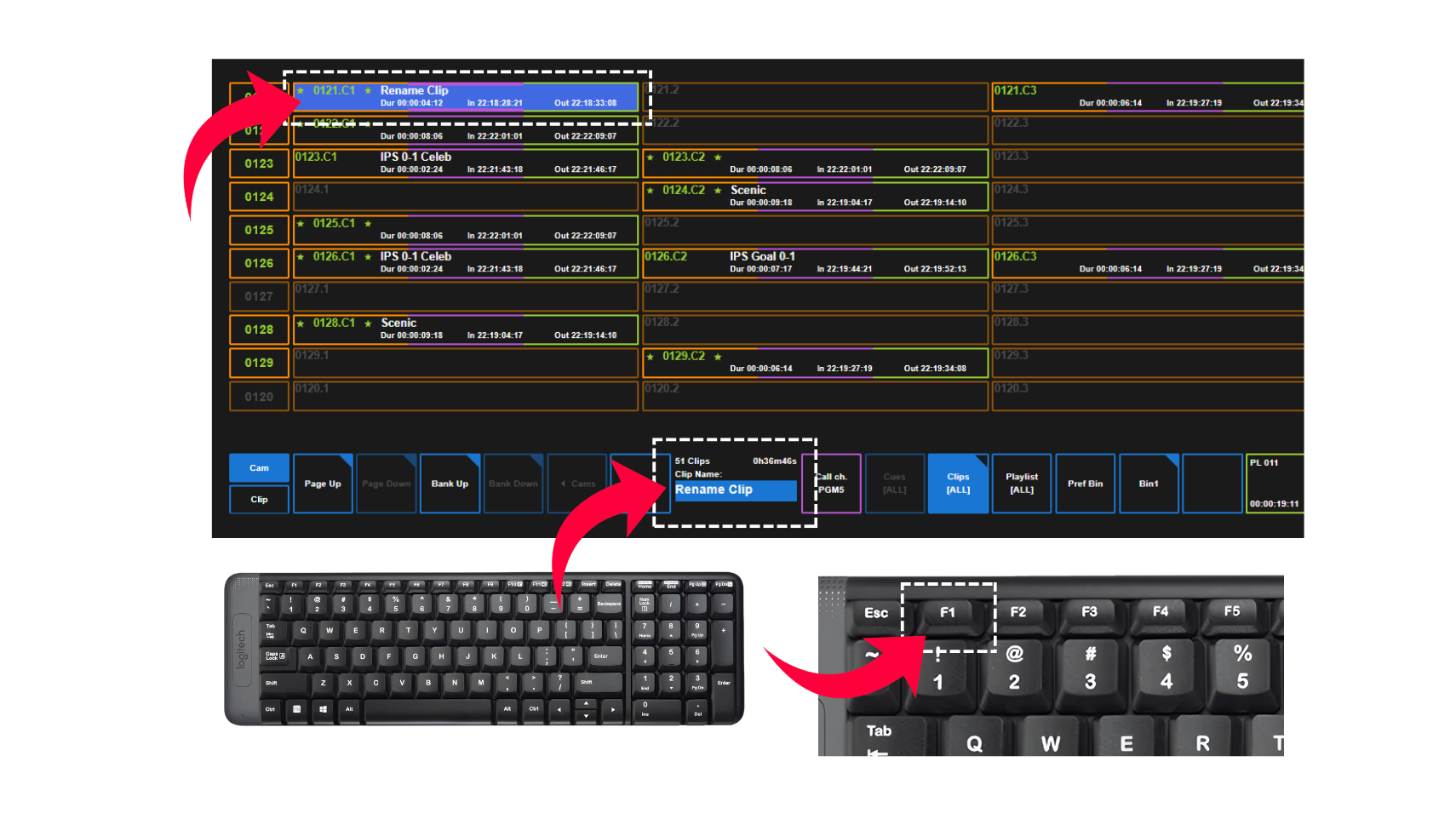
In order to rename a clip, you can do this via the keyboard.
Type in the name of what you want to call the clip in the text space along the bottom.
Navigate to the clip you want to rename and press “F1” on the keyboard.
To clear the text space, press “Esc”.
Clip Properties
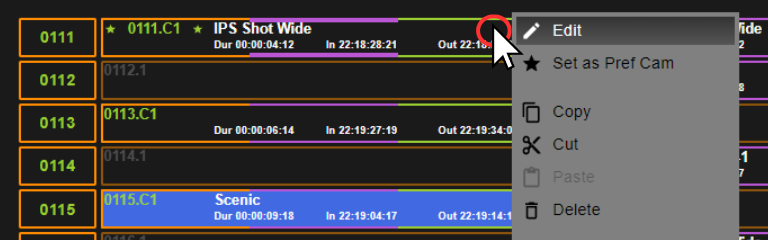
You can also rename the Clip by right clicking the element and click the “Edit” option.
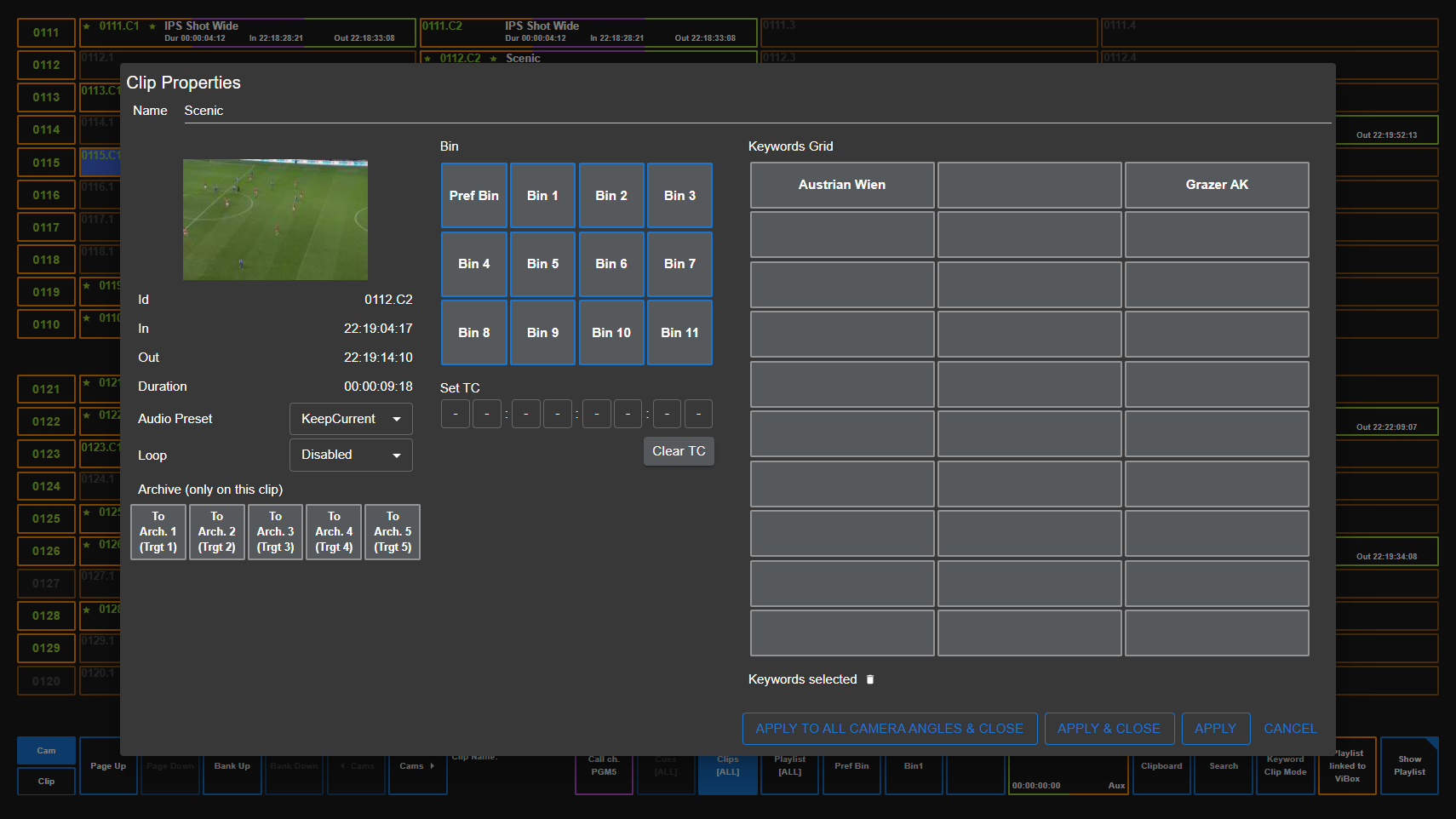
The “Clip Properties” window will open where you can change the name at the top of the pop-up window.
Then save this update by clicking:
-
Apply to All Camera Angles & Close - This will do it for all angles in the Clip ID
-
Apply & Close - This will apply the updates to just that one clip
-
Apply - This will update the information changed and leave the Clip Properties window open