Restriping timecode means changing the existing start timecode on a Clip, to a new timecode.
This may be done to change the timecode on a clip to a more generic time reference when the time of day TC is not necessary, fixing timecode metadata issues if previously striped from the source file or if you need to export a clip with an offset time for editing purposes.
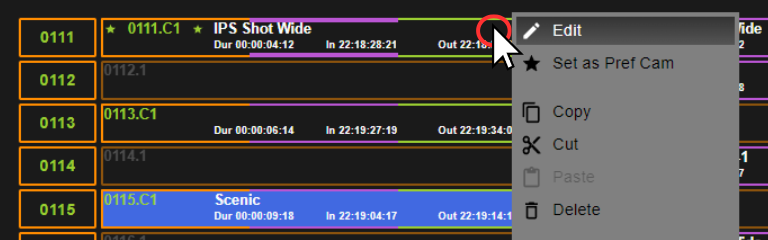
Right click the clip that you want to change the timecode of and click Edit.
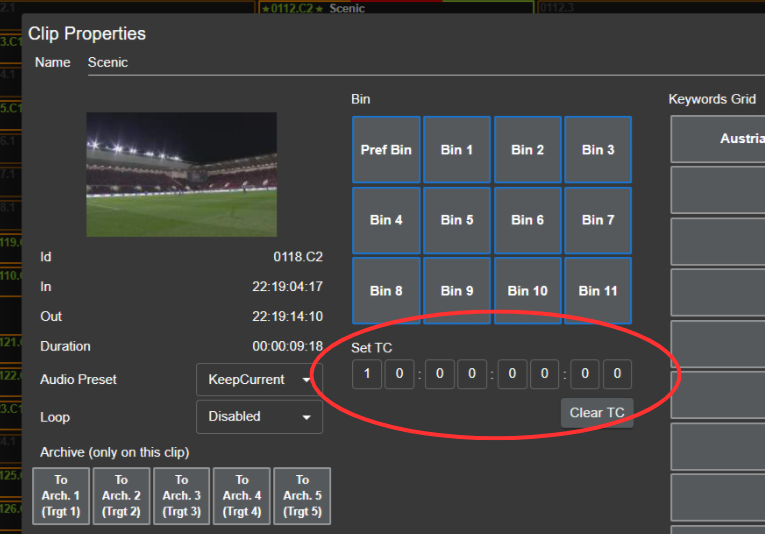
Underneath the “Set TC” label you can input the new desired timecode.
Remember to apply the update before closing the window.