
When to Use This Procedure
Use First-Time Registration when your email address has been associated with a Customer Account but you have not yet created a Portal password.
Register
-
Select Sign up now.
-
Enter the email address intended for Portal access.
-
Select Send verification code.
-
Retrieve the verification code from the email inbox.
-
Enter the verification code and select Verify code.
-
Enter a new password in New Password.
-
Enter the same password in Confirm New Password.
-
Select Create.
-
Sign in and confirm that the expected Customer Account is available.
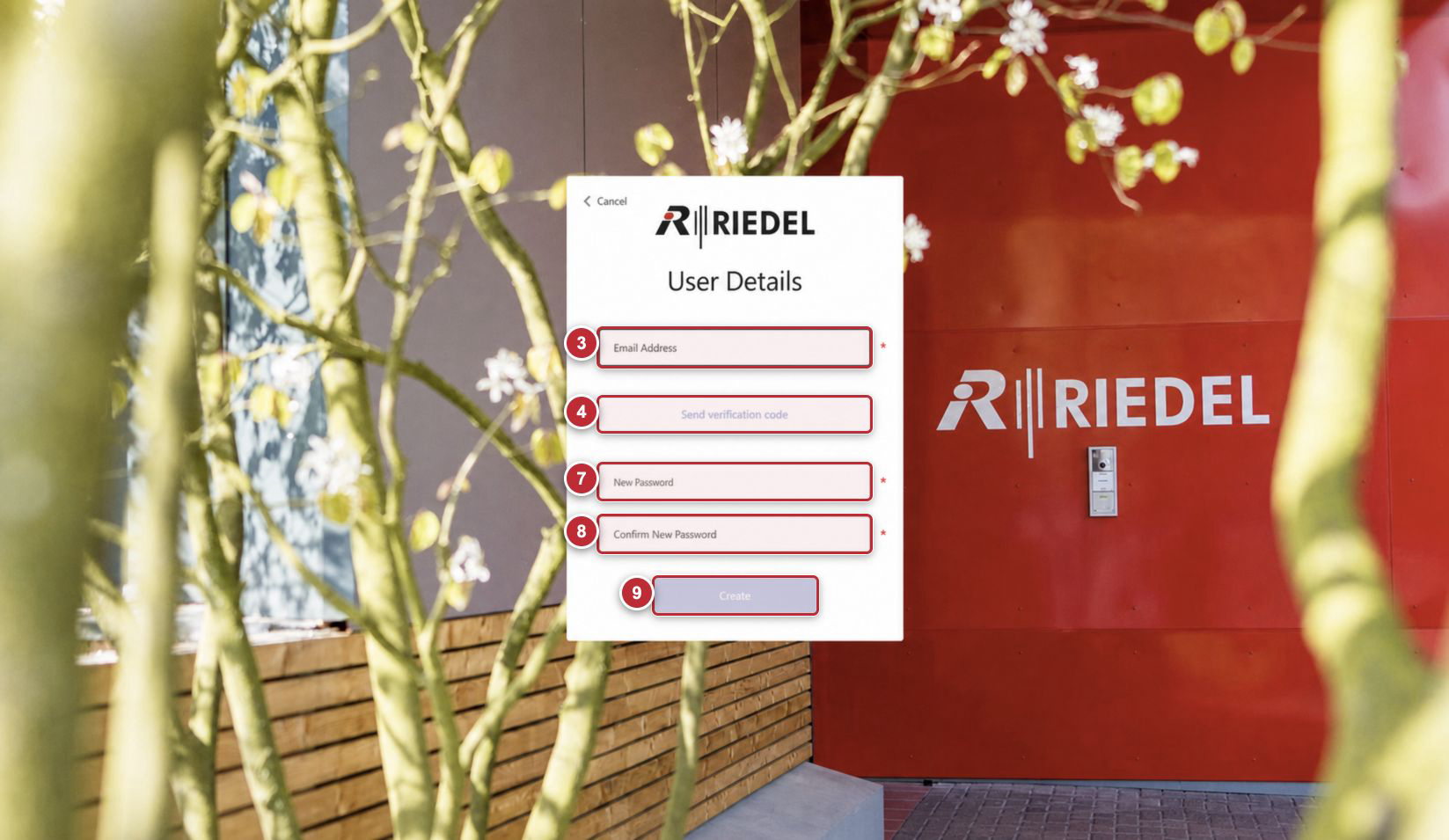
Callouts correspond to the visible steps in the Register procedure. Email and verification-code retrieval steps performed outside this screen are not overlaid. Password fields remain disabled until email verification is complete.
Field and Control Reference
|
Component |
Guidance |
|---|---|
|
Email Address |
Portal help: “Email address that can be used to contact you.” Use the provisioned address that can receive the verification code. |
|
Send verification code |
Sends a one-time code to the entered email address. |
|
Verification Code |
Enter the code received by email, then select Verify code when displayed. Use Send new code if the original code is unavailable or expired. |
|
New Password |
Portal help: “Enter new password.” Sets the Portal password after email verification. |
|
Confirm New Password |
Portal help: “Confirm new password.” Enter the same value as New Password. |
|
Create |
Creates the Portal credentials after verification and valid password entry. |
|
Cancel |
Returns to the preceding authentication screen without completing First-Time Registration. |
If the Verification Email Does Not Arrive
-
Check the address for typing errors.
-
Check junk or quarantine folders.
-
Use Send new code if it is presented after the first request.
-
Do not repeatedly create identities with different addresses.
-
If the address is correct and no code arrives, contact Riedel Customer Success.
Expected Result
First-Time Registration creates credentials for the email identity. Access to Devices still depends on that identity being linked to the appropriate Customer Account.