
You can import files into RefBox for review.
For example, a replay operator can prepare and send a clipped moment. This allows you to receive already identified actions without looking for them manually, helping you focus directly on the decision.
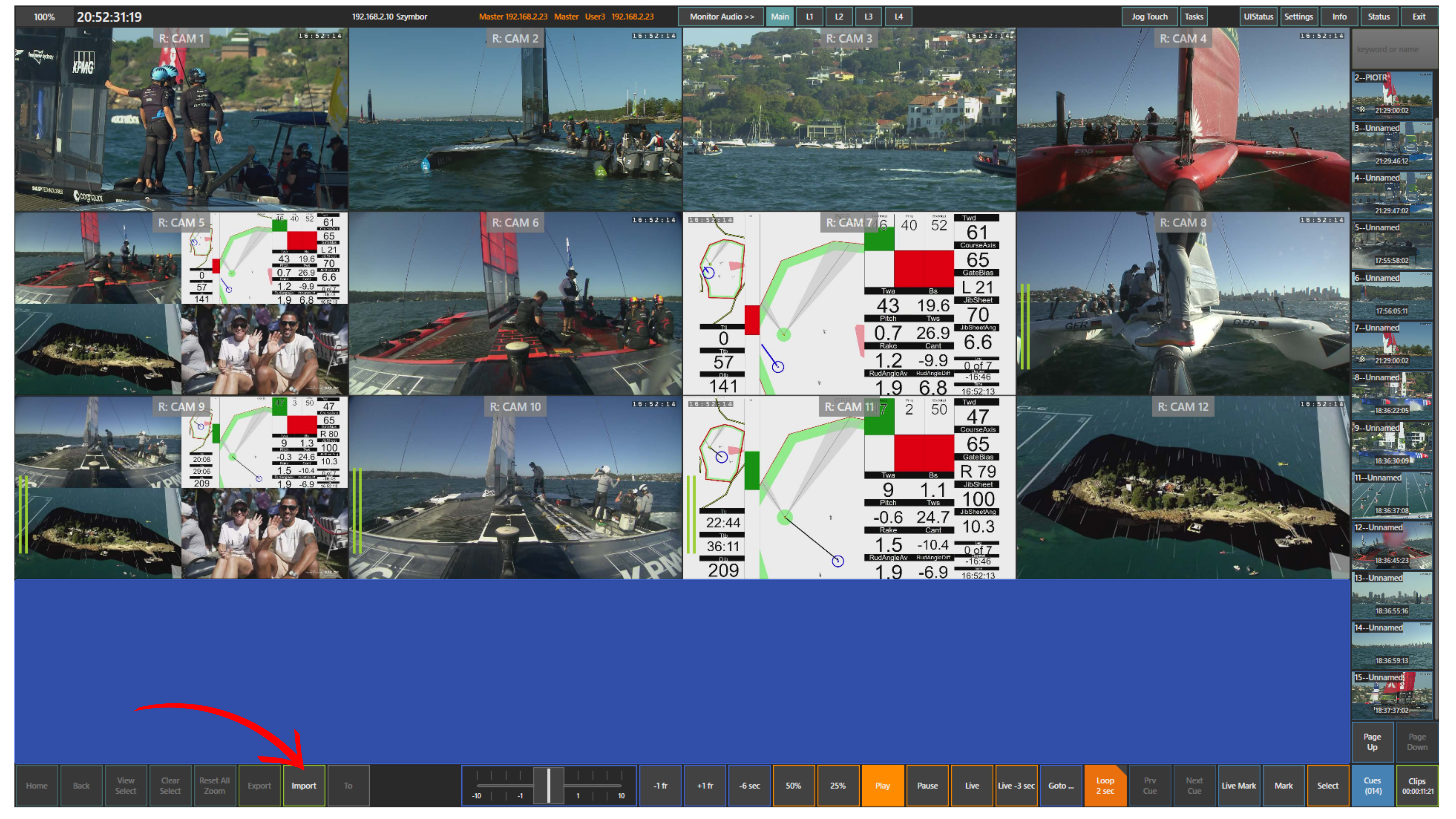
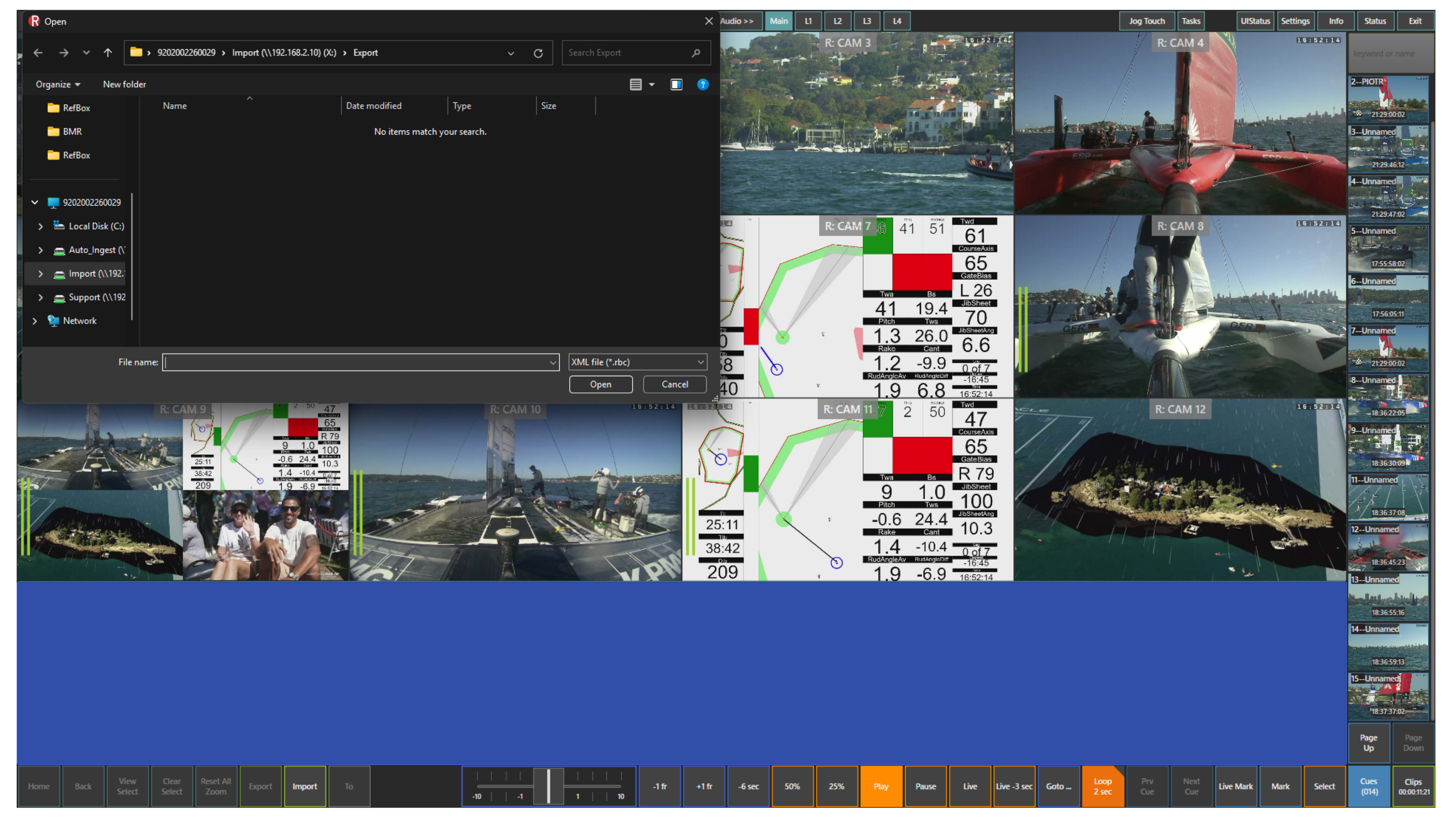
To import a file, press the Import panel. The file explorer will open, allowing you to select the required clip for import.
Info
Make sure the file you want to import is in a supported format.
Once imported, the clip is available for immediate review within the system.
Pro Tip
Coordinate with replay operators to receive key moments instantly instead of looking for them under pressure.