
Explains searching, filtering, opening, and reviewing Devices.
Open the Device Inventory
-
Confirm the Portal shows the required Customer Account.
-
Select Devices.
-
Use one or more filters to narrow the list.
-
Select the Serial Number link or the row action labeled View to open the Device.
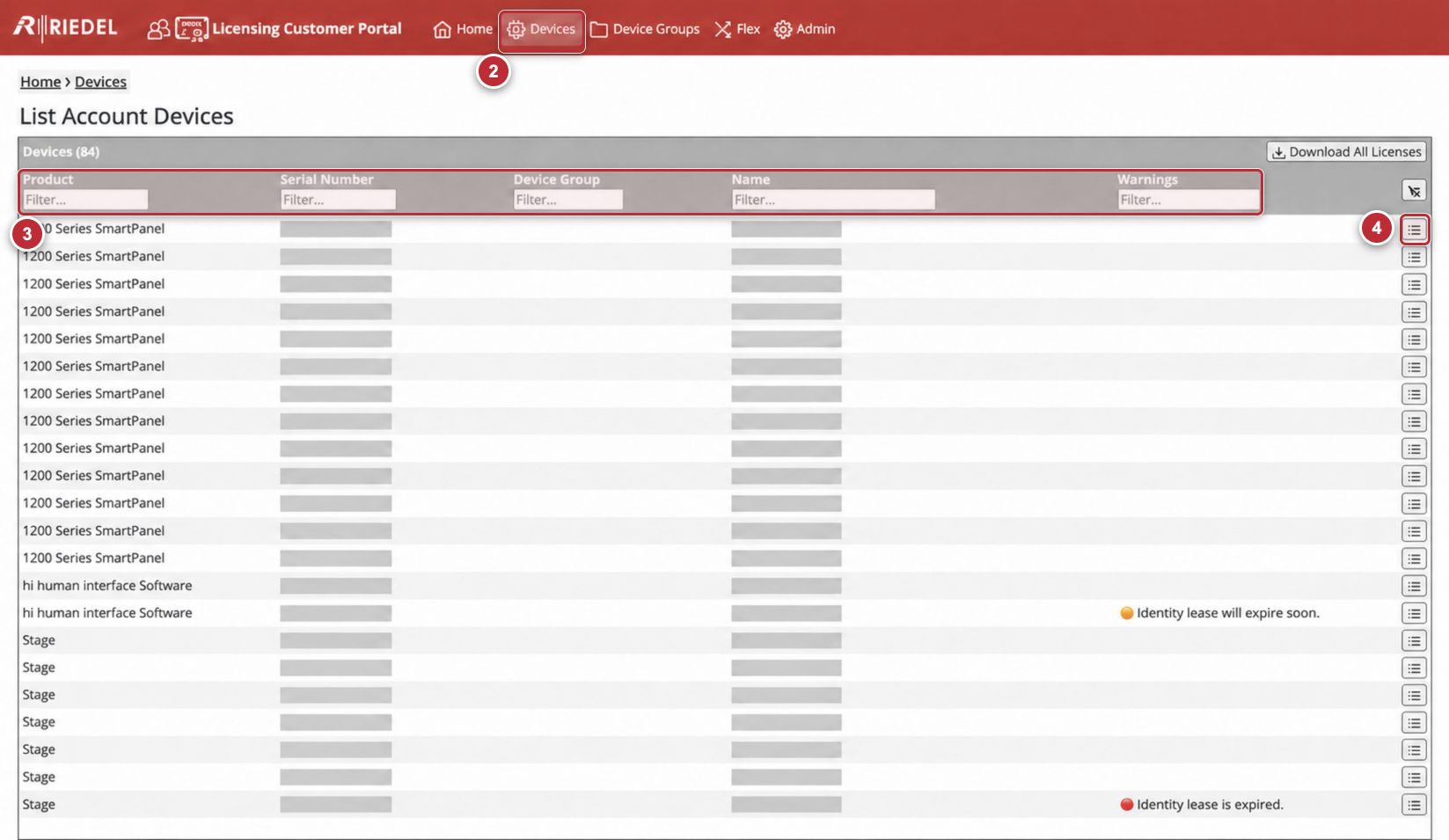
Callouts correspond to the visible steps in Open the Device Inventory. Serial Numbers and customer-specific Device Names are masked.
Filters
Filters can be combined. Enter part or all of a value in the relevant Filter… field.
|
Filter |
Explanation |
|---|---|
|
Product |
Limits results to a Licensed Product family. |
|
Serial Number |
Finds a Device by its identifier. Use the identifier from the Product-Side Licensing Interface or Device, not an example from documentation. |
|
Device Group |
Limits results to Devices assigned to a named Device Group. |
|
Name |
Finds the customer-defined Device Name. |
|
Warnings |
Limits results by visible warning text. |
Filter the Device Inventory
-
Enter or select one or more filter values.
-
Review the result count and confirm that every displayed row matches the intended criteria.
-
Select Clear filters to remove all filter values when finished.
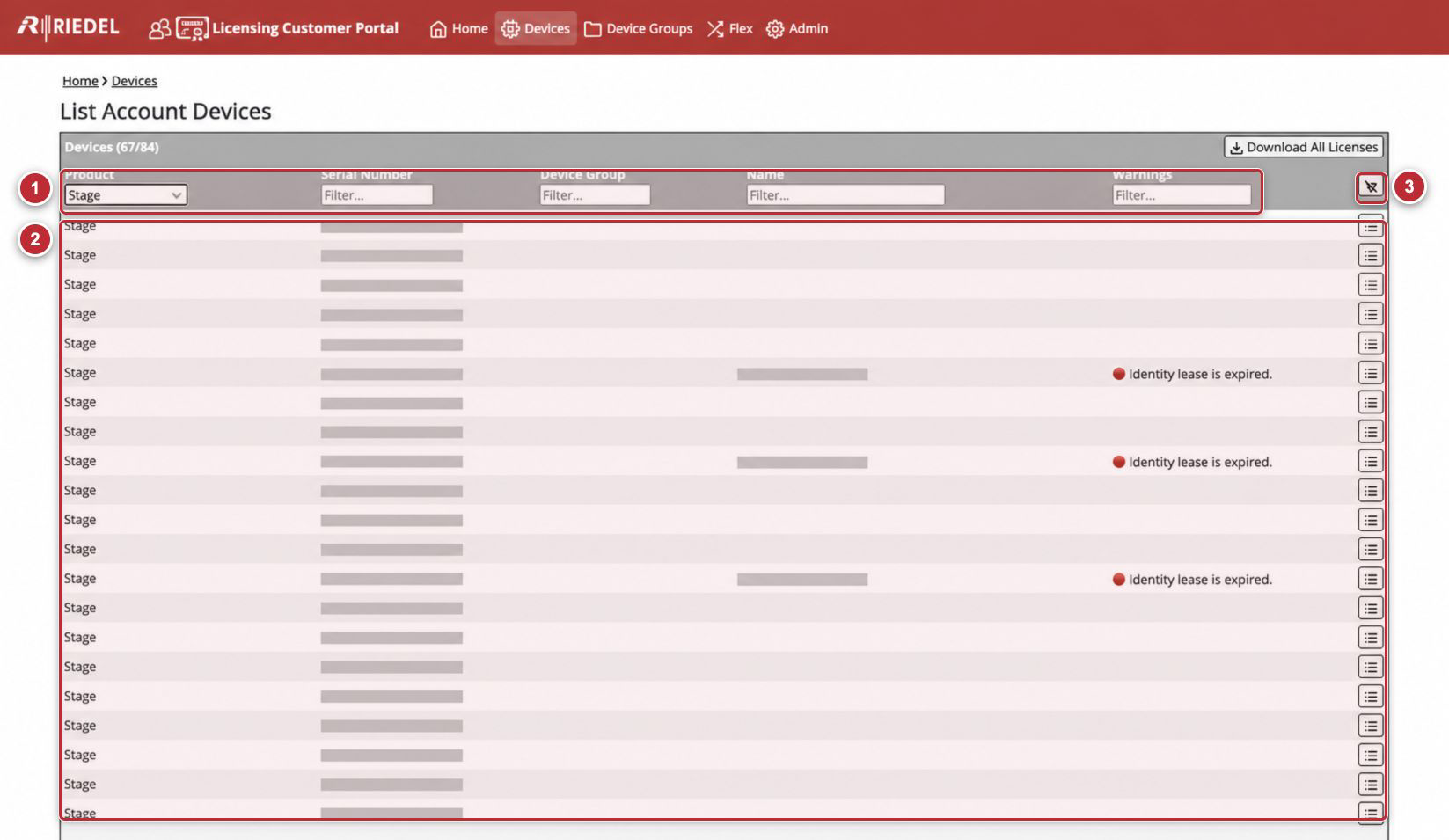
Callouts correspond to Filter the Device Inventory.
Control Reference
|
Control |
Purpose |
|---|---|
|
Filter… |
Reduces the displayed rows using the value entered for that column. |
|
Clear filters |
Removes all active filters and restores all rows for the current Customer Account. |
|
View |
Opens the selected Device record. |
|
Download All Licenses |
Downloads a ZIP of the License Files currently available for the Customer Account. Portal help warns that some License Files can be missing depending on Device state and instructs the Account User to review each Device and the ZIP contents. |
Warnings
The Devices Page can display these warnings:
-
Identity lease will expire soon: Renew before the displayed expiration.
-
Identity lease is expired: Open the Device, confirm its Device Identity Lease status, and complete the applicable Online or Offline Renewal workflow.
Use the Device’s Expiration Date/Time instead of relying only on the “expire soon” warning.
If the expected Device is missing, a filter behaves unexpectedly, or a Portal control is unavailable, contact Riedel Customer Success.