
Rename a Device
-
Select Devices and open the required Device.
-
Select Rename.
-
Enter the new label in New Name.
-
Select Save.
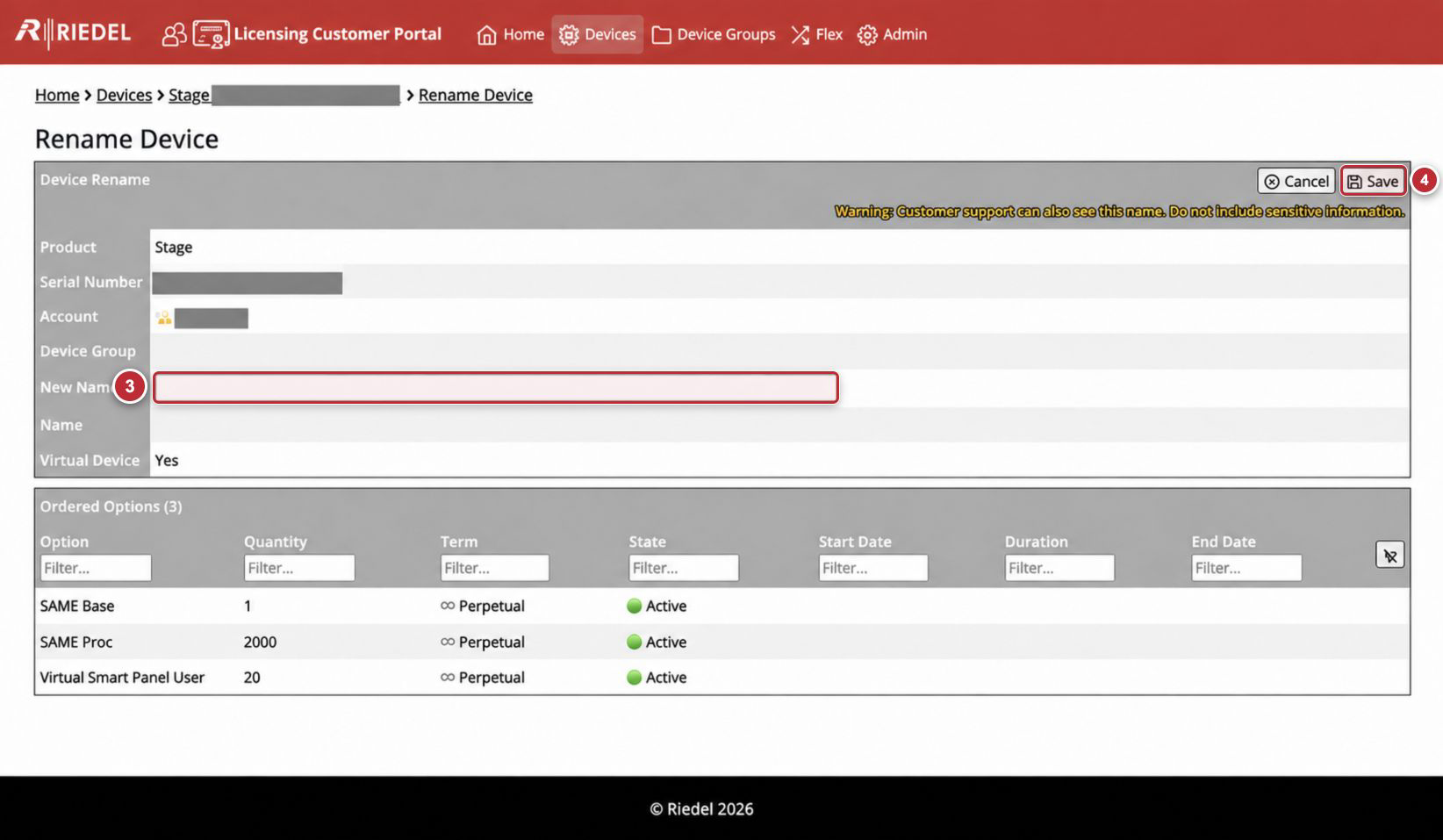
Callouts correspond to the visible steps in Rename a Device.
The Portal warns: Customer support can also see this name. Do not include sensitive information.
Use a concise operational Device Name, such as a site code and system role. Do not use a person’s name, credentials, network address, or confidential production detail.
Product-Side Use of the Device Name
The Portal Name is an operational identifier associated with the Device record. Some Licensed Products can display or derive a local installation name from this value, while others may not. Consult the Licensed Product manual before treating a rename as cosmetic-only.
Renaming a Device does not change its Serial Number, Customer Account ownership, or entitlements.
Change a Device Group
Changing a Device Group requires Authorize Admin: Yes for the current Customer Account.
-
Open the Device.
-
Select Change Device Group.
-
Choose New Device Group.
-
Select Save.
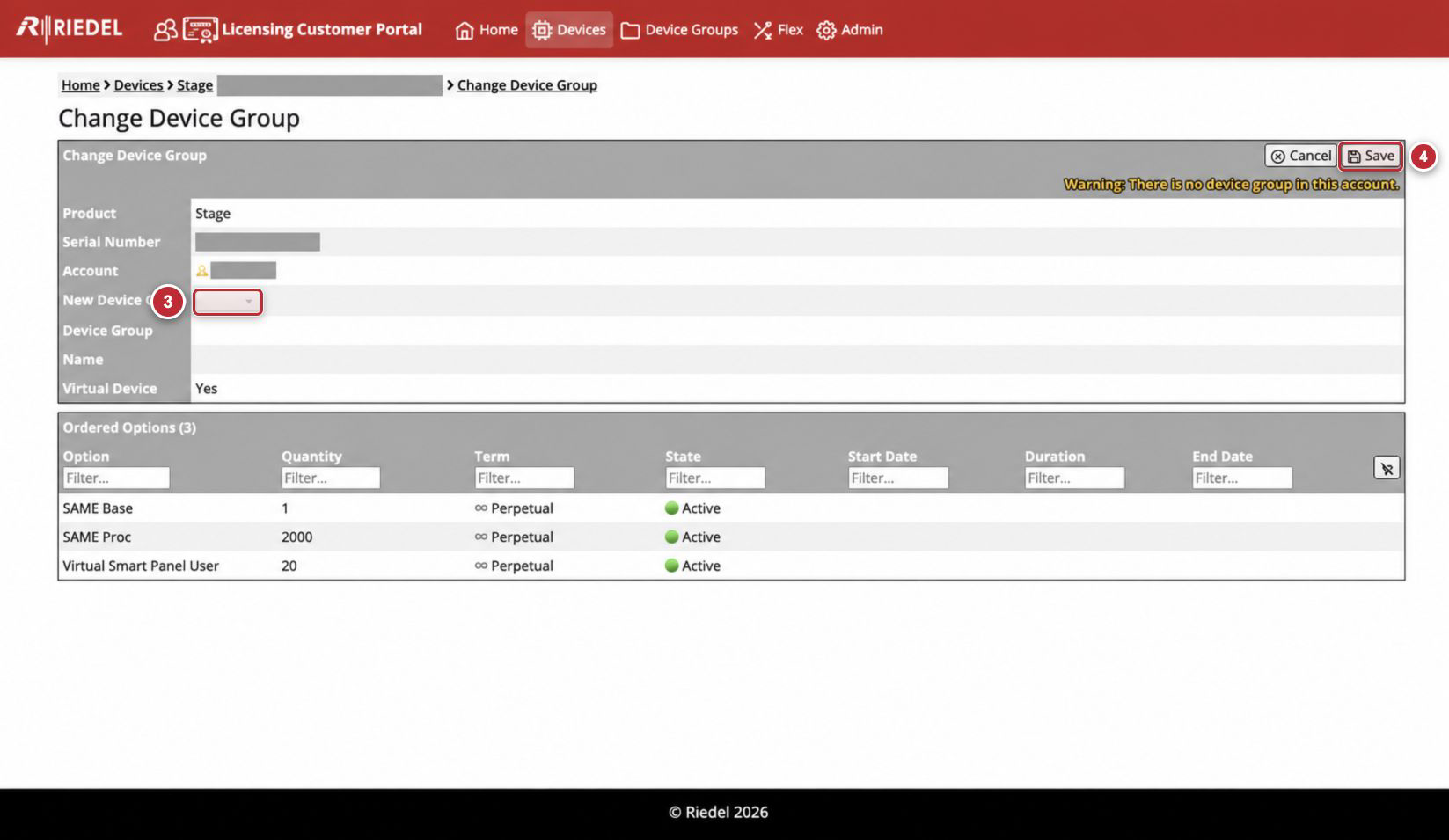
Callouts correspond to the visible steps in Change a Device Group. The example shows the empty-group warning.
If the selector is empty and the page reports There is no device group in this account, create a Device Group first.
If Change Device Group is unavailable, ask an Account Administrator to perform the change. For any missing permission or other access issue, contact Riedel Customer Success.
Field and Control Reference
|
Component |
Guidance |
|---|---|
|
New Name |
Enter an operational label that can be viewed by Riedel Customer Success and contains no sensitive information. |
|
Cancel |
Leaves the form without applying the change. |
|
Save |
Applies the entered Name or selected Device Group. Review the value before selecting Save. |
|
New Device Group |
Lists Device Groups available in the current Customer Account. |
|
Ordered Options |
Provides read-only context for confirming that the correct Device record is being edited. |