
Online Activation and Renewal allows the Licensed Product to communicate directly with the Riedel Online Licensing Service. The Account User does not perform the exchange in the Portal; the Portal is used to review the resulting Device Identity Lease, Options, License File, and activation state.
If Online Activation and Renewal is unavailable or does not complete, use Offline Activation and Renewal. Offline Activation and Renewal is always available as the fallback workflow.
Before You Begin
-
Confirm the Licensed Product has network access to the Riedel Online Licensing Service.
-
Confirm you have the local role in the Licensed Product required to manage licensing.
-
Identify the Device by its Product and Serial Number.
Activate or Renew Online
-
Open the Product-Side Licensing Interface.
-
Follow the Licensed Product manual to start or review Online Activation and Renewal.
-
Allow the Licensed Product to contact the Riedel Online Licensing Service.
-
Wait for the Product-Side Licensing Interface to report the result.
-
Open the matching Device in the Portal and review the Device Identity Lease, Ordered Options, and Resolved Options.
-
Verify the expected licensed functions in the Licensed Product.
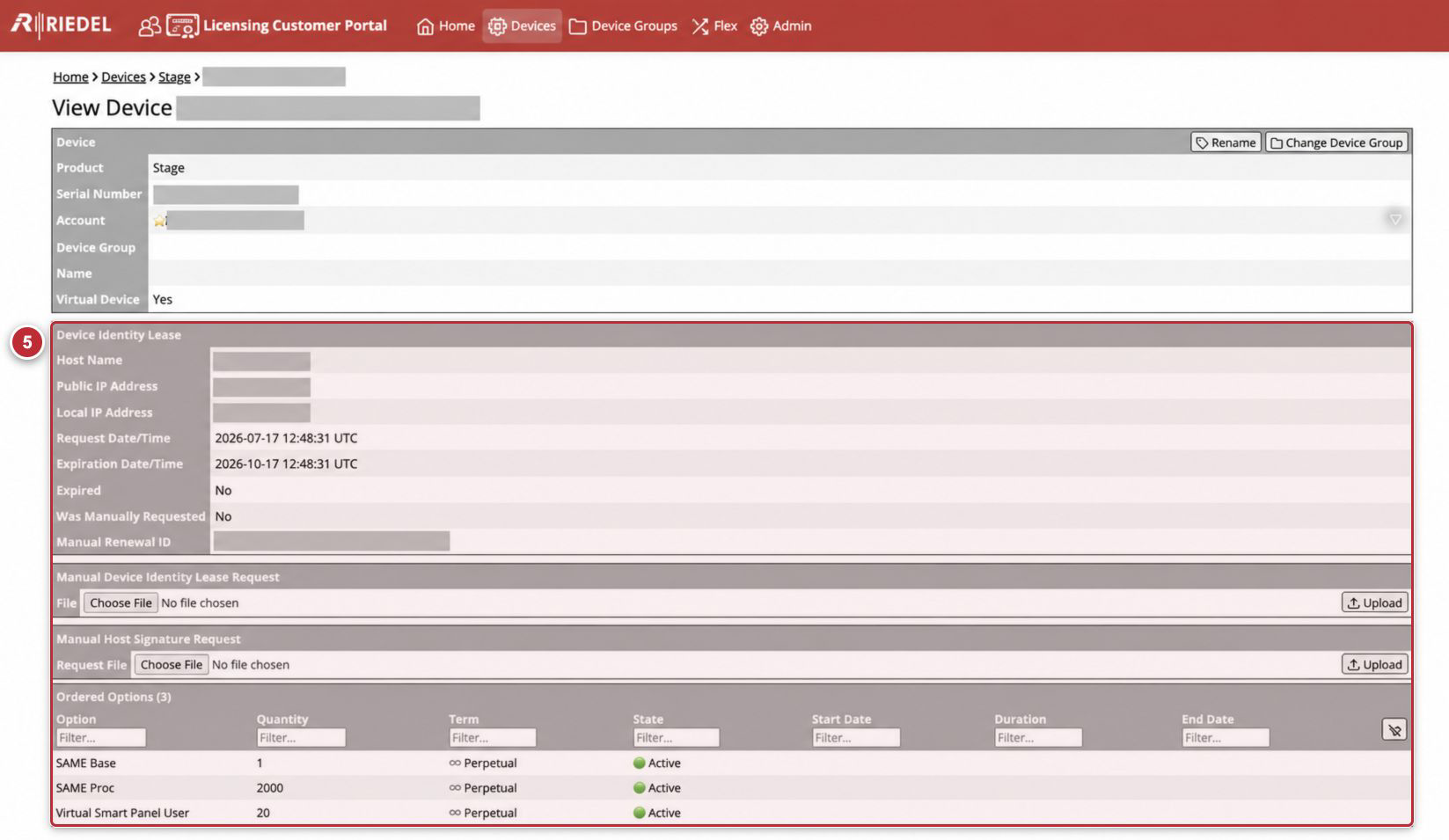
Callout 5 identifies the Portal verification step. Product-Side steps are not overlaid. Customer Account values, Serial Numbers, host values, and IP addresses are masked.
The Licensed Product manual defines its exact controls, status wording, and any required reload or restart.
Use Offline Licensing as the Fallback
If the Online workflow fails:
-
Open the Licensed Product manual and identify whether it provides an Identity Lease Request, Host Signature Request, or License File workflow.
-
Complete the corresponding method under Offline Activation and Renewal .
-
If the Offline workflow also fails, contact Riedel Customer Success.