Network Plug-ins are for the most part basic processing tools; for example, a Parametric EQ with direct processing Inputs and Outputs.
These DSP-Configs can be inserted into a media stream by Drag & Drop through the routing User Interface, since there are only very basic routing rules to be applied. An "off-rule" leg (for example, a Compressor's side chain input) will be ignored by the automatic routing routine.
Brickwall Limiter
Variants are available to support the following audio leg group types:
|
Mono |
Stereo |
5.1 |
|---|---|---|
|
|
|
|
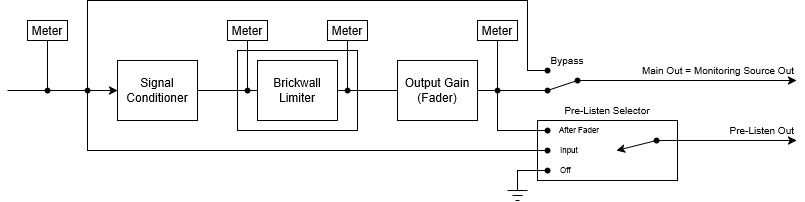
The brickwall limiter plugin performs dynamic range compression to stop a signal from exceeding a certain level. This is achieved with a lookahead delay, that gives the sidechain some time to gracefully adjust the gain reduction such that, after the delay, the output eventually does not exceed the set threshold.
|
Preset |
The configuration of a SAME Application can be memorized as a preset for instant recall. See SAME Application Preset Configuration. |
|
Bypass |
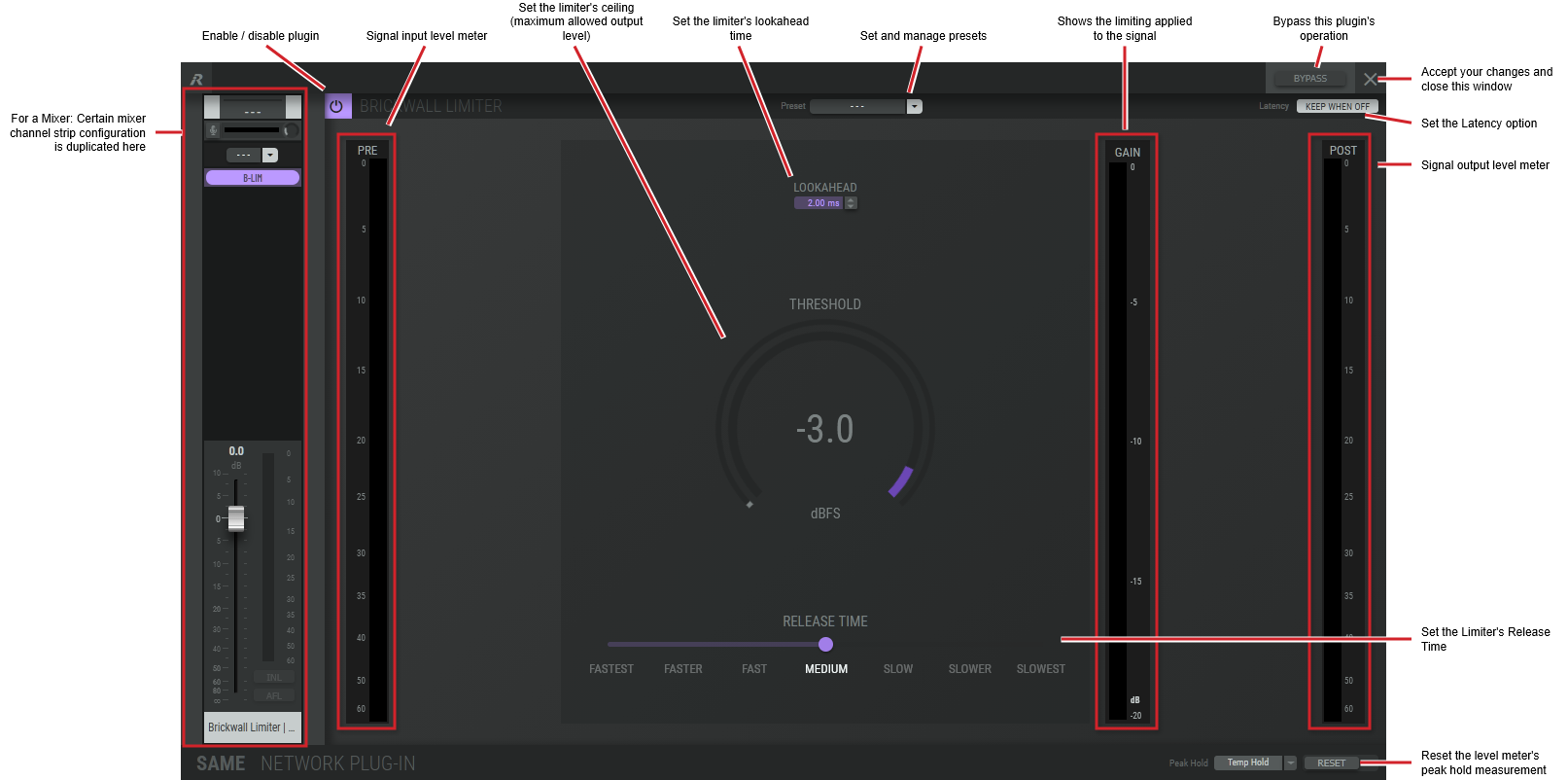
Set to bypass this plugin's operation. |
|
Latency KEEP WHEN OFF |
The lookahead setting creates a processing delay with this plugin. KEEP WHEN OFF Enabled: When the plugin is bypassed / re-engaged, the processing delay is maintained so that there is no glitch at the output. KEEP WHEN OFF Disabled: When the plugin is bypassed, the lookahead buffer is dumped, causing a glitch at the output at the moment of transition. |
|
Lookahead |
Set the amount of time the limiter is to track an audio signal for analysis ahead of time before applying gain correction to allow the limiter to respond to peaks precisely. This setting adds a corresponding processing delay. |
|
Threshold |
Set the limiter's ceiling or maximum allowed output level. Click the rotary fader and drag your mouse left to right to set the level. |
|
Release Time |
Set the time it takes for gain reduction to stop once the level returns below the threshold. |
|
Gain |
Shows the amount of gain reduction applied to the signal as a result of the limiter’s action. |
|
Peak Hold |
Click No hold: Shows sound levels. Transient peaks are not frozen. Temp hold: Shows sound levels while also freezing the display of the highest instantaneous peaks for a short period. Cont. hold: Shows sound levels while also freezing the display of the highest instantaneous peaks. Click RESET ALL to clear the peak signal display on all level meters. |
|
Reset |
Reset the level meter's peak hold measurement. |
Shuffler
Variants are available to support the following audio leg group types:
|
Mono |
Stereo |
5.1 |
8-Channel |
16-Channel |
|---|---|---|---|---|
|
|
|
|
|
|
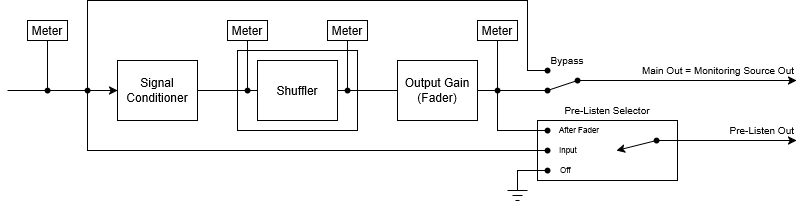
The shuffler plugin permutes (reorders) the legs of a multichannel audio signals.
Stereo and 5.1 shuffler
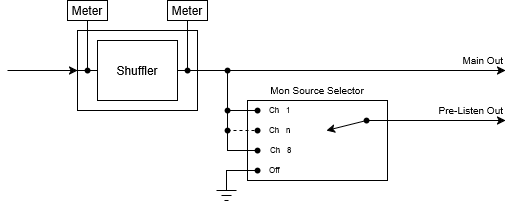
8-channel shuffler
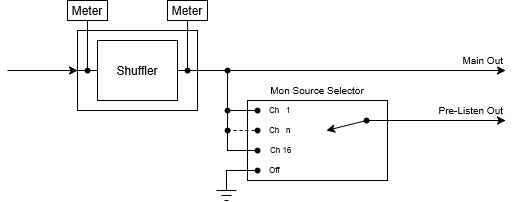
16-channel shuffler
This is an example of an 8 channel shuffler
The example shown below is for an 8 channel shuffler. This is used as an example of the features that can be generalized to any shuffler.
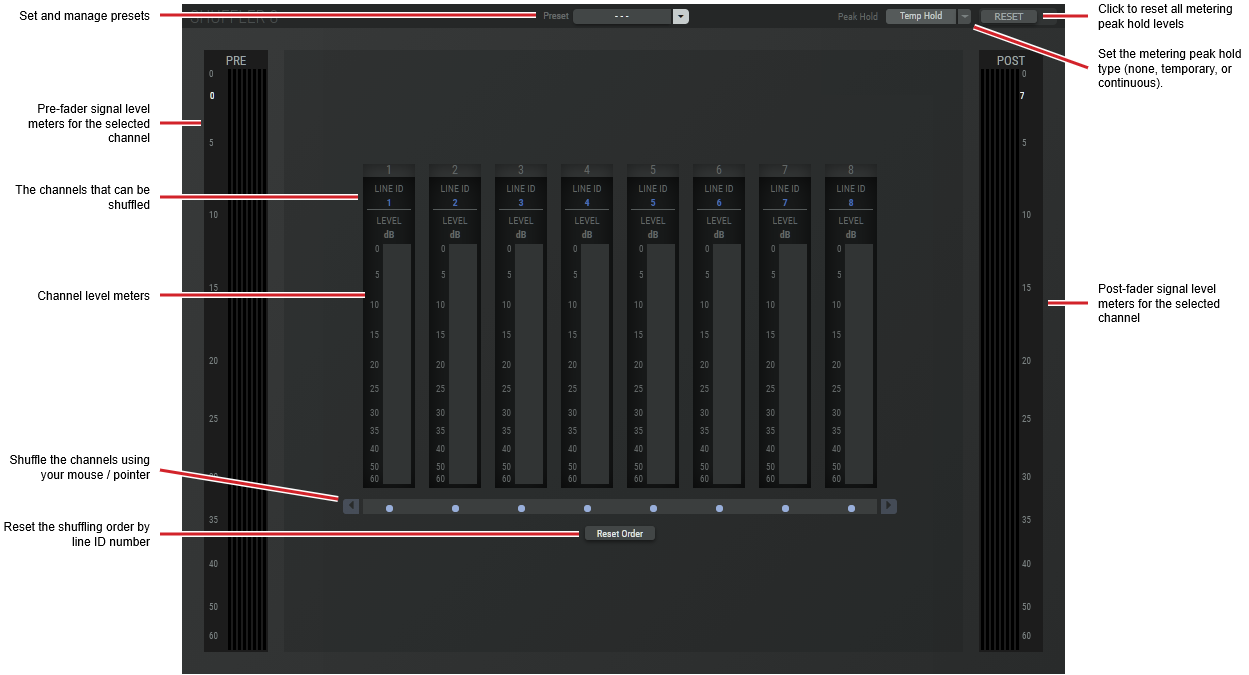
|
Preset |
The configuration of a SAME Application can be memorized as a preset for instant recall. See SAME Application Preset Configuration. |
|
Peak Hold |
Click No hold: Shows sound levels. Transient peaks are not frozen. Temp hold: Shows sound levels while also freezing the display of the highest instantaneous peaks for a short period. Cont. hold: Shows sound levels while also freezing the display of the highest instantaneous peaks. Click RESET ALL to clear the peak signal display on all level meters. |
|
RESET |
Click to clear the peak signal display on all level meters when the level meters are set to peak hold mode. |
|
PRE |
The metering source is pre-fader. |
|
POST |
The metering source is post-fader. |
|
Reset Order |
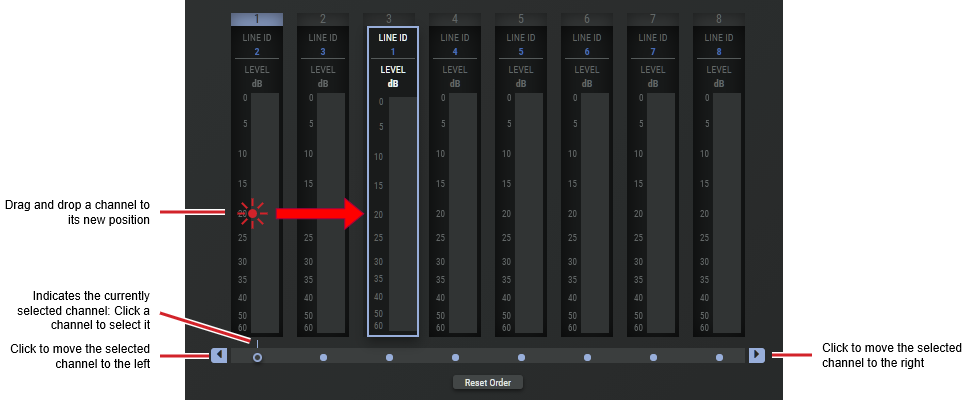
Click to reset the shuffling order by line ID number. |
There are two ways to shuffle the channels by:
-
Dragging and dropping the channel to its new position.
-
By using your mouse / pointer to move a channel left or right.