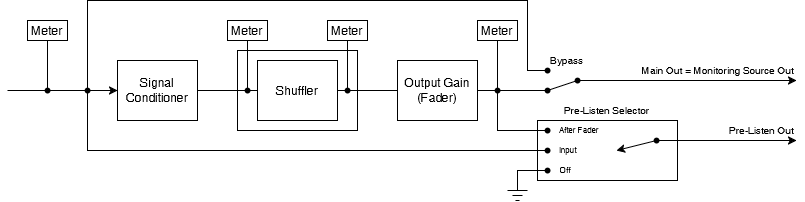
Variants are available to support the following audio leg group types:
|
Mono |
Stereo |
5.1 |
8-Channel |
16-Channel |
|---|---|---|---|---|
|
|
|
|
|
|
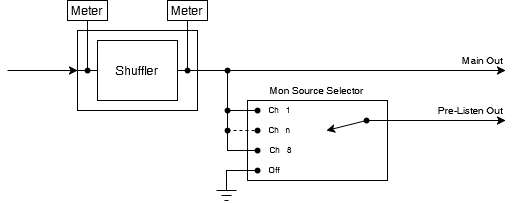
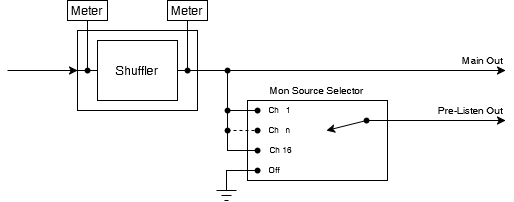
The shuffler plugin permutes (reorders) the legs of a multichannel audio signals. 1 × Listen Out allows the selected channel to be pre-listened.
Stereo and 5.1 Shuffler
8-channel Shuffler
16-channel Shuffler
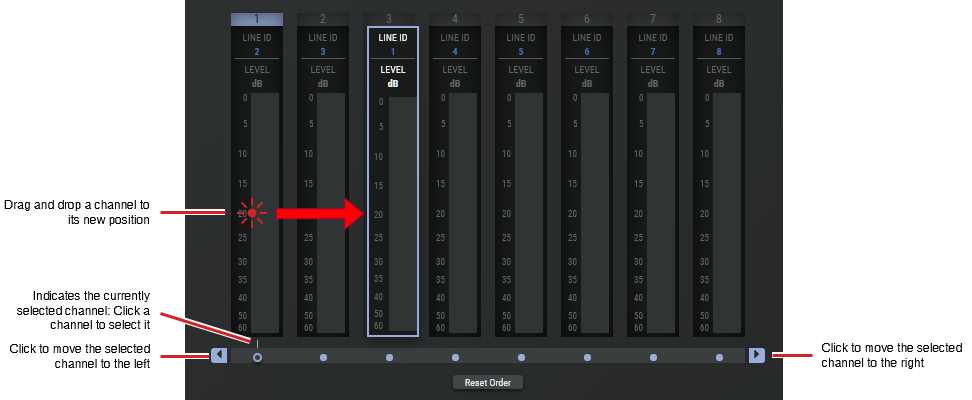
Example of an 8 Channel Shuffler
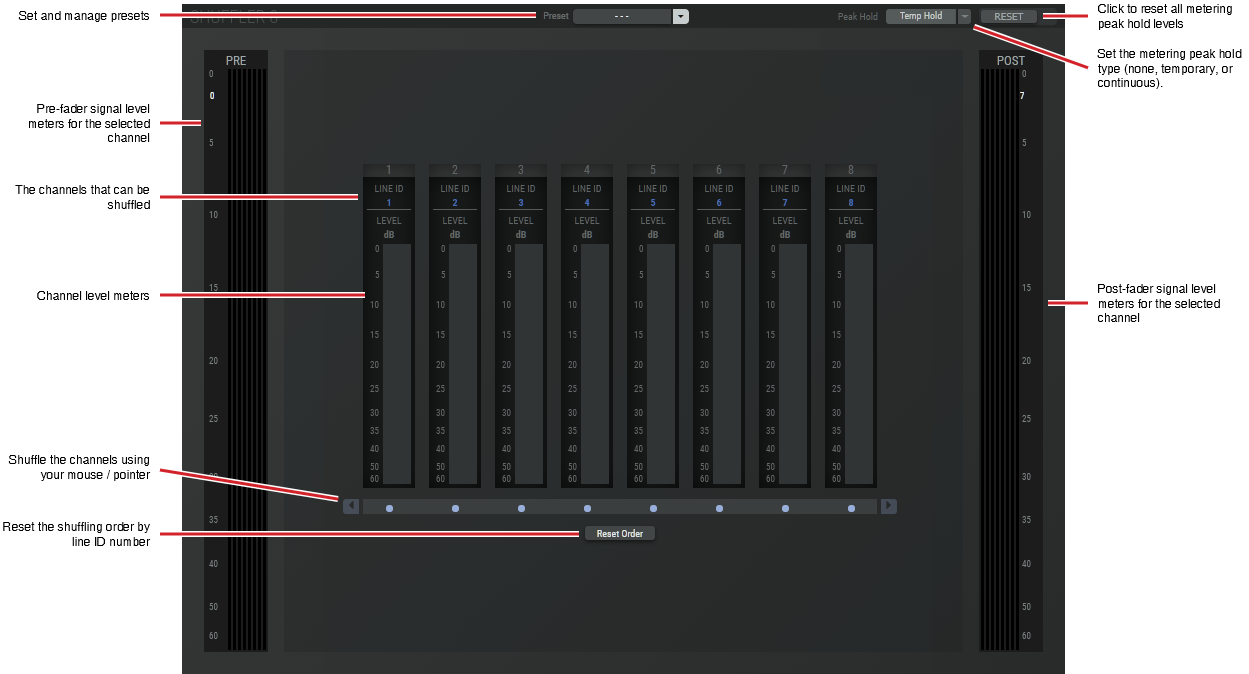
The example shown below is for an 8 channel shuffler. This is used as an example of the features that can be generalized to any shuffler.
|
Preset |
The configuration of a SAME Application can be memorized as a preset for instant recall. See SAME Application Preset Configuration. |
|
Peak Hold |
Click No hold: Shows sound levels. Transient peaks are not frozen. Temp hold: Shows sound levels while also freezing the display of the highest instantaneous peaks for a short period. Cont. hold: Shows sound levels while also freezing the display of the highest instantaneous peaks. Click RESET ALL to clear the peak signal display on all level meters. |
|
RESET |
Click to clear the peak signal display on all level meters when the level meters are set to peak hold mode. |
|
PRE |
The metering source is pre-fader. |
|
POST |
The metering source is post-fader. |
|
Reset Order |
Click to reset the shuffling order by line ID number. |
There are two ways to shuffle the channels by:
-
Dragging and dropping the channel to its new position.
-
By using your mouse / pointer to move a channel left or right.