
In the Live module of SimplyLive Production Suite Flex, audio control is designed to be fast, reliable, and safe during live operation.
You work with Audio Presets for instant switching and Audio Monitoring to always stay in control of what is going on air.
Audio Presets
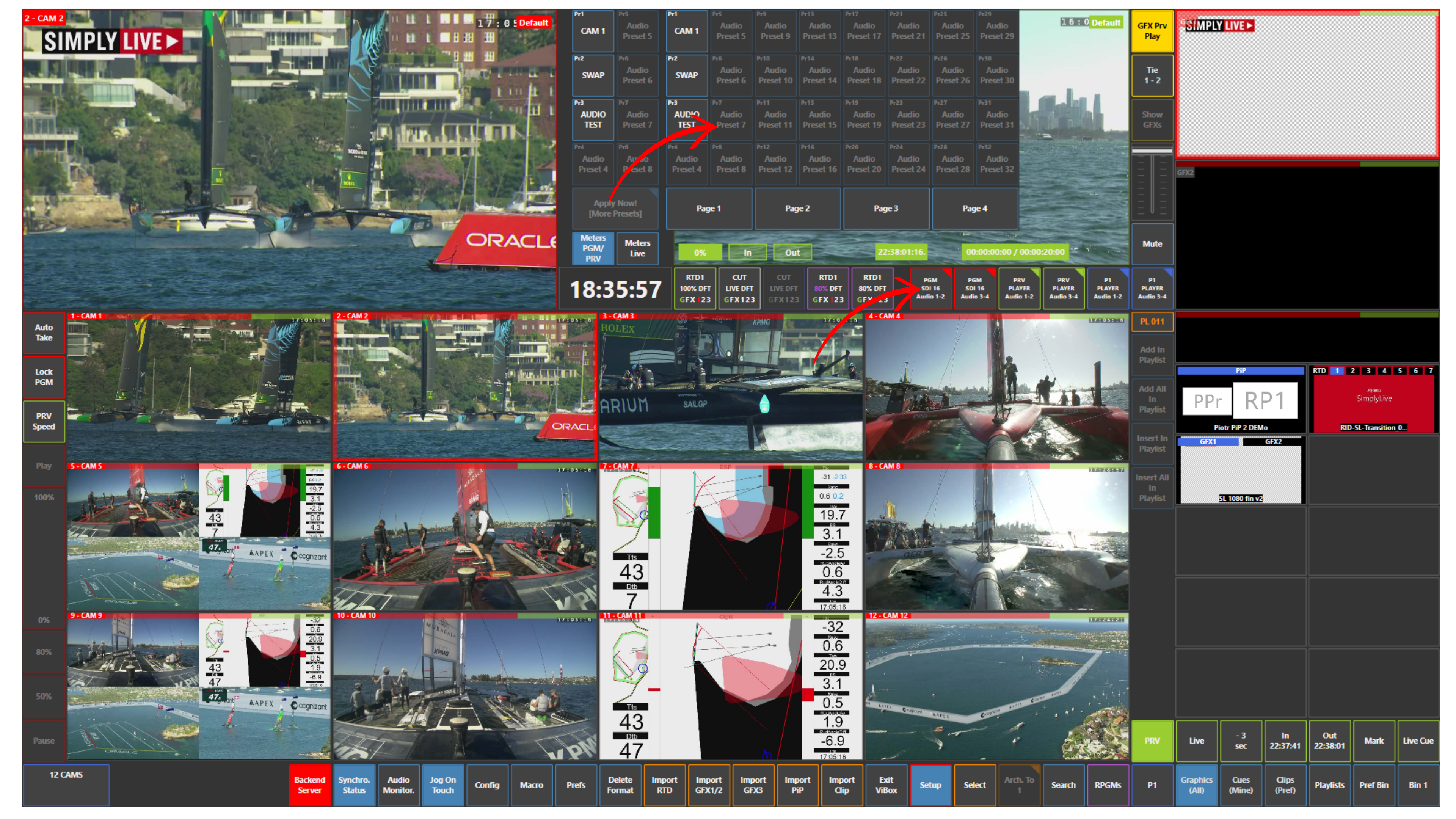
Audio Presets allow you to instantly recall predefined audio configurations.
These presets are located in the centre control panel and can include:
-
Different audio source routings
-
Specific channel combinations
-
Predefined mix configurations for Program and Preview
This means you do not need to manually adjust audio each time.
Instead, you simply select the correct preset depending on the situation.
How to Use
-
Press the desired Audio Preset button
-
The system will immediately apply the selected configuration
For example, you can:
-
swap tracks 3-4 to 1-2
-
swap tracks 1-2 to 3-4
-
route audio from one camera to another
-
apply one audio setup to multiple cameras
If required:
-
Use Apply Now! (More Presets) to confirm or access additional presets
This allows very fast reaction during live production without risk of manual mistakes.
Audio Monitoring
Audio Monitoring ensures that you always know what is happening with your audio signals.
You can monitor:
-
PGM (Program) → what is currently on air
-
PRV (Preview) → what is prepared before going on air
Info
You can monitor audio on PGM, PRV, and Replay outputs.
Audio meters are available directly in the interface, allowing you to:
-
Check audio levels in real time
-
Verify signal presence
-
Avoid clipping or missing audio
Pro Tip
Audio Presets are about speed and consistency
Audio Monitoring is about safety and verification
You always combine both.
Pro Tip
Never rely only on presets.
Even if everything is predefined, always check your audio meters before taking something to Program.
This is especially important when switching between:
-
Cameras with different audio
-
Replay content
-
External sources
A quick check prevents silent or distorted output on air.