
In the Live module of SimplyLive Production Suite Flex, the Graphics panel allows you to load, preview, and manage all graphic elements.
To access your graphics:
-
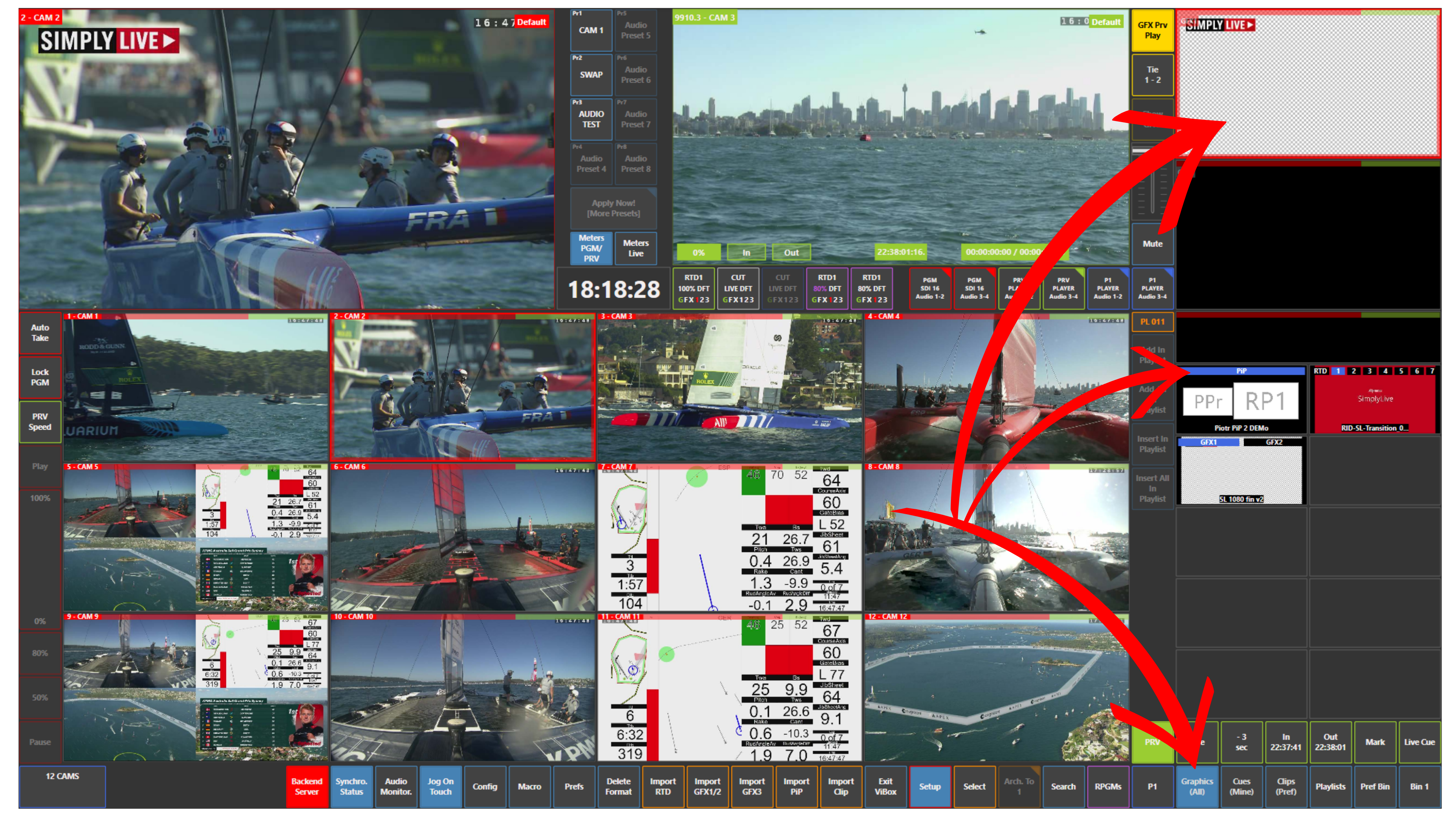
Open the Graphics (All) panel
From here, you can activate different types of graphic elements.
Activating Graphics Elements
To use graphics, you first need to activate the desired category:
-
GFX1 / GFX2 → standard graphics
-
PiP → picture-in-picture elements
-
RTD → replay transitions
To activate:
-
Tap the desired element
-
The selected tile will turn blue, confirming it is active
Monitoring Graphics
Once activated:
-
All graphics will appear in the top right of the user interface
-
From there, you can preview and control them before taking them on air
Info
GFX Prv Play allows you to preview graphics in Preview before taking them to Program.
Pro Tip
Always activate and check your graphics before using them on Program to ensure everything is correctly prepared.