
In SimplyLive, the Production Module is a powerful tool that allows you to work as a vision mixer, replay operator, graphics operator, and audio operator at the same time.
Using the intuitive touchscreen interface, you can vision switch, create replays, create clips, mark cues, build playlists, and play them out. You can also manage graphics workflows such as lower thirds and logos, while handling audio within the same production environment.
The Production Module also includes BMR integration, which extends the workflow with ingest, recording, streaming, and export capabilities for sources and files.
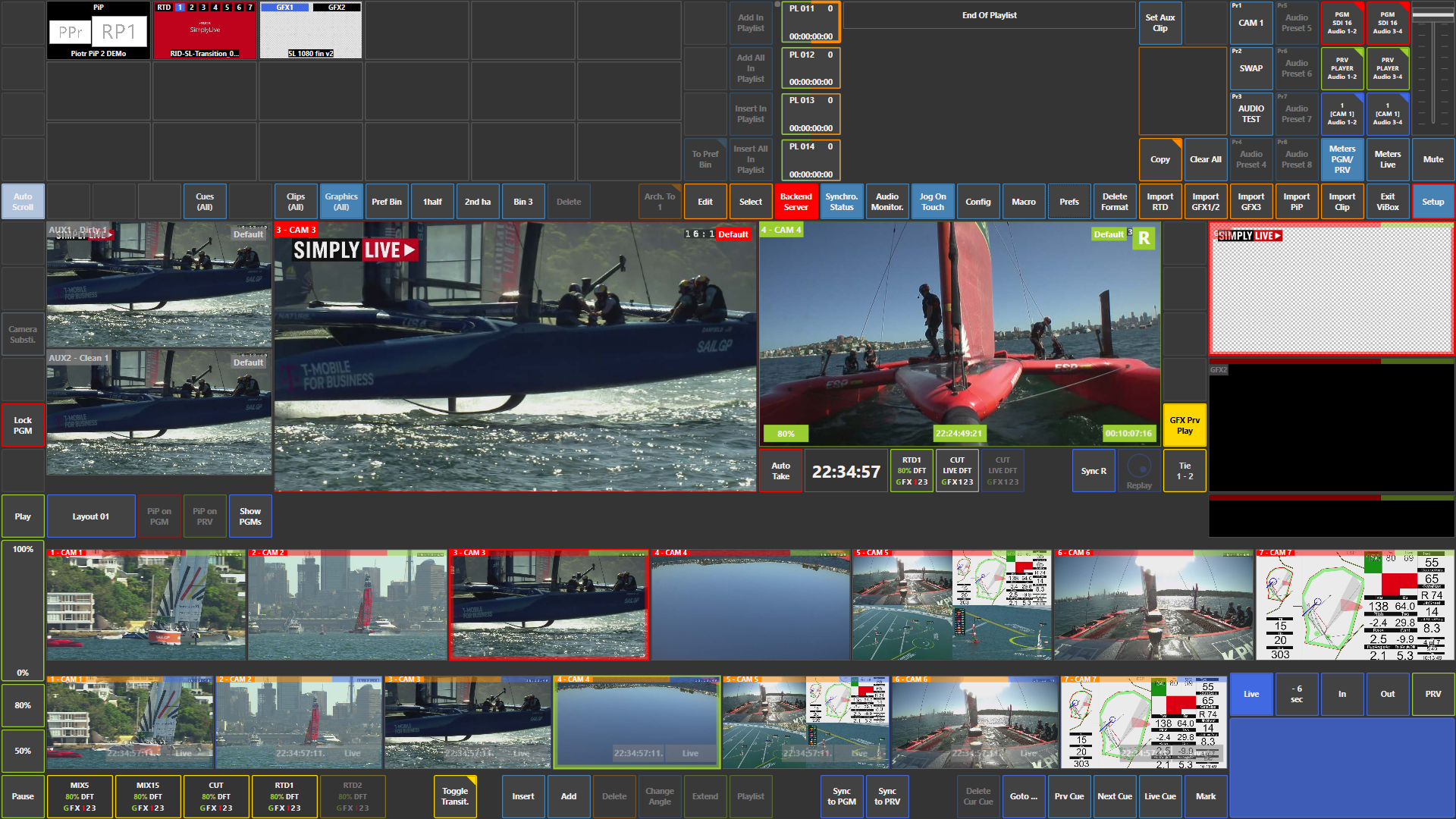
What It Allows You To Do
It combines:
-
Vision switching (Program / Preview control)
-
Replay operation (SloMo workflows)
-
Clip creation and playlist management
-
Graphics triggering, such as lower thirds and logos
-
BMR integration for ingesting, recording, streaming, and exporting sources and files
-
Audio management within the same interface
Multi-User Workflow
The Production Module can also be used together with a SloMo operator.
For example, if your SimplyLive Production Suite Flex is running in two-user mode, you can work as the production operator while another operator prepares replays and highlights.
Warning
The maximum number of users in SimplyLive Production Suite Flex is three.
If a SloMo operator is working next to you, you can:
-
take the replay output channel directly on-air
-
take a replay or playlist from that output
-
access the clips or playlists prepared by the SloMo operator directly from the server
-
load and play them yourself from the Production Module
This gives you two possible workflows:
-
play the replays directly from the SloMo module output channel
-
take the clips and playlists directly from the server and control the playout yourself
Use Case – Live Production Scenario
You are vision switching, managing audio levels, and automating graphics workflows such as lower thirds and logos.
At the same time, your replay operator is preparing replays and highlights for you.
You can either take the replay operator’s output channel, for example Program 1, directly to air as a replay, clip, or playlist, or you can take the replay operator’s clips and playlists directly from the server, load them yourself, and play them out from the Production Module.
Info
The Production Module brings switching, replay, graphics, audio, and BMR workflows together in one operational environment.
Pro Tip
With the right setup, one operator can handle tasks that are often split across multiple positions in an OB workflow.