
In the Live module of SimplyLive Production Suite Flex, you can quickly enable Picture-in-Picture (PIP) on both Program and Preview.
Activating PIP
To enable PIP:
-
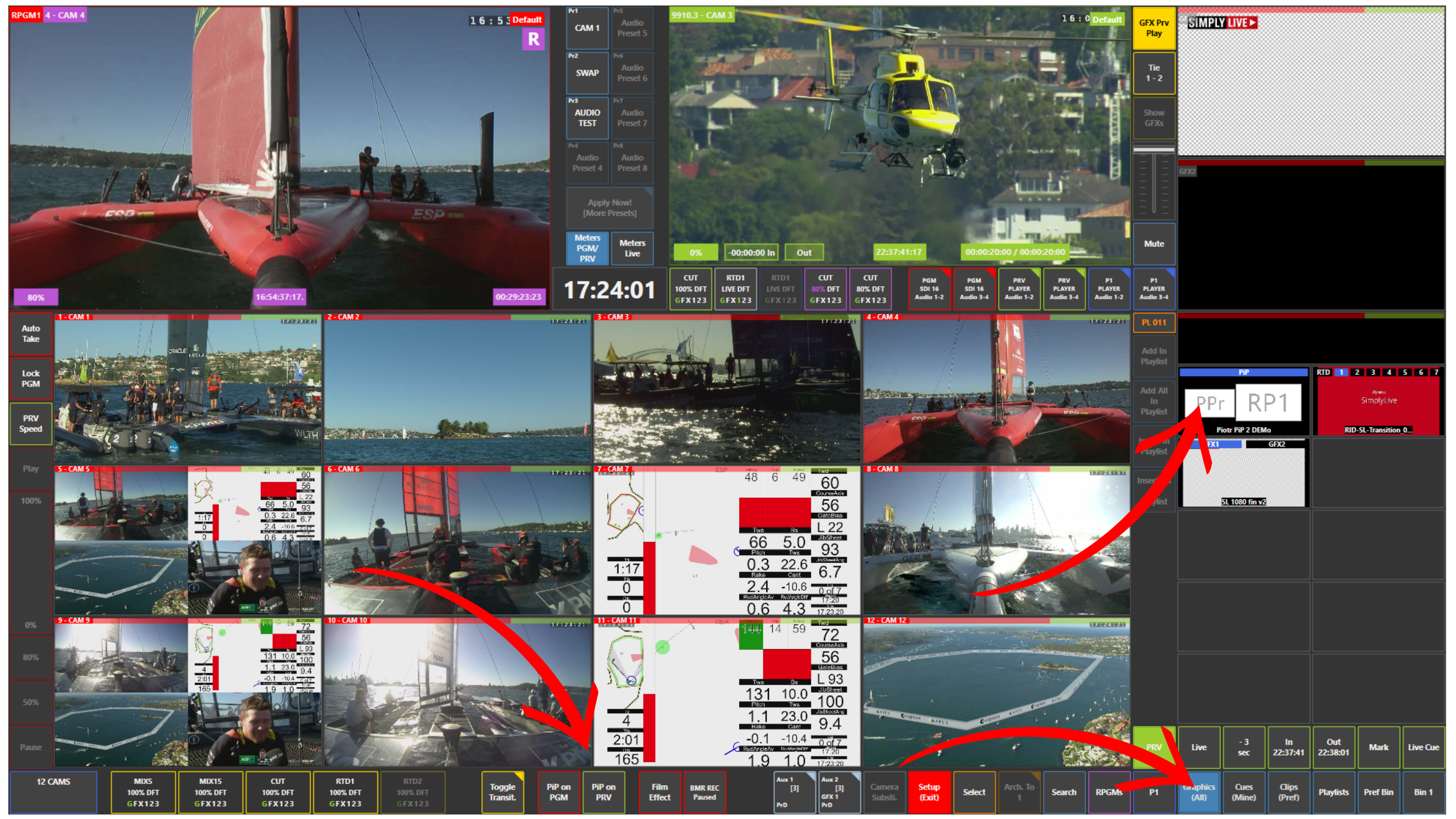
Press PIP on PGM (red) → activates PIP on Program
-
Press PIP on PRV (green) → activates PIP on Preview
Accessing PIP Sources
To select and manage your PIP content:
-
Open the Graphics (All) panel
-
All available PIP elements are located together with your graphics
Info
To activate a specific PIP:
-
Go to the Graphics panel → PIP section
-
Click on the desired PIP tile
-
The selected PIP will turn blue, confirming it is active
Pro Tip
Always check your PIP on Preview first before taking it to Program.
This ensures correct positioning, size, and content before going on air.