
In the Live module of SimplyLive Production Suite Flex, you can easily control playback of your content.
You can control playback on:
-
Program (PGM)
-
Preview (PVW)
-
Replay outputs
Playback Control
Playback is managed using the controls on the left side of the screen.
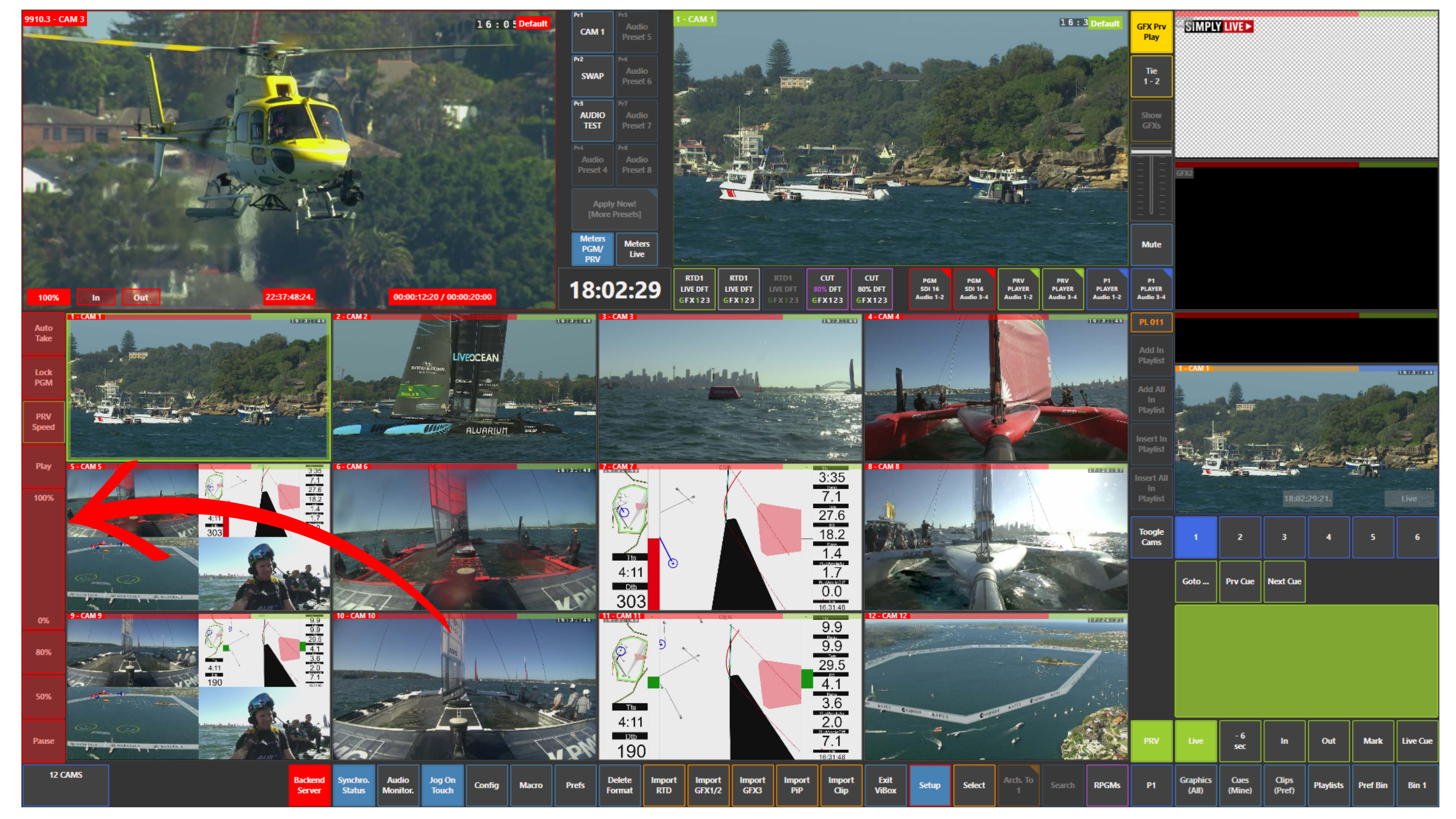
You can:
-
Press Play to start playback
-
Press Pause to stop playback
-
Adjust playback speed using the 0–100% bar
You can also use predefined speed values, such as:
-
80%
-
50%
These values can be configured in:
Setup → Prefs
Locking Program
You can use Lock PGM to prevent any accidental changes on Program.
When enabled, Program output remains fixed and protected from unintended actions.
Pro Tip
Use Lock PGM when running long shots or extended playbacks.
For example, if content is being played out for a long duration, locking Program ensures stability and prevents unwanted changes on air.