
If you want to switch cameras in the Live module, simply press on the desired camera.
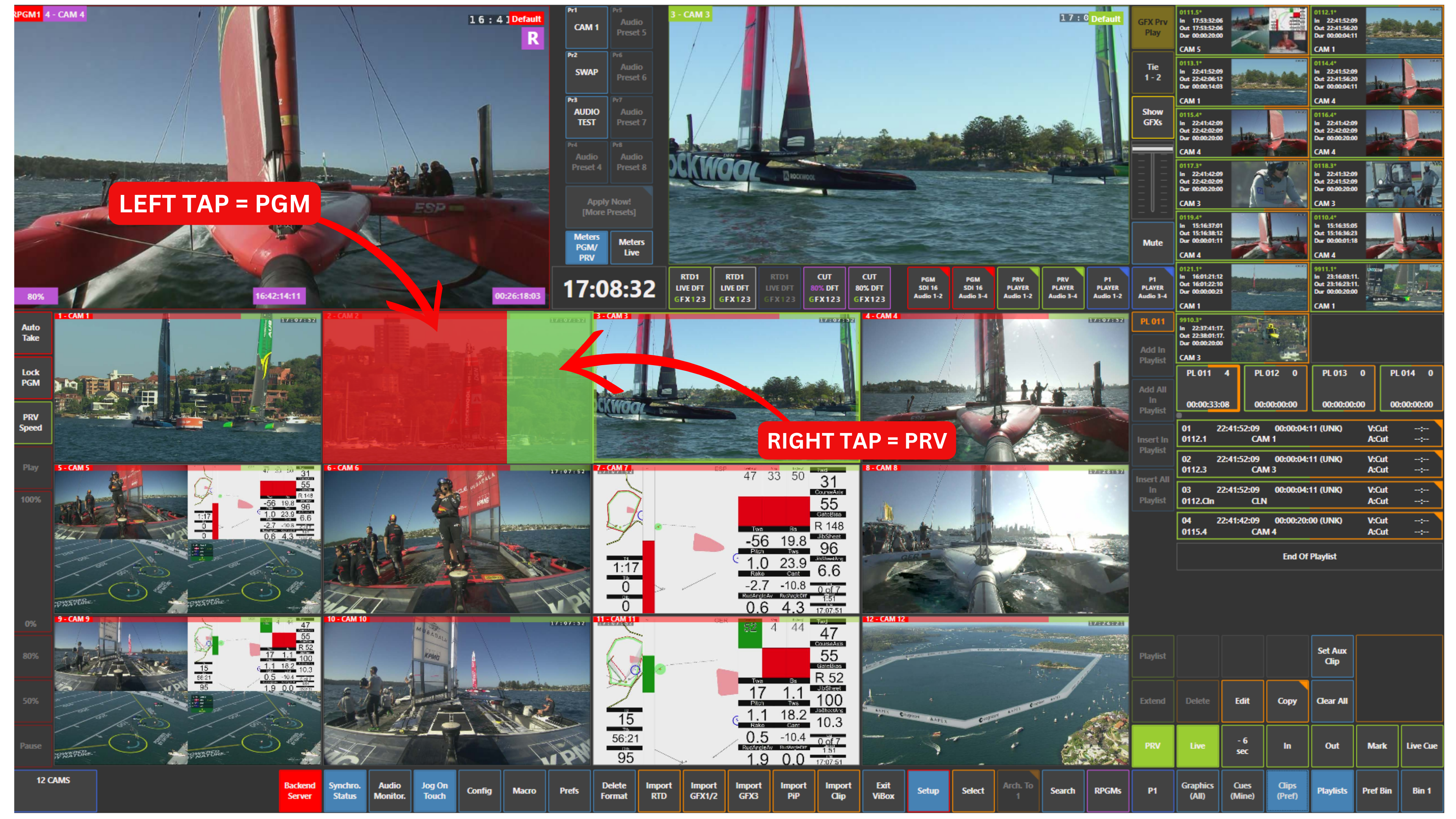
Each camera tile has two functional areas:
-
Left side (red) → sends the camera directly to Program (PGM)
-
Right side → sends the camera to Preview (PVW)
This allows you to quickly decide whether to take a camera straight to air or check it first.
Pro Tip
Try to go through Preview first to double-check the camera before taking it on air.