
Preferences > Clipping
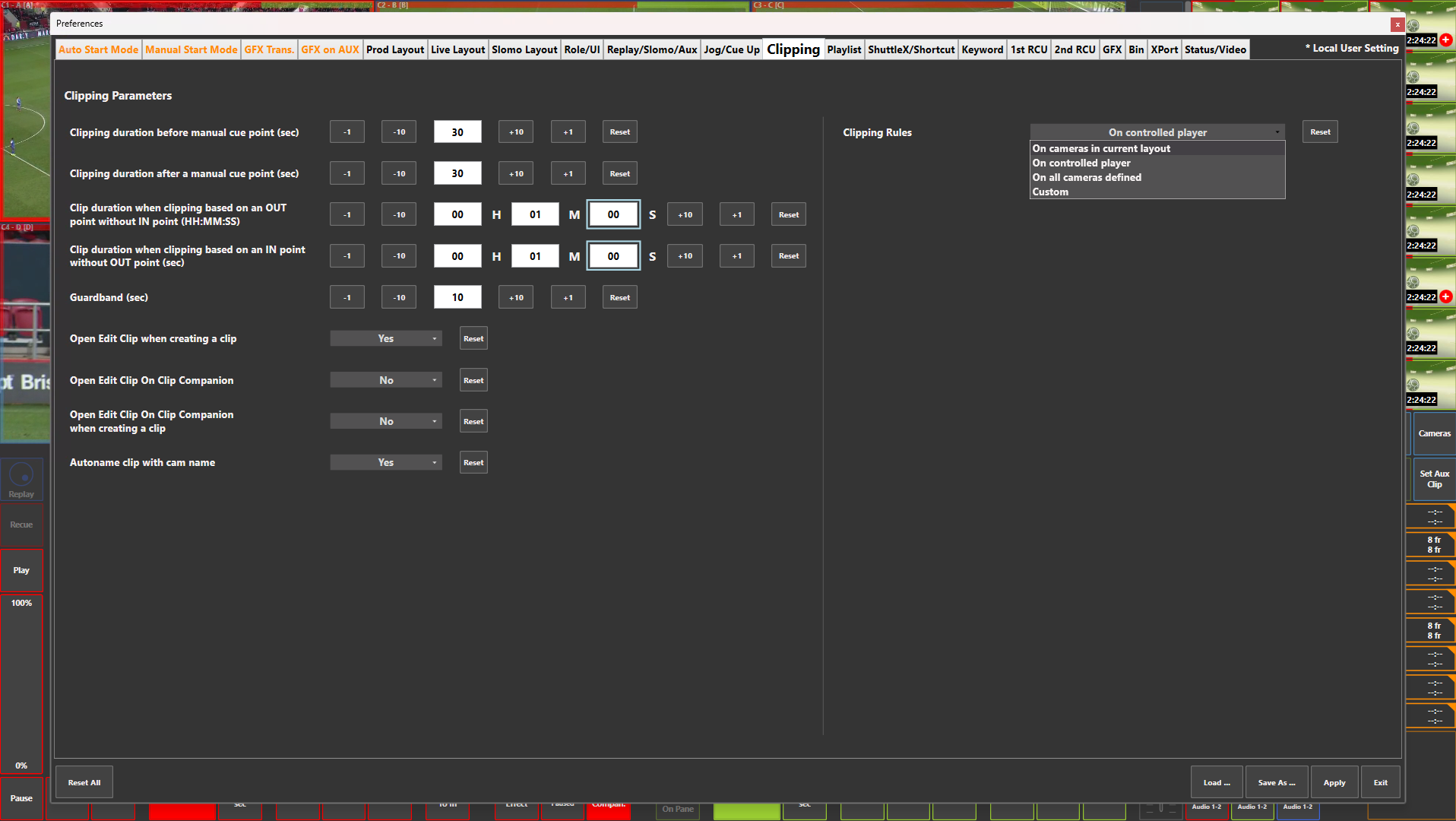
Preference Breakdown
|
Button Label |
Dropdown Menu |
Description |
Specific to Role |
|---|---|---|---|
|
Clipping duration before manual cue point (sec) |
|
Duration before manual cue point - If clip is created without IN or OUT point it will use this value as the IN point |
All Roles |
|
Clipping duration after a manual cue point (sec) |
|
Duration after manual cue point - If clip is created without IN or OUT point it will use this value as the OUT point |
All Roles |
|
Clip duration when clipping based on an OUT point without IN point (HH:MM:SS) |
|
Clip duration based on OUT point with no in point set |
All Roles |
|
Clip duration when clipping based on an IN point without OUT point (sec) |
|
Clip duration based on IN point with no out point set |
All Roles |
|
Guardband (sec) |
|
Guardband duration |
All Roles |
|
Open Edit Clip when creating a clip |
Yes |
Clip properties window will open when clip is created in ViBox UI |
All Roles |
|
|
No |
Clip properties window will not open when clip is created in ViBox UI |
All Roles |
|
Open Edit Clip On Clip Companion |
Yes |
Clip properties window will open in Clip Companion when "Edit" is selected |
Slomo |
|
|
No |
Clip properties window will not open in Clip Companion when "Edit" is selected |
Slomo |
|
Open Edit Clip On Clip Companion when creating a clip |
Yes |
Clip properties window will open when clip is created in Clip Companion |
Slomo |
|
|
No |
Clip properties window will not open when clip is created in Clip Companion |
Slomo |
|
Autoname clip with cam name |
Yes |
When a clip is created it will be named the camera input name |
All Roles |
|
|
No |
When a clip is created it will not be named and left empty |
All Roles |
|
Clipping Rules |
On cameras in current layout |
Will create a clip for all camera angles in the layout |
All Roles |
|
|
On controlled player |
Will create a clip for all camera angles being controlled |
All Roles |
|
|
On all cameras definded |
Will create a clip for all camera angles as inputs on the server |
All Roles |
|
|
Custom |
Will create a clip for all camera angles based on what is selected from the list below |
All Roles |