
Preferences > Jog / Cue Up
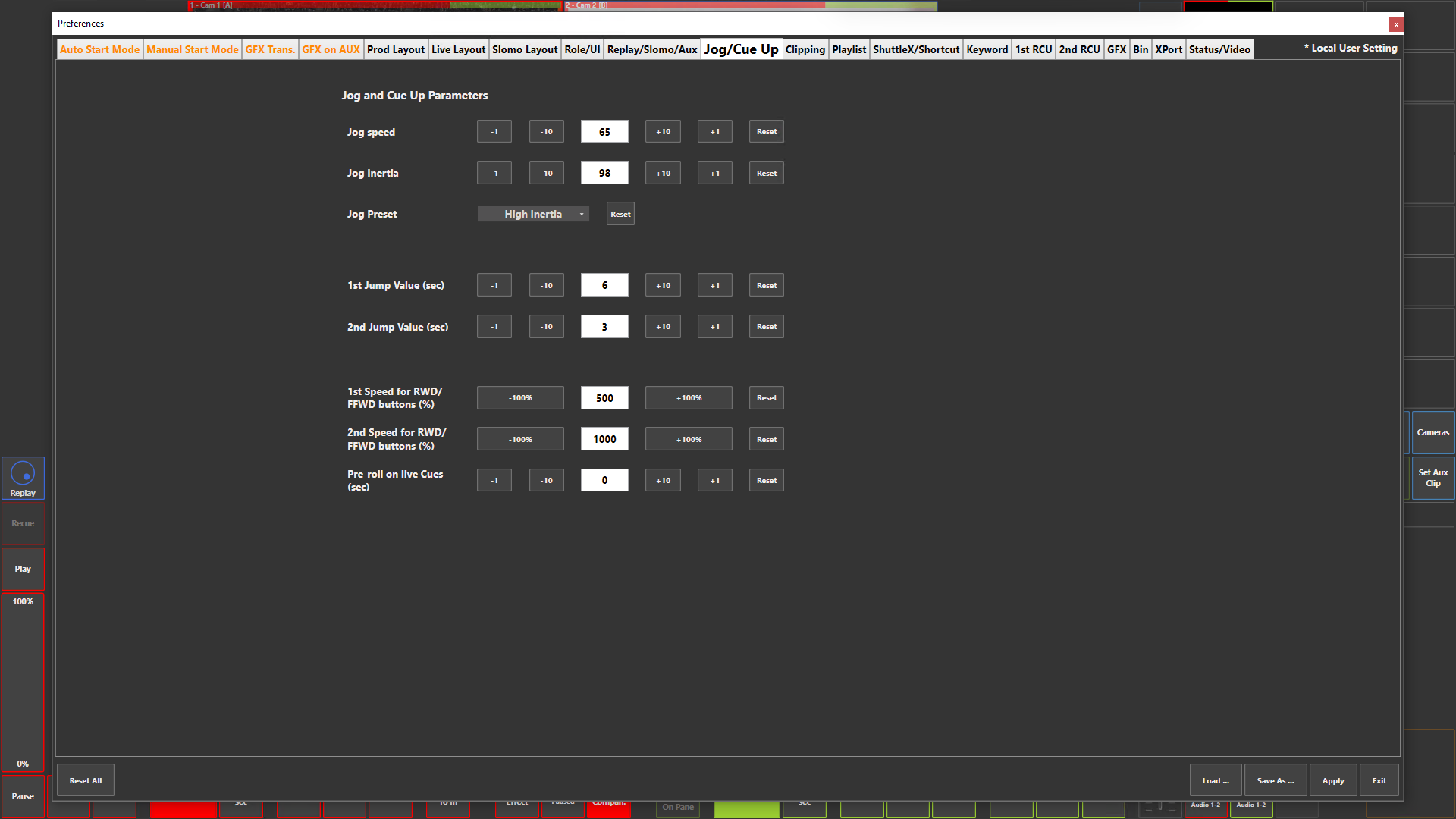
Preference Breakdown
|
Button Label |
Dropdown Menu |
Description |
Specific to Role |
|---|---|---|---|
|
Jog speed |
|
Adjust the sensitivity of the jog panel to make jogging slower or faster. Default value : 80 |
All roles |
|
Jog Inertia |
|
Adjust the inertia of the jog panel, so that the browsing speed decreases faster (by decreasing the inertia) or slower (by increasing the inertia) after a swipe inside the jog area. Default value : 70 |
All roles |
|
Jog Preset |
Low Inertia |
After a swipe on the jog panel, the speed decreases faster and the channels controlled by the jog stop faster. With this preset, speed is set to 80 and inertia to 70 |
All roles |
|
|
High Inertia |
After a swipe on the jog panel, the speed decreases slowly and the channels controlled by the jog keep browsing longer. With this preset, speed is set to 65 and inertia to 98 |
All roles |
|
|
Custom |
If you change the values for Speed or Inertia so that they no longer correspond to one of the factory presets, the Jog Preset field will automatically show “Custom” |
All roles |
|
1st Jump Value (sec) |
6 |
Predefinded jump back value to assist with quick replays on first press |
All roles |
|
2nd Jump Value (sec) |
3 |
Predefinded jump back value to assist with quick replays on all button presses after first press |
All roles |
|
1st Speed for RWD/FFWD buttons (%) |
500 |
Defines the browsing speed when clicking or briefly pressing the [RWD] or [FFWD] button when the jog panel is in Shuttle mode |
All roles |
|
2nd Speed for RWD/FFWD buttons (%) |
1000 |
Defines the browsing speed when right-clicking or pressing for 1 second the [RWD] or [FFWD] button when the jog panel is in Shuttle mode |
All roles |
|
Pre-roll on live Cues (sec) |
0 |
Defines the pre-roll duration when creating a live cue point, to anticipate the operator’s reaction time. Default value : 0 sec (no pre-roll) |
All roles |