
Preferences > Prod Layout
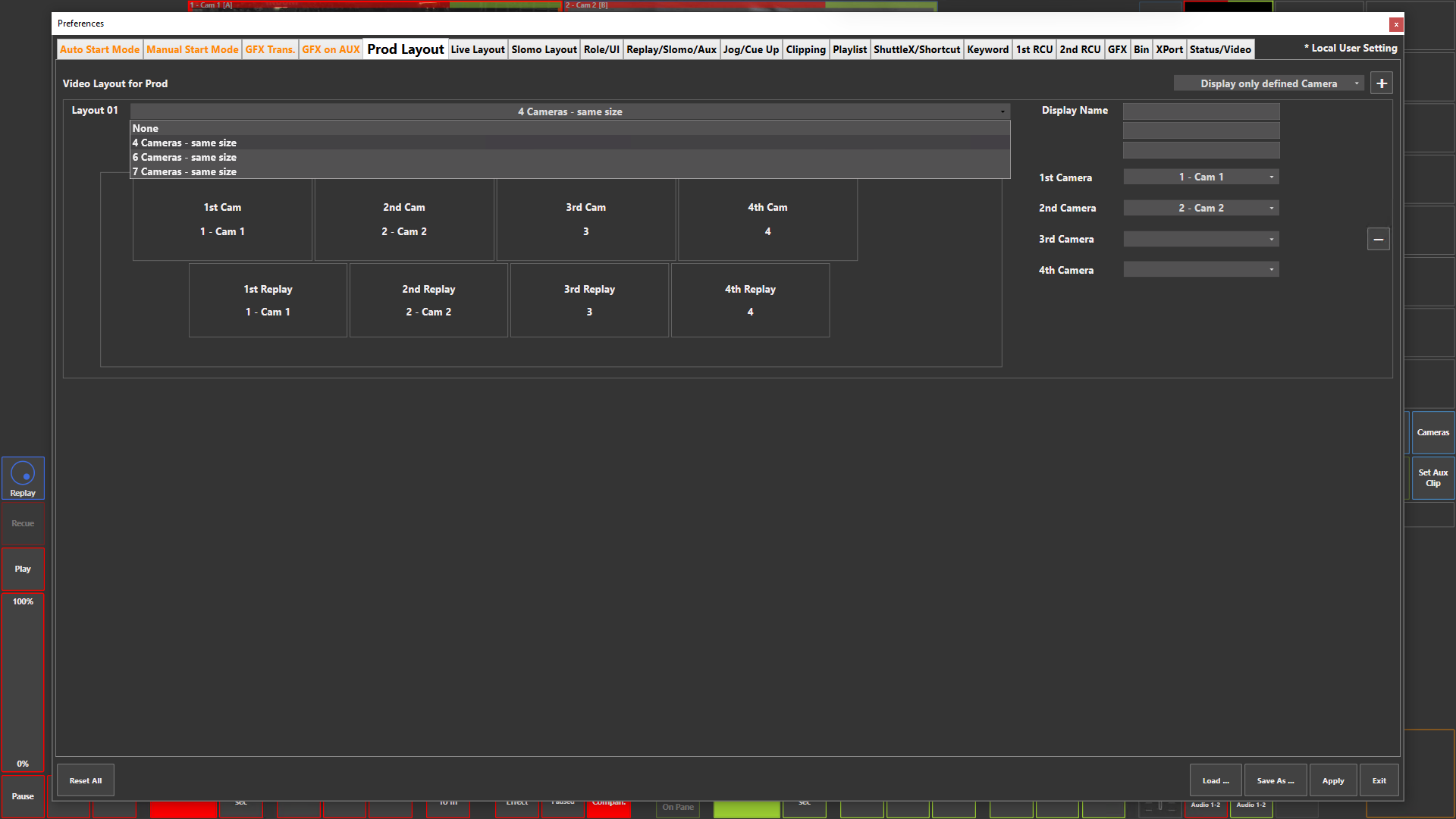
Preference Breakdown
|
Button Label |
Dropdown Menu |
Description |
Specific to Role |
|---|---|---|---|
|
Display only defined Camera |
Display only defined Camera |
Will only list the inputs configured in the Web Config |
Prod |
|
|
Display all Camera |
Will list all possible inputs within the system configuration |
Prod |
|
Add Layout (+) |
|
Lets the user add a new layout view |
Prod |
|
Video Layout for Prod |
|
Scrollable space where layouts are created for Live user |
Prod |
|
Layout ## |
None |
Displays no inputs |
Prod |
|
|
4 Cameras - same size |
Displays 4 input + 4 replay inputs - 4 x 2 |
Prod |
|
|
6 Cameras - same size |
Displays 6 input + 6 replay inputs - 6 x 2 |
Prod |
|
|
7 Cameras - same size |
Displays 7 input + 7 replay inputs - 7 x 2 |
Prod |
|
Display Name |
|
Lets the user name the Live layout in the way they want |
Prod |
|
1st Camera…7th Camera |
None |
No input will be displayed |
Prod |
|
|
Input 1…256 |
Select which input to be assigned to each camera in the layout |
Prod |
|
Remove Layout (-) |
|
Delete specific layout |
Prod |