
Preferences > Playlist
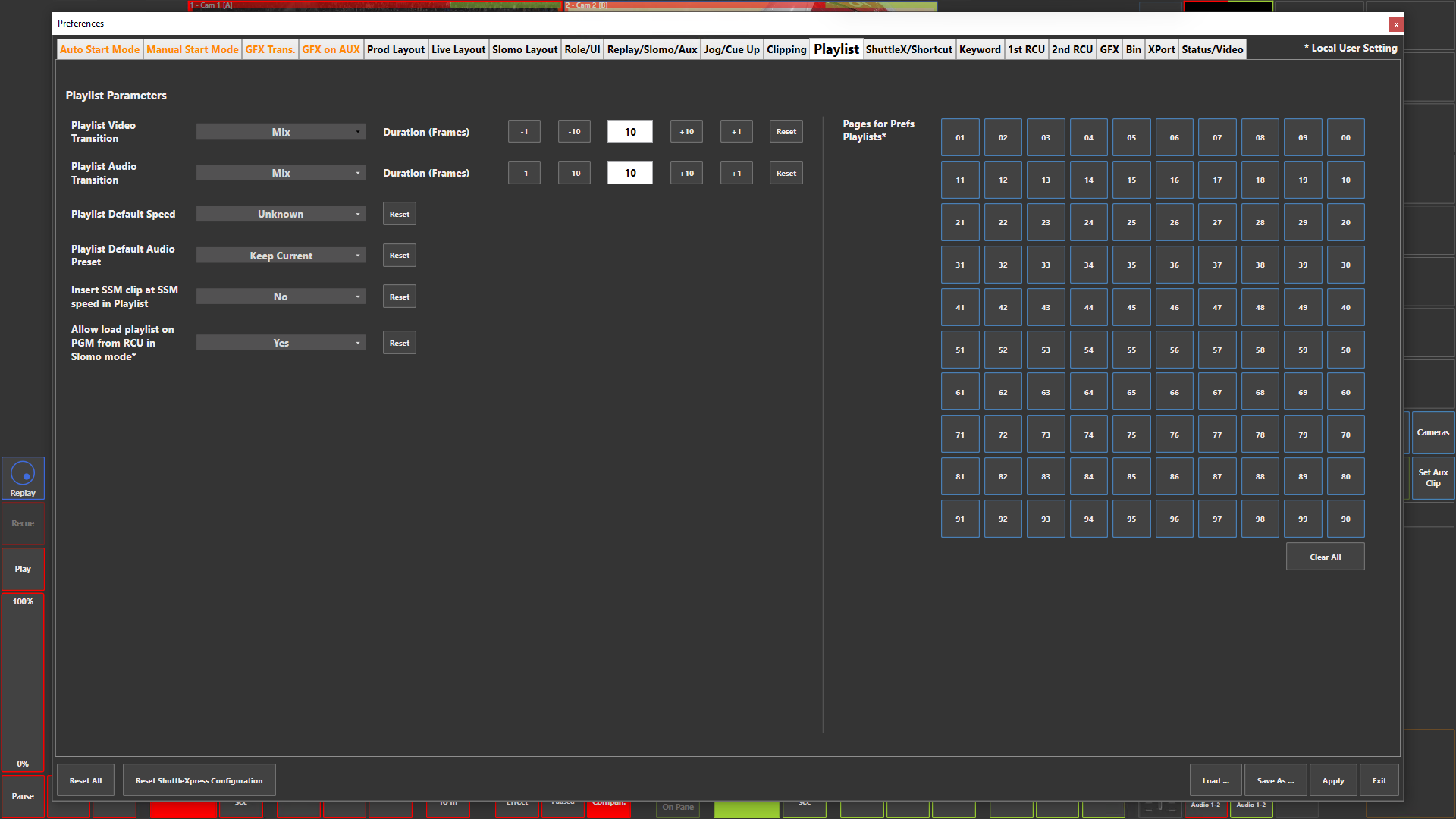
Preference Breakdown
|
Button Label |
Dropdown Menu |
Description |
Specific to Role |
|---|---|---|---|
|
Playlist Video Transition |
Cut |
Default cut video transition when creating a playlist |
All Roles |
|
|
Mix |
Default mix with frame duration video transition when creating a playlist |
All Roles |
|
Playlist Audio Transition |
Cut |
Default cut audio transition when creating a playlist |
All Roles |
|
|
Mix |
Default mix with frame duration audio transition when creating a playlist |
All Roles |
|
Playlist Default Speed |
Unknown |
No default speed value of each element when creating a playlist - Will follow the speed of the previous playlist element unless manually definded |
All Roles |
|
|
Definded |
Default speed value of each element when creating a playlist |
All Roles |
|
Playlist Default Audio Preset |
Keep Current |
No audio preset applied when creating a playlist - Will follow what is defined in ViBox UI at the time, unless manually changed |
All Roles |
|
|
Select audio preset… |
Audio preset will be applied to each element when creating a playlist |
All Roles |
|
Insert SSM clip at SSM speed in Playlist |
Yes |
SSM element will be added to the playlist at it's SSM speed - 3x = 33%, 4x = 25%, etc |
All Roles |
|
|
No |
SSM element will be added at the default speed definded |
All Roles |
|
Allow load playlist on PGM from RCU in Slomo mode* |
Yes |
You can load a playlist to PGM 1 when you press the "PLST" key on the RCU !!! You can only edit the playlist on PRV |
Slomo |
|
|
No |
You cannot load a playlist to PGM 1 when you press the "PLST" key on the RCU - it will auto load to PRV |
Slomo |
|
Pages for Prefs Playlists* |
00 to 99 |
Assign specific Playlist numbers to be visible when the “Playlist (Pref)” is selected in the UI |
All Roles |
|
|
Clear All |
Removes all Playlists selected |
All Roles |