
Camera Substitution allows you to automatically replace the main PGM content on selected outputs with a pre-defined camera whenever a specific element appears on air.
This is especially useful when your main dirty feed and your AUX feeds need to behave differently.
For example, you may want:
-
the main broadcaster to receive the full dirty feed
-
AUX 1 and AUX 2 to feed venue screens
-
the venue screens to stay full frame and clean, without PiPs
In that case, you can configure the system so that whenever a PiP appears on PGM, the AUX outputs do not follow that PiP. Instead, they automatically switch to a pre-selected full frame camera, for example CAM 3.
This means that:
-
PGM can still show the PiP as intended for broadcast
-
AUX 1 and AUX 2 can show a clean full frame shot instead
-
the substitution happens automatically, without manual switching
How It Works
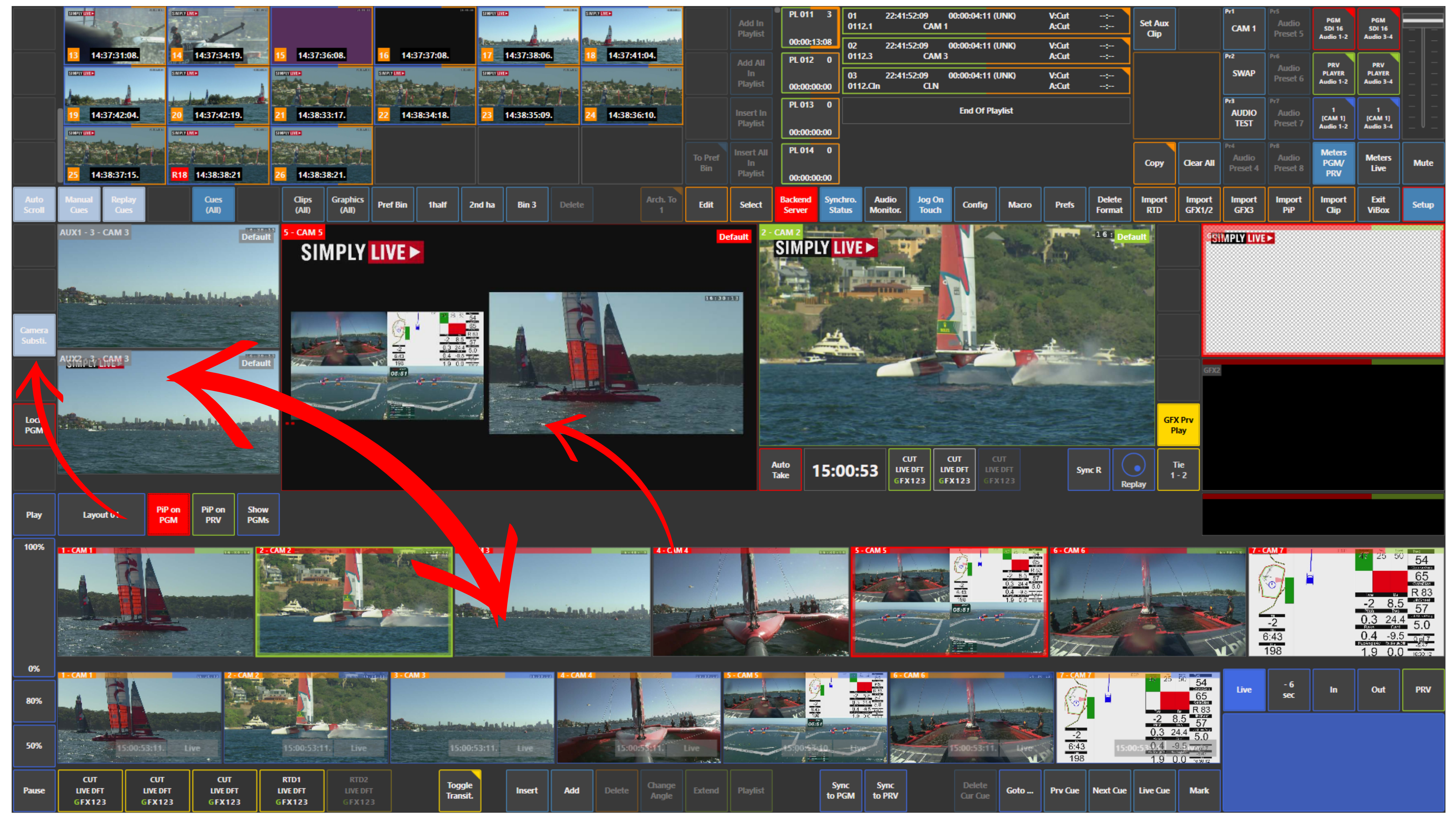
Use the Camera Substi. panel to work with this function.
The full behaviour can be configured in:
Setup → Prefs
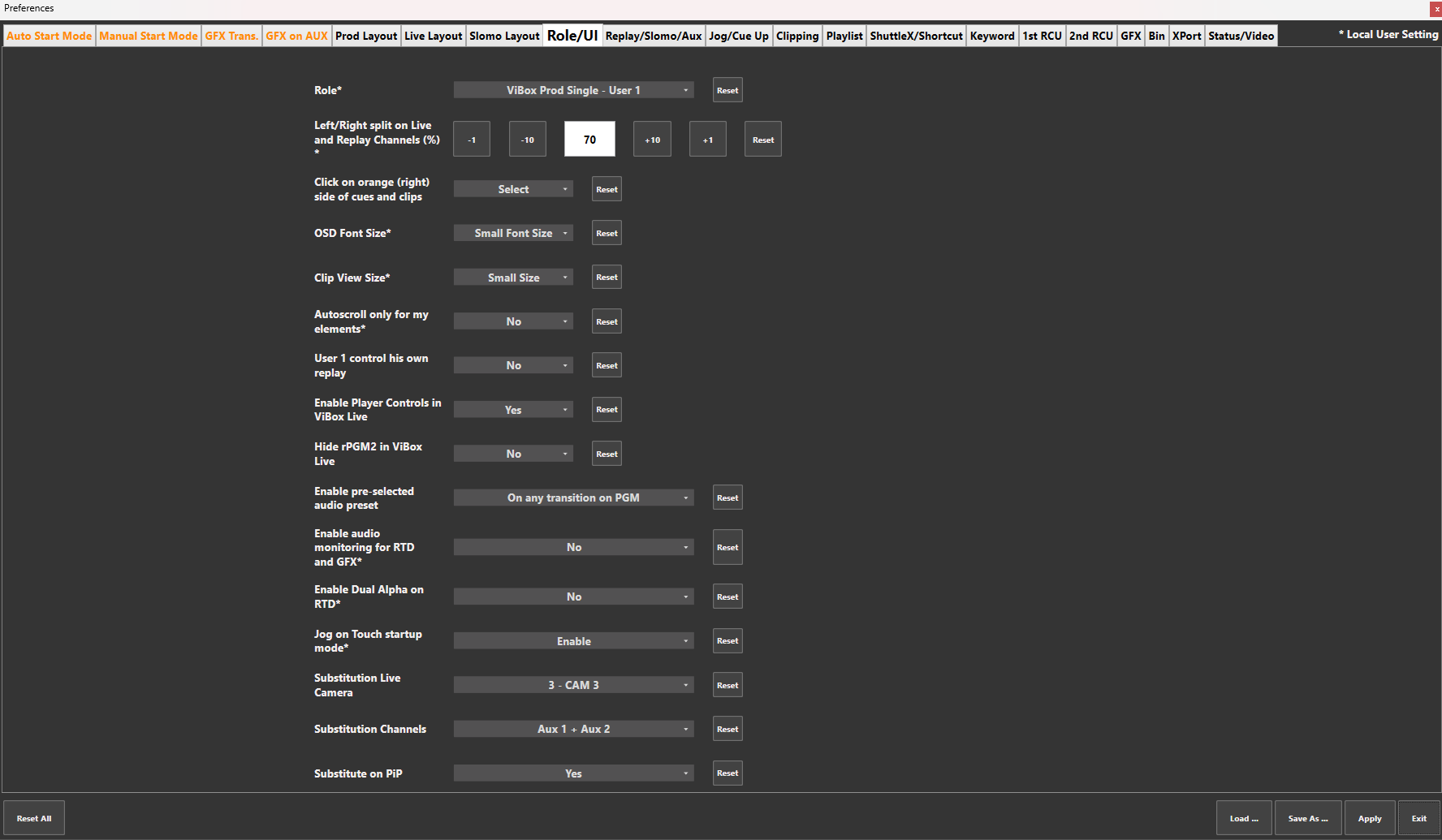
From there, you can define:
-
which camera will be used as the substitution source
-
which channels will receive the substitution
-
whether the substitution should happen when PiP is used
In the example shown here:
-
Substitution Live Camera is set to CAM 3
-
Substitution Channels are set to Aux 1 + Aux 2
-
Substitute on PiP is used to control whether PiP events trigger the replacement
Use Case
You are producing the main dirty feed for the broadcaster.
At the same time, AUX 1 and AUX 2 are feeding the LED screens in the venue.
On the main PGM output, you may want to use PiPs as part of the production. But on the venue screens, you want a clean full frame image instead of a PiP.
So you configure Camera Substitution so that whenever a PiP appears on PGM, the system automatically replaces that PiP on AUX 1 and AUX 2 with CAM 3.
As a result, the broadcaster keeps the intended on air composition, while the venue screens stay clean, simple, and full frame.
Pro Tip
This function is very useful when different destinations need different visual versions of the same production. It is especially effective for LED screens, in-house displays, and AUX outputs where a clean full frame image is preferred over PiPs or other layered effects.