
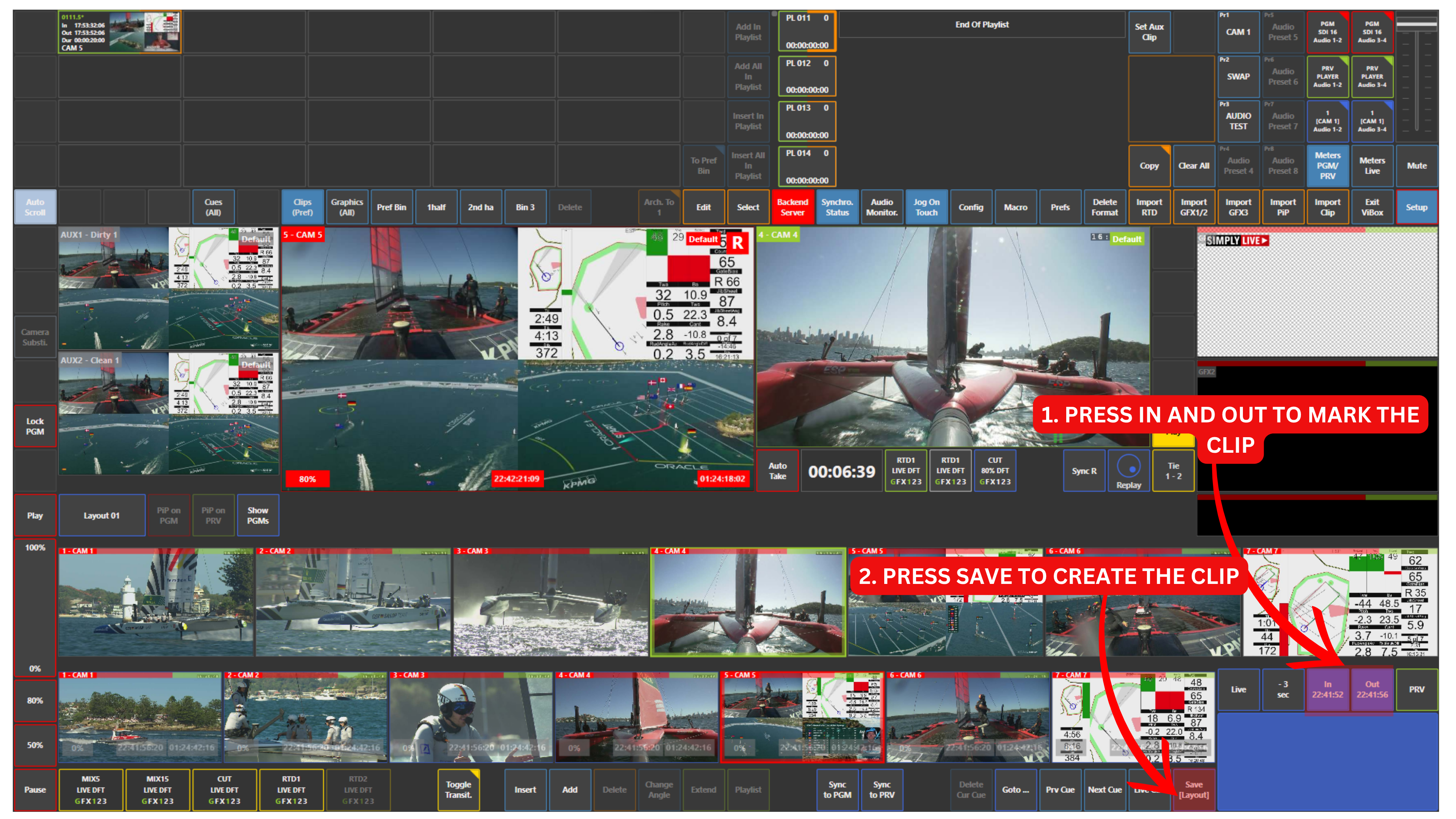
To create a clip using your replay cameras, first use the blue touchpad to navigate to the action you want.
-
Jog back to the start of the action
-
Press IN
-
Jog forward to the end of the action
-
Press OUT
-
Press SAVE to create the clip
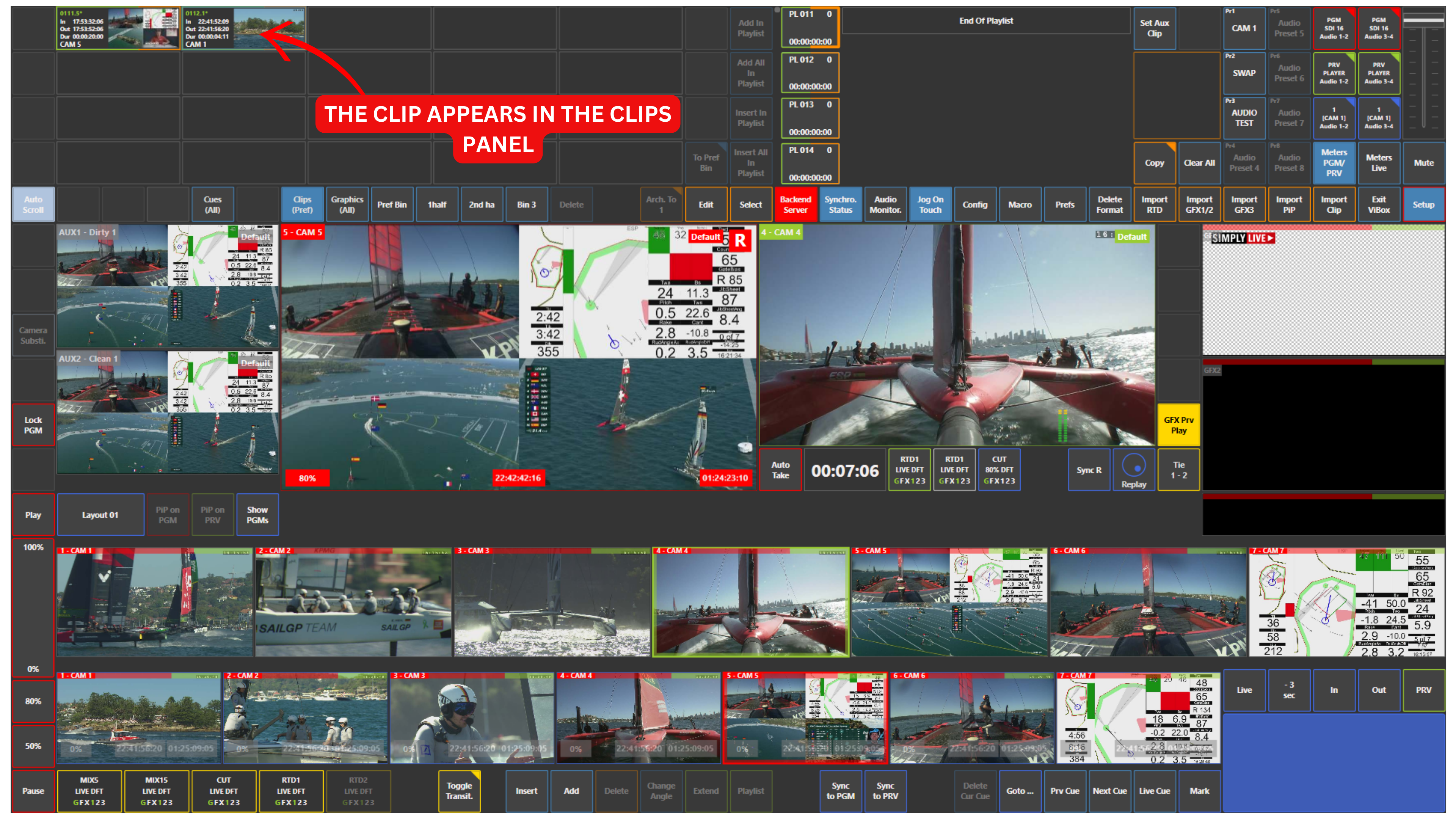
The clip will then be available in the Clips panel.
Pro Tip
Try to create clips whenever possible.
Once a clip is saved, you can use it again later in your highlights, playlists, and highlight playlists.
Info
Alternatively, you can jump back using the -3 sec button above the blue touchpad.
The jump value is configurable in Setup → Prefs → Jog/Cue Up.
This lets you move back instantly by a predefined number of seconds, then use IN and OUT to mark the action.