
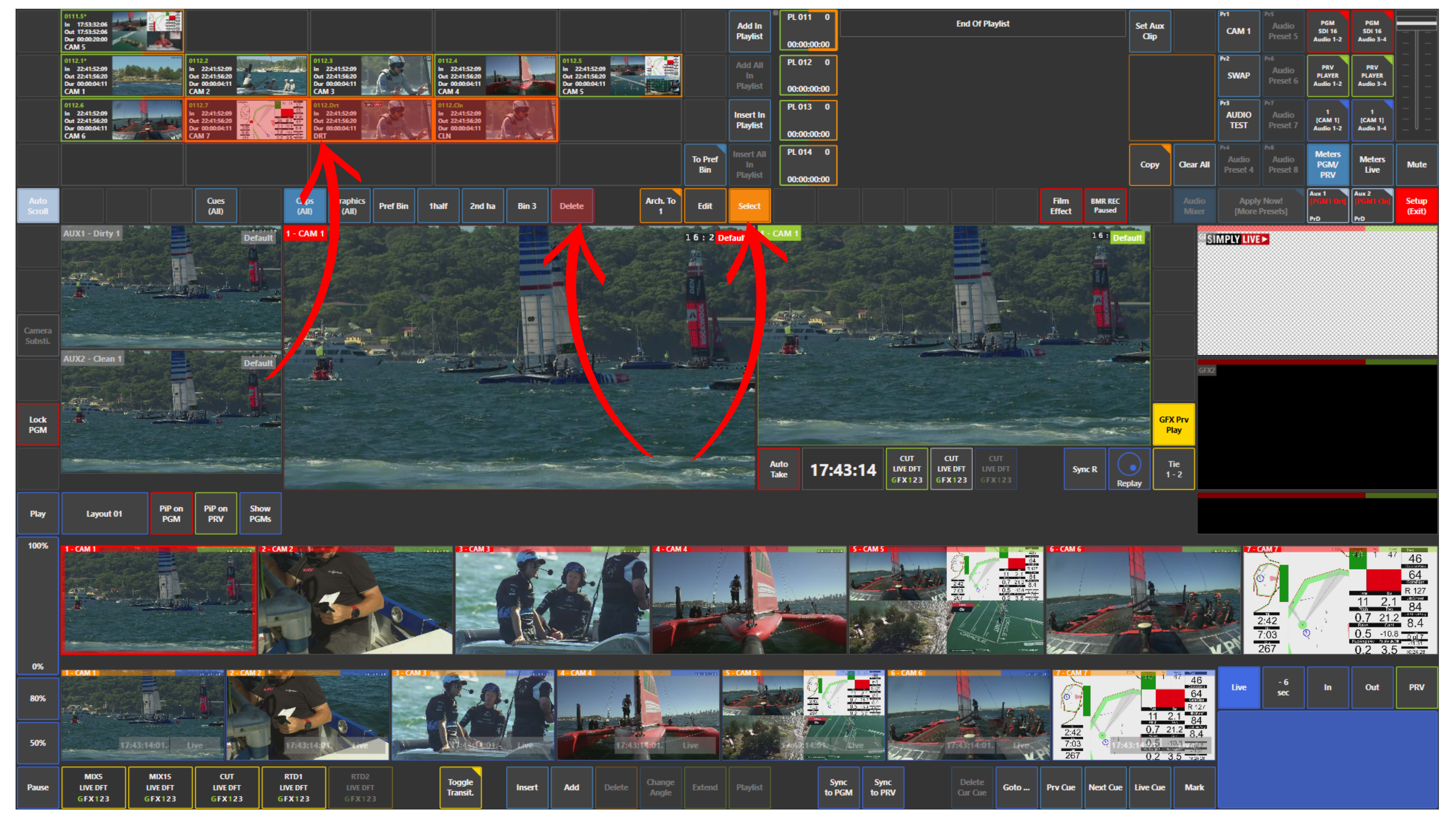
If you want to delete clips, press Select, choose the clips you want to remove, and then press Delete.
If you want to delete a playlist, press Clear All on the right side of the playlist area.
This clears the playlist at once.
Pro Tip
Try to keep your clips and playlists organised.
SimplyLive Production Suite Flex can handle up to 9000 clips and around 1000 playlists, but a clean workflow makes production faster and easier.