
You can control playout speed directly from the touchscreen in Production.
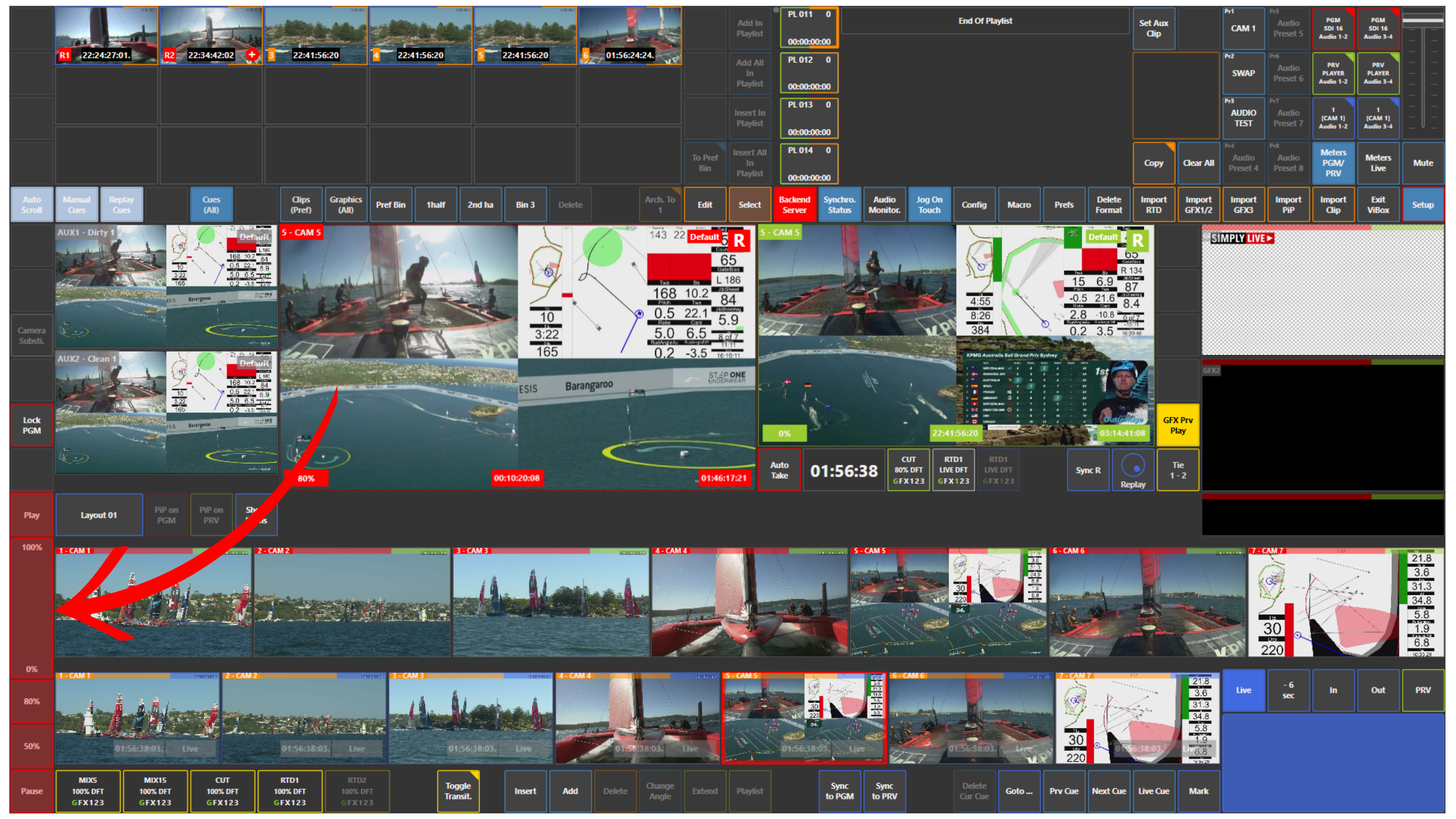
Use the speed bar on the left side of the interface to control the playback speed.
-
Swipe up or down on the speed bar to set the required speed
-
100% plays at normal speed
-
Lower values such as 80%, 50%, or 0% allow slower playout or freeze
You can also use:
-
Play to start playback
-
Pause to stop playback
Info
You can predefine playback speeds in Setup → Prefs.
For example, you can set speeds such as:
-
50%
-
80%
This allows you to recall common replay speeds quickly during production
Use Case – Live Production Scenario
You load a replay or clip on Preview and want to control how it plays before taking it to air.
Use the touchscreen speed bar to set the required speed, then press Play.
If needed, press Pause to stop on the required frame.
This gives you direct touchscreen control over replay playout without leaving Production.
Pro Tip
Predefine your most commonly used replay speeds in Prefs so they are always ready during live operation.