
In multi-user mode, you can start replays prepared by another SloMo user directly from Production.
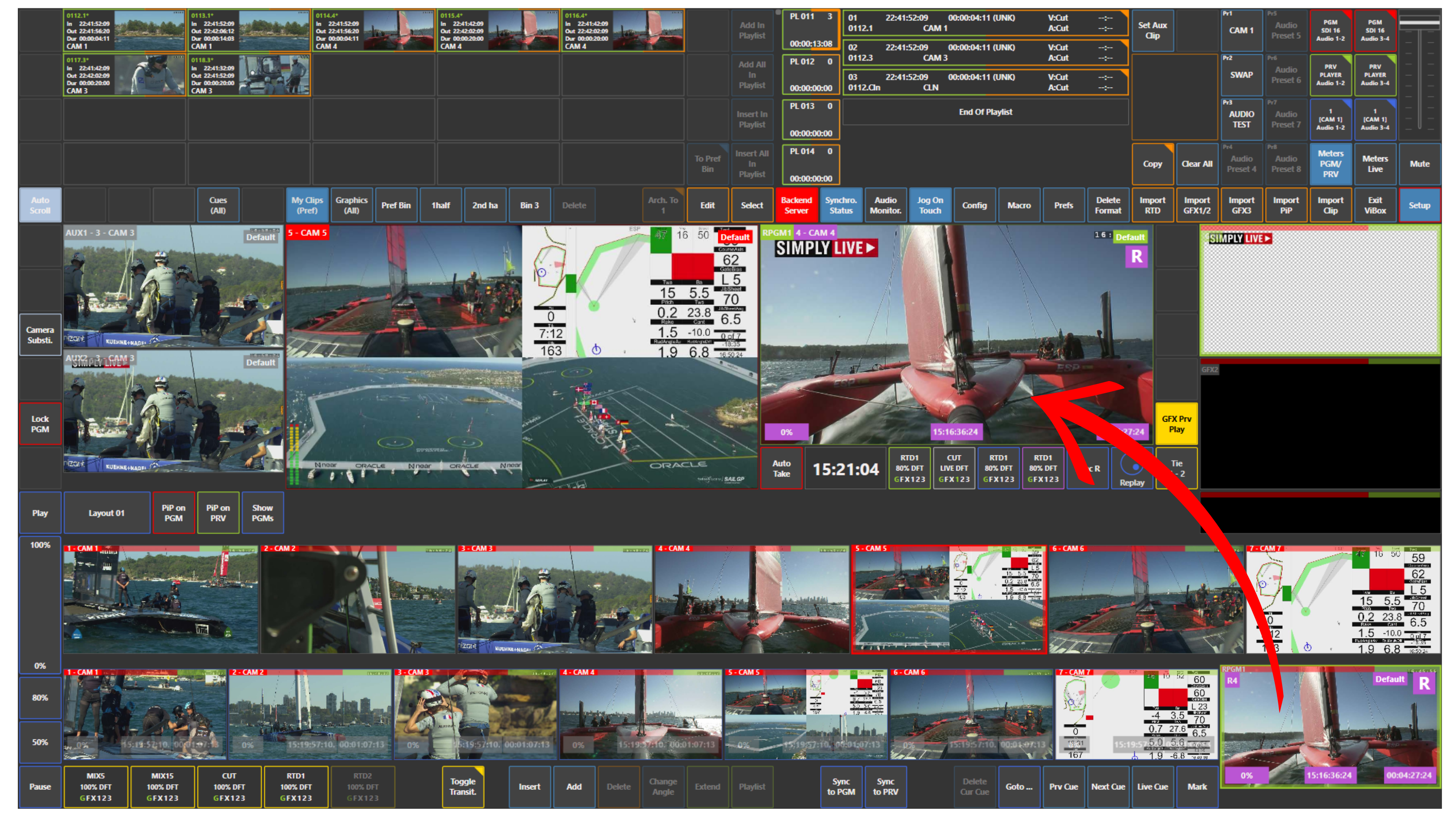
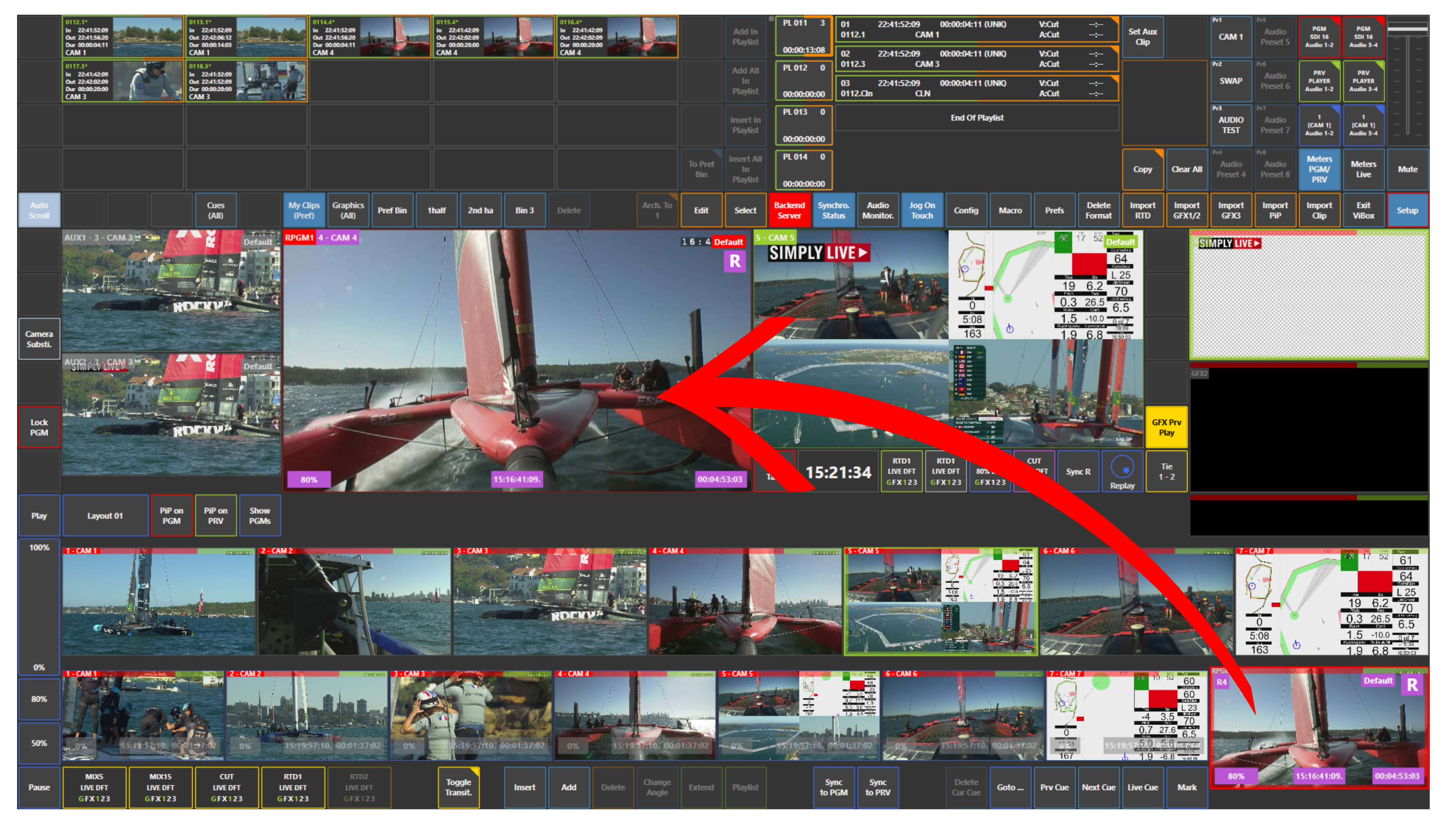
To do this, use the replay operator output shown in the lower right corner of the screen.
From there, you can:
-
load the replay operator output to Preview, then take it to Program
-
or take it directly to Program
Info
The SloMo operator does not need to start the replay output manually.
Once you take that output on your side, the replay starts automatically.
Warning
If the SloMo operator moves the T-bar or jogs back and forward while you are using that output, it will affect the replay output.
Use Case – Live Production Scenario
The replay operator prepares a replay and loads it on his output.
You access that output from Production, load it to Preview, check it, and then take it to Program.
If needed, you can also take it directly to Program without going through Preview first.
Info
In multi-user mode, up to three users can work on the same system at the same time.
For example:
-
User 1 can work in Production
-
User 2 can work as SloMo operator
-
User 3 can work as VAR operator
Other combinations are also possible, for example:
-
1 director and 2 SloMo operators
-
3 SloMo users
Pro Tip
Even in multi-user mode, you can still create marks and cues and build playlists as part of your own Production workflow.