
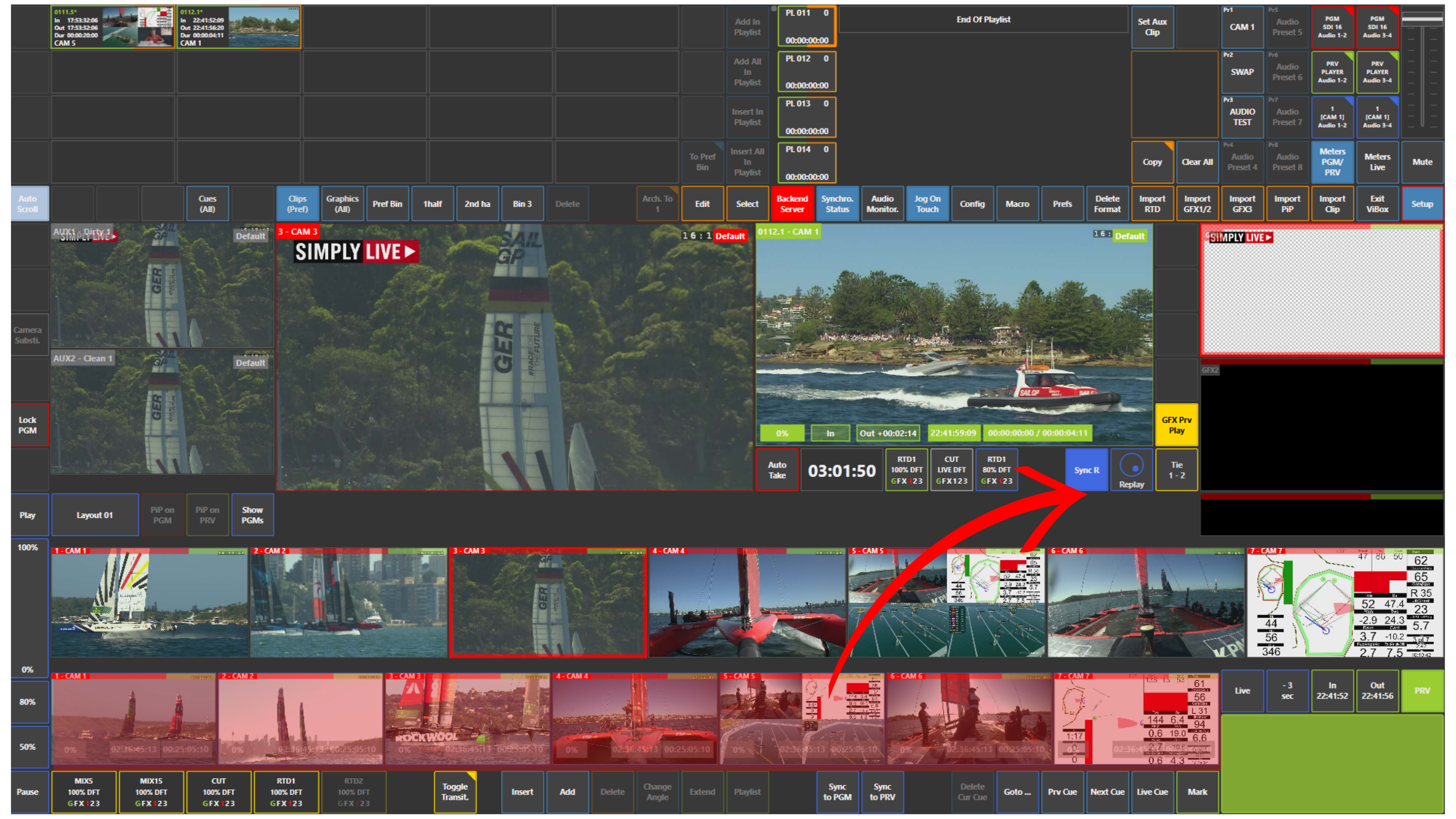
This function allows you to link your replay cameras to the Preview (PVW / Program 2) output while working in Production.
When enabled, any navigation you perform on Preview such as jogging, scrubbing, or moving along the timeline will be mirrored across all replay cameras.
What it does
-
Keeps all replay angles synchronised with your Preview output
-
Allows you to browse moments in perfect sync across multiple cameras
-
Eliminates the need to manually match timing between angles
How to use it
-
Load your content on Preview (PVW / Program 2)
-
Activate Sync R under the Preview controls
-
Use the jog or touchscreen to navigate
-
All replay cameras will match the Preview position in real time
Use Case – Live Production Scenario
You are preparing a replay while something else is playing out on Program.
You load the moment on Preview.
Activate Sync R.
You jog back a few seconds.
All cameras move together.
You quickly scan angles and pick the cleanest shot, ready to go live within seconds.
Pro Tip
Combine Sync R with thumbnail view.
You can visually scan all angles while staying perfectly synchronised, which significantly speeds up angle selection during live production.
Pro Tip
You can combine this with Sync to Preview.
Sync to Preview aligns your cameras at a single moment in time.
Sync R keeps them continuously synchronised while you navigate, giving you full control during browsing.