
A Node Remains Offline or Unreachable
Diagnosis
Scenario
A configured Node does not reach an operational Connection State.
Observed Behavior
The Connection State of the Node in the Node List shows Service online, node disconnected. If it shows No heartbeat from service, follow A Node Reports No Heartbeat from Service.
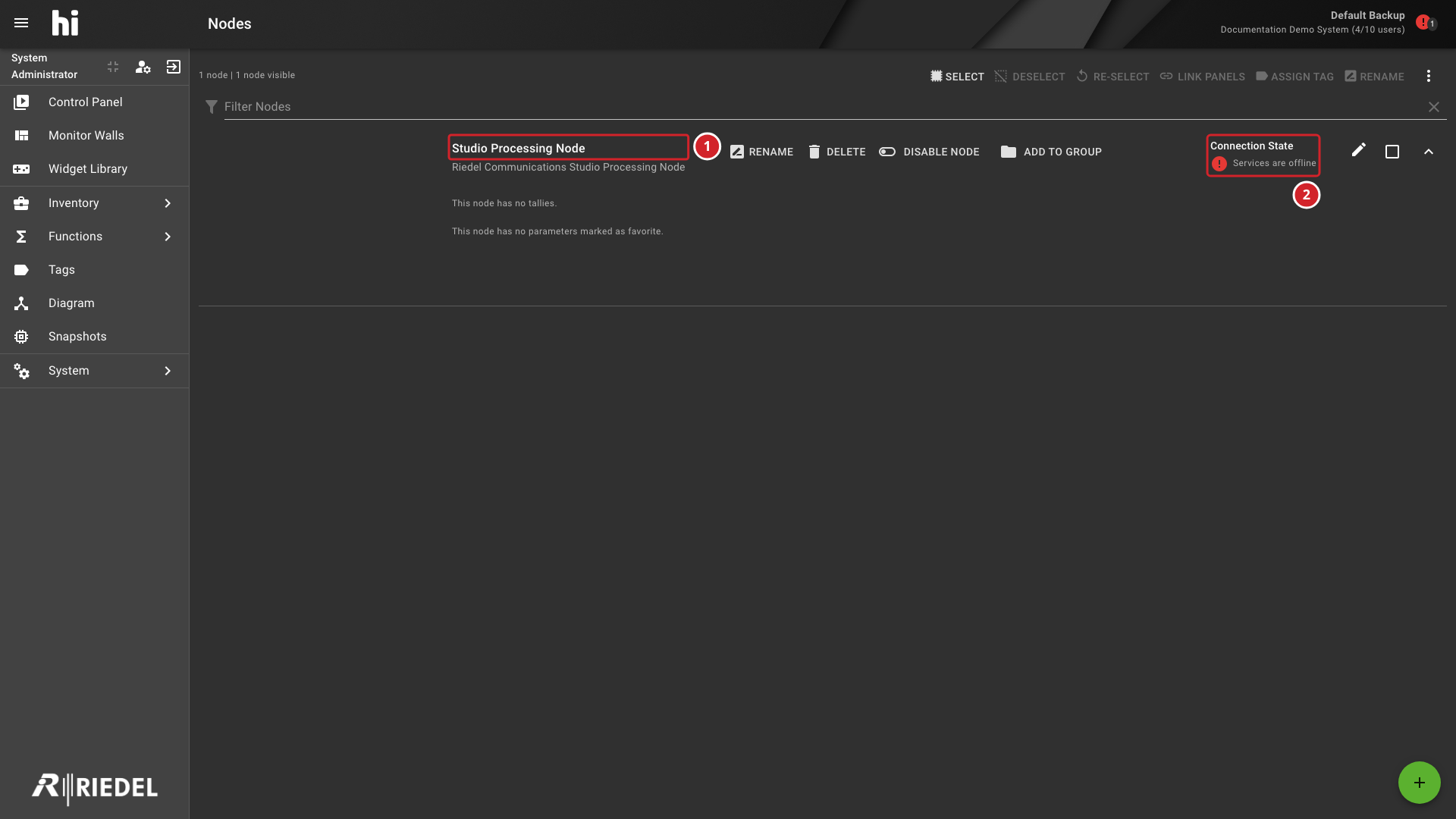
Offline Node Status Example
This example shows an offline-service state, which differs from Service online, node disconnected, the state diagnosed below. Identify the complete Connection State using Interface: Connection State Indicators. For No heartbeat from service, follow A Node Reports No Heartbeat from Service instead of the device checks.
-
The affected Node is identified by its configured name.
-
The example's services are offline. This differs from Service online, node disconnected, the state diagnosed below.
Possible Causes
The Service online, node disconnected state confirms that hi has not established the expected device connection. It does not identify whether the cause is device power, the server-to-device network path, credentials, certificates, or integration configuration.
Caution
Do not use a successful ping from an operator workstation as proof that the hi server can reach the device.
Prerequisites
-
Operator checks require access to the Node's displayed state and the controlled device's normal status indications.
-
Network checks require the network administrator responsible for the hi server-to-device path.
-
Node configuration changes require the responsible hi administrator and the device-specific integration documentation.
Resolution
-
Operator: Record the Node name, complete displayed state, and time of the last known successful connection.
-
Confirm that the controlled device is powered and reports its own management interface as available. If it does not, ask the device administrator to investigate that device before changing hi configuration.
-
If the device is available, ask the network administrator to verify reachability from the path used by the hi server. A successful workstation ping does not complete this check.
-
If server-to-device reachability is available, ask the hi administrator to compare transport, port, authentication, and device-side settings with the device's Integration page.
-
If the state is No heartbeat from service, follow A Node Reports No Heartbeat from Service instead of the device checks.
-
Administrator: Review recent network, certificate, credential, firmware, or device-address changes. Correct an identified mismatch using the supported configuration workflow, then observe the Node again.
-
If the Node still does not connect or no mismatch is identified, retain the observations for Customer Support. Do not assume that a restart will resolve the cause.
Verify the Result
Confirm that the Node reaches the expected operational state and that its Ports and current state populate correctly.
Related Information
If the issue persists after these checks, contact Riedel Customer Success. Include the observations from this page, the Serial Number or Installation ID, the hi version, and a Backup and log export. See Customer Support.