
Manage Tally
Overview
See Tally and Labels for the Tally model and propagation behavior.
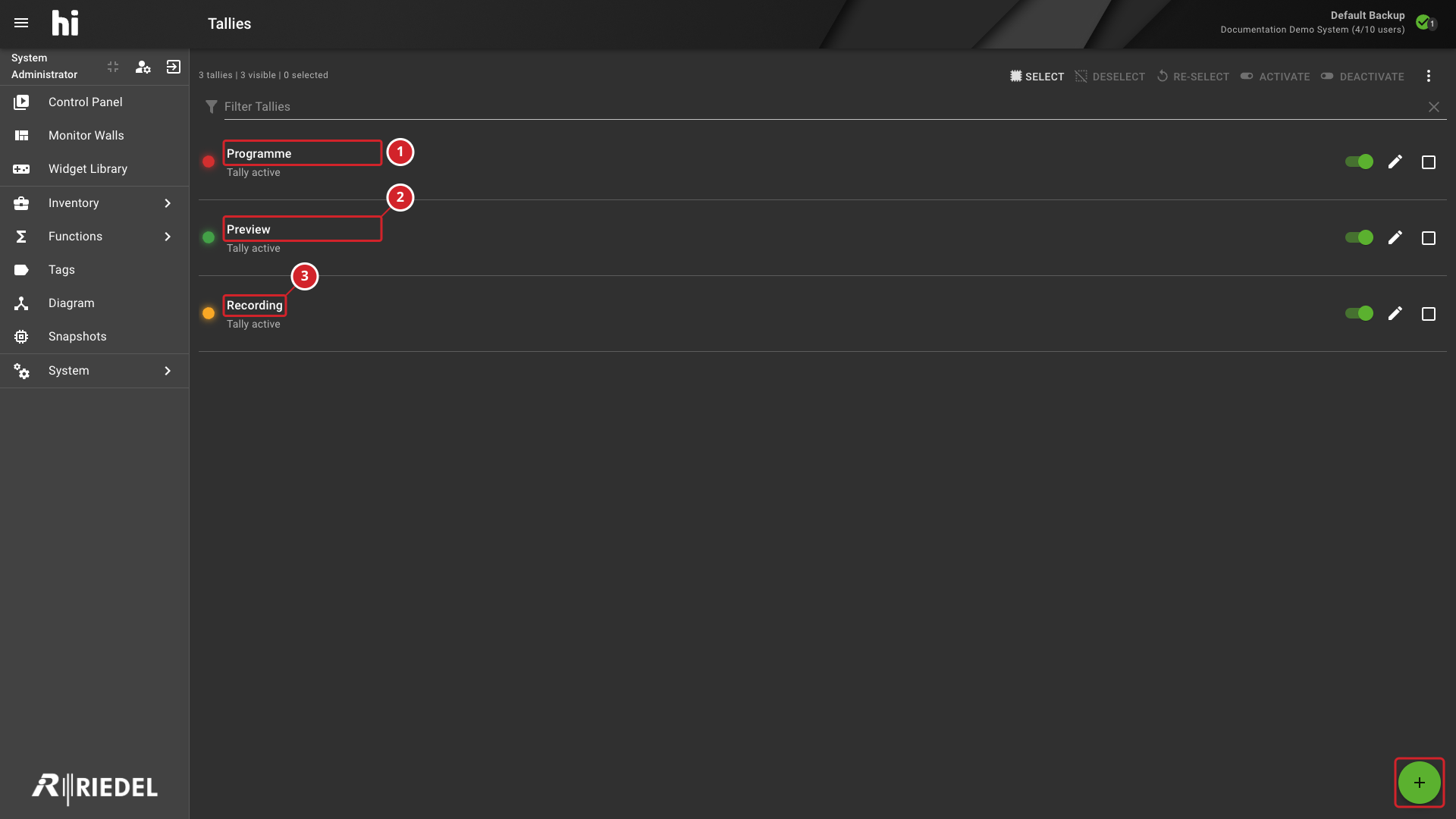
The Tallies workspace lists configured Tally levels with their colors and active or inactive state.
To open the workspace, select Functions > Tallies. The navigation entry requires Tally administration access and the Tally feature to be enabled.
Review Tally Configuration
Use Filter Tallies to find a level by name. Levels appear in their configured order. Each row shows the level's name, color, and Tally active or Tally inactive state, with an active-state switch and an Edit Tally control.
-
The configured Programme Tally level.
-
The configured Preview Tally level.
-
The Recording level and the control for adding a Tally level.
Add or Edit a Tally Level
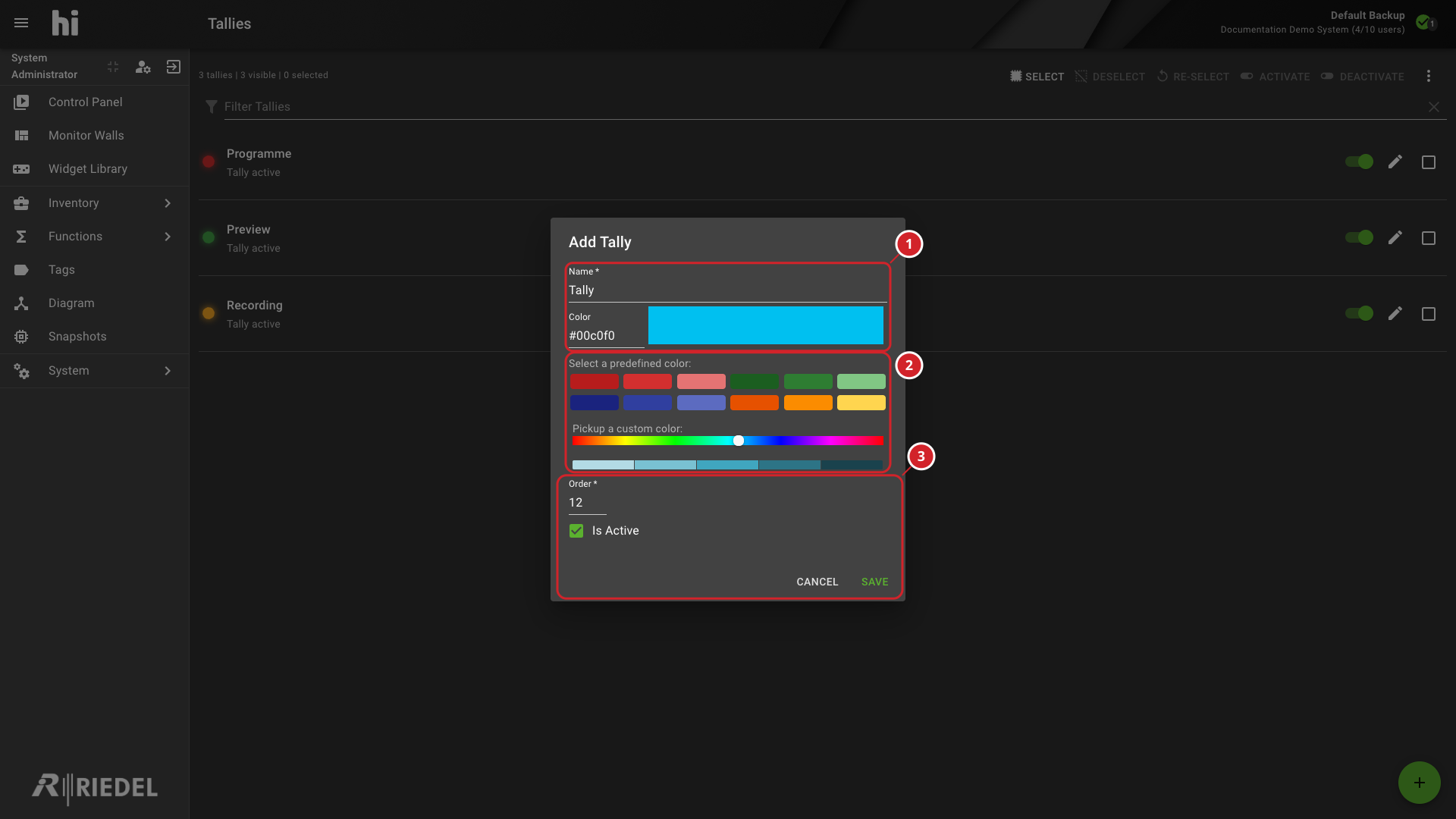
Select the plus button to open Add Tally. To change an existing level, select its Edit Tally control. Configure:
-
Name - the label shown in Tally views.
-
Color - enter a color value, select a predefined color, or use the custom color picker.
-
Order - the numeric display order. Lower values appear first.
-
Is Active - enable or disable the level.
Select Save to add the new level or save changes to an existing level. Select Cancel to discard the dialog changes.
-
The Tally level name and color controls.
-
The predefined and custom color choices.
-
Set the level order and enabled state, then save.
Enable or Disable Levels
Use the switch on a level to change its active state. To update multiple levels, select their checkboxes and use Activate or Deactivate.
Delete Levels
Caution
Deleting a Tally stops sending and receiving state for that Tally. Review affected assignments before confirming deletion.
-
Select the levels to remove.
-
Select Delete.
-
Review the confirmation and proceed only if the listed levels are no longer required.
After deletion, review and update affected source assignments in the associated router, switcher, or Rule configuration.
Verify the Result
Confirm that added or edited levels show the intended name, order, and enabled state. Confirm that deleted levels no longer appear.
Review the affected device and Rule assignments. On a live system, verify the expected Tally state in the operator or device view.
Next Steps
-
Use Manage Nodes to inspect device Tally assignments.
-
Use Manage Rules to review Rule-based Tally Sources.
-
Use View and Edit Topology to inspect the topology view.