
Cameras are your inputs.
You normally see them in your layout at the top of the screen, but you can also access them in a more structured way using the touchscreen.
How to Access Cameras
-
Use the Cameras panel
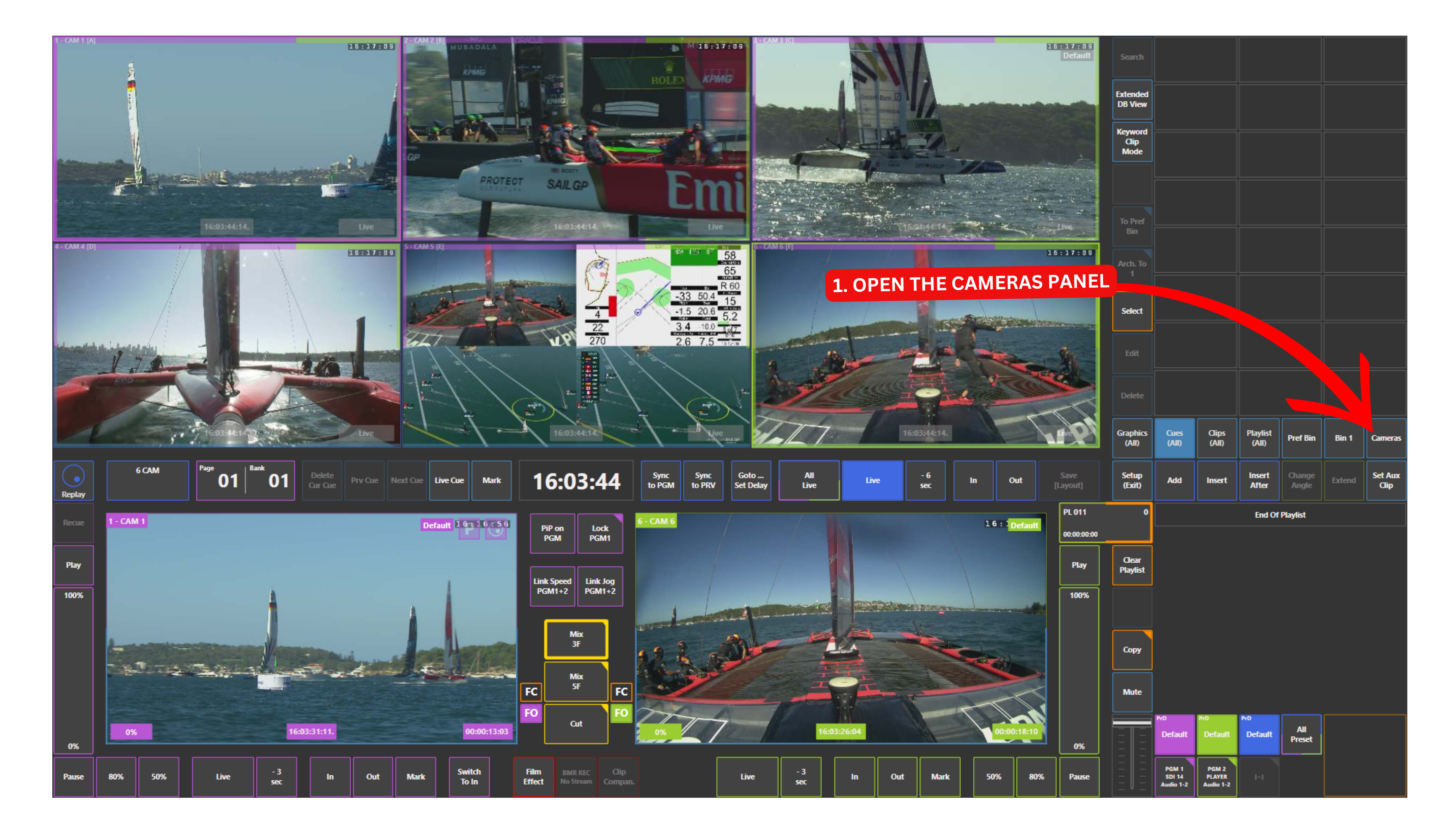
This opens a list view of all your inputs.
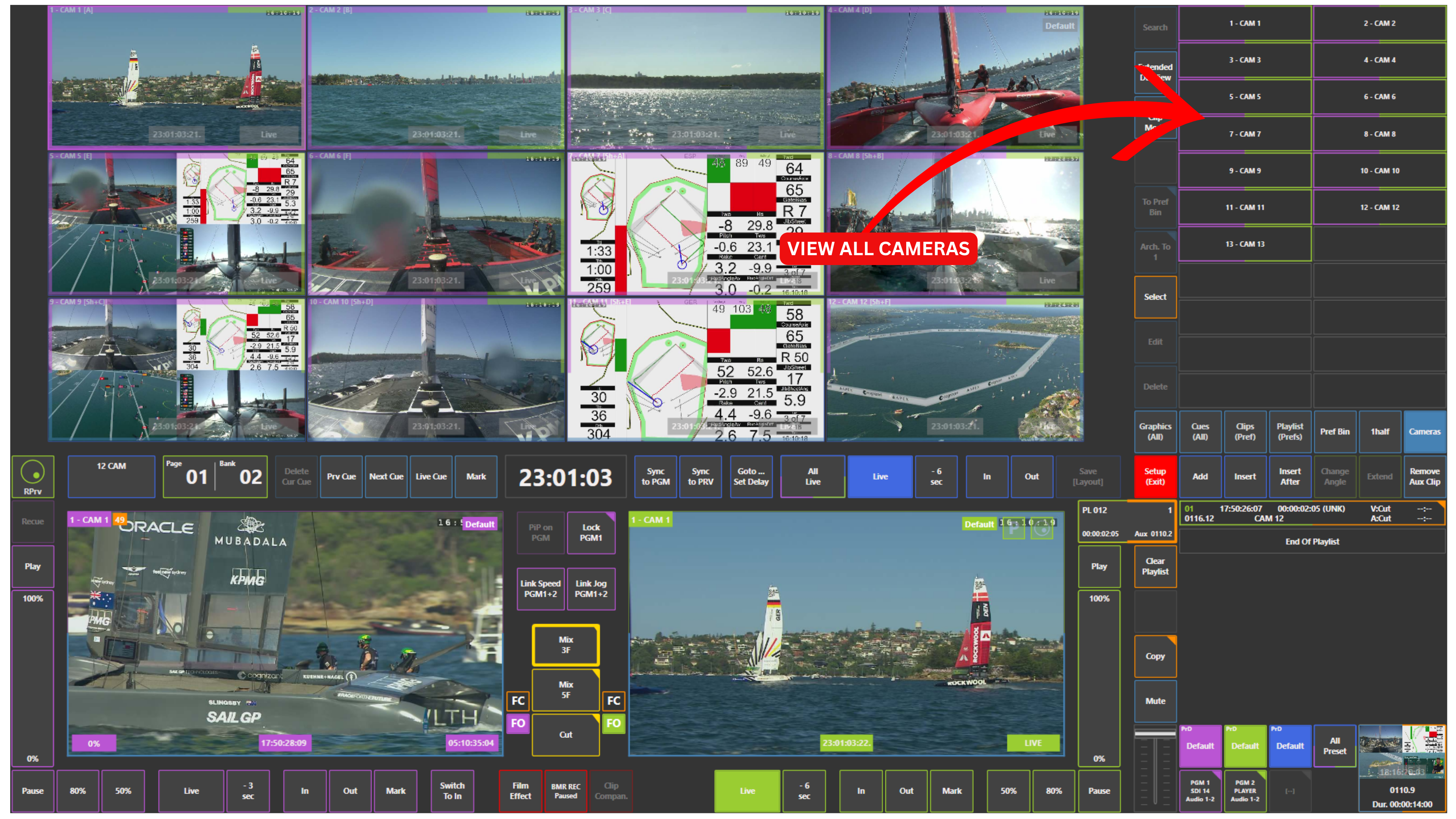
From here, you can browse your cameras in the same way as clips, playlists, or graphics, which can make navigation easier when working with many inputs.
Pro Tip
Use the Cameras panel when you want a clean and organised view of all inputs, especially in productions with a high number of cameras.