
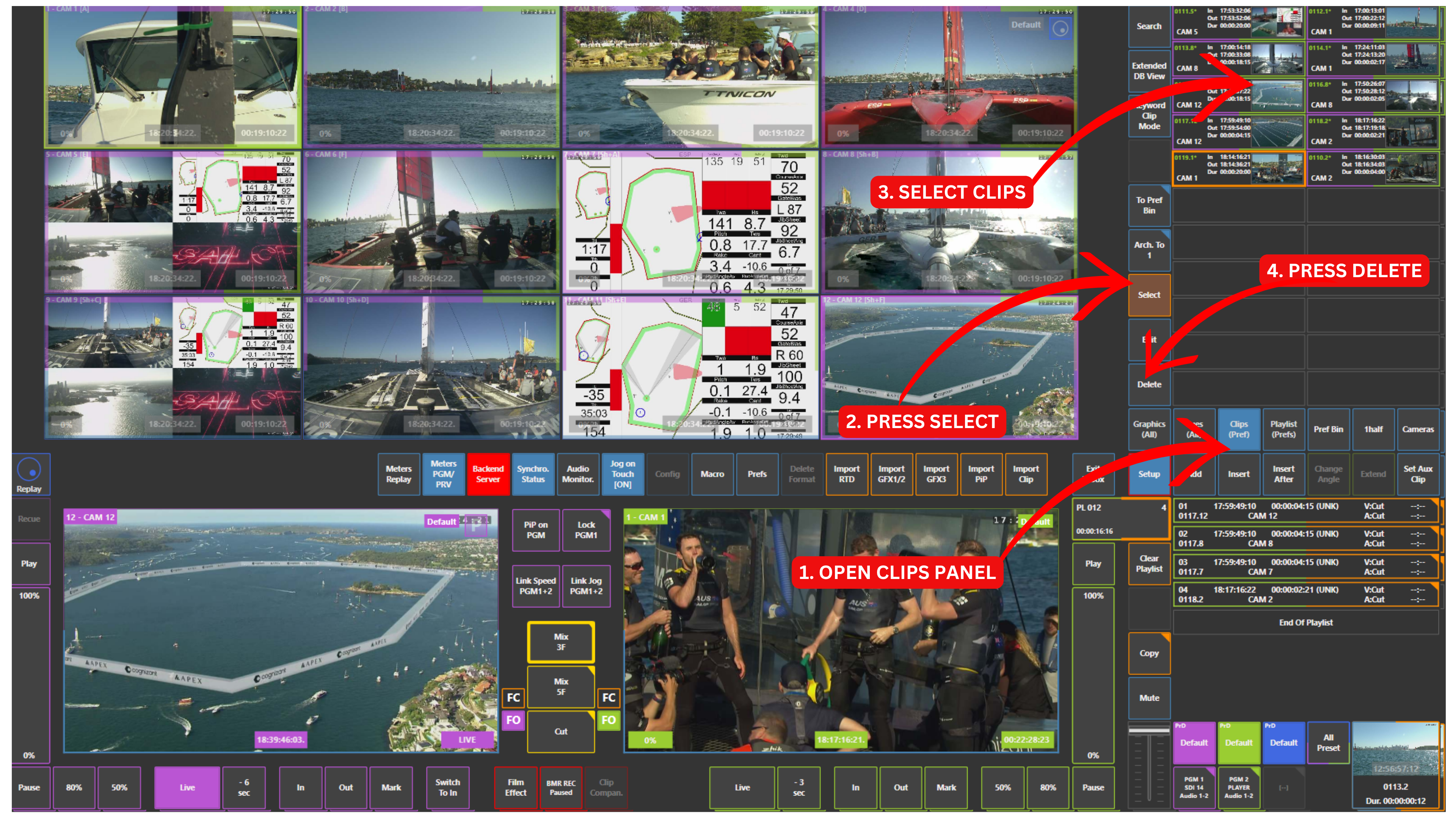
To delete clips, start by accessing the Clips panel located in the upper right section of the interface.
Clip Deletion Workflow
-
Open the Clips panel
-
Touch Select
-
Choose one or multiple clips by touching them (selected clips will be highlighted)
-
Touch Delete
The selected clips will be permanently removed from the system.
Important Notes
-
Multiple clips can be selected and deleted at the same time
-
Selected clips are clearly highlighted before deletion
Info
Deleted clips cannot be recovered.
There is no undo or Ctrl+Z function.
Pro Tip
Delete multiple clips at once to keep your workspace clean and organised.
Maintaining clear bins and clip lists helps avoid confusion and ensures a smoother workflow during live production.